Managing batch numbers requires high level of accuracy consistency and planning. Especially if we manage the serial or batch number cost by Serial/Batch Valuation Method. In such case, receiving inventory into the same batch more than once means that items for the same batch can be received with different costs. This may complicate the tracking of batch costs, and cause revaluations with postings to different accounts depending on outgoing batch transactions. To prevent this issue and enable easier cost control, SAP Business One enables us to block multiple receipt to the same batch:
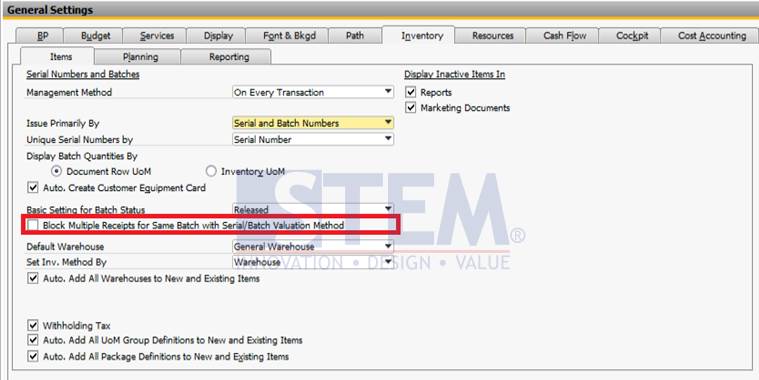
SAP Business One Tips – Restrict Receiving Same Item Batch
When selected, it is impossible to receive multiple batch for same item.