Not familiar with SuSE Linux, but your SAP Business One HANA often get a services error and not running? Today, we want to share about restarting related services for all of SAP Busines One HANA users.
Also read:
Follow there steps about how to restart SAP HANA related services in SuSE Linux Enterprise 11 SP 4 Operating System.
Especially if your SAP HANA System is not responding or some service is not running, and affected to your daily business process, you can try to restart services below.
- Hold any transaction from all users, logout all user.
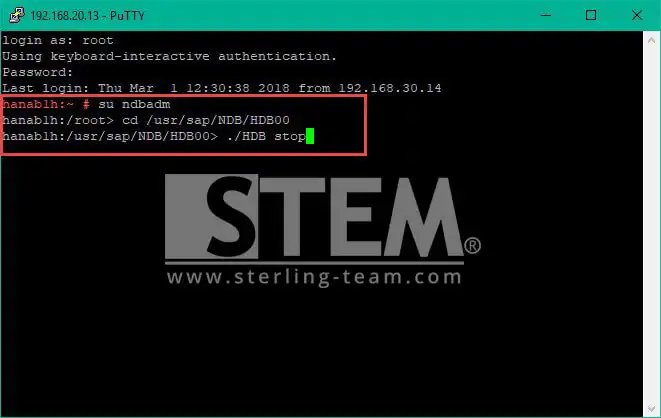
- Open puTTy, and logon to your SAP HANA System using user root, then change user to <SID>adm.
- Change directory to HANA installation directory <HANADIR>/<SID>/HDB00
- Type command below to stop HANA Database Engine Service and hit enter.
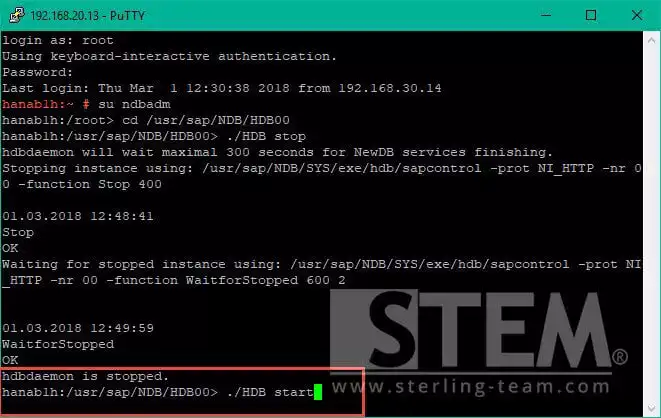
- Wait until service stopped, then type command below to start HANA Database Engine Service
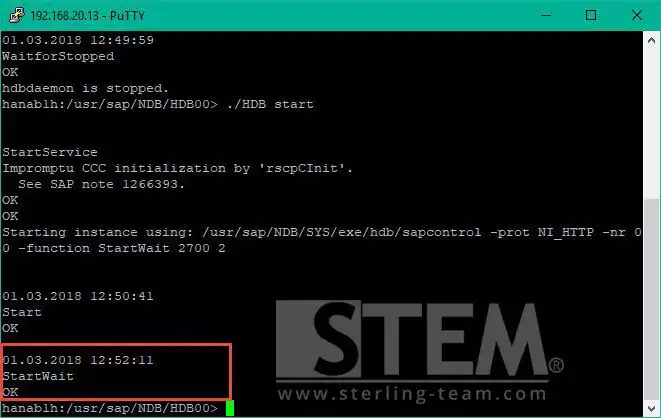
- Wait until service fully started.
- Return to user root by typing exit.
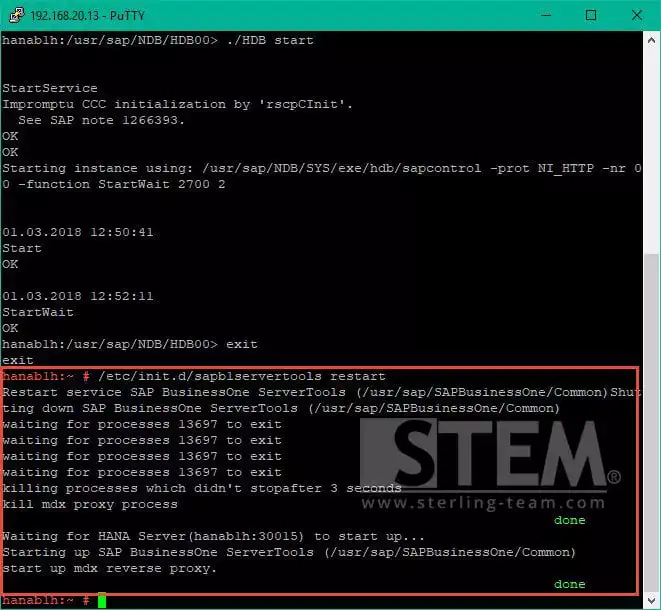
- Type command /etc/init.d/sapb1servertools restart to restart SLD service, Analytics Platform, etc.
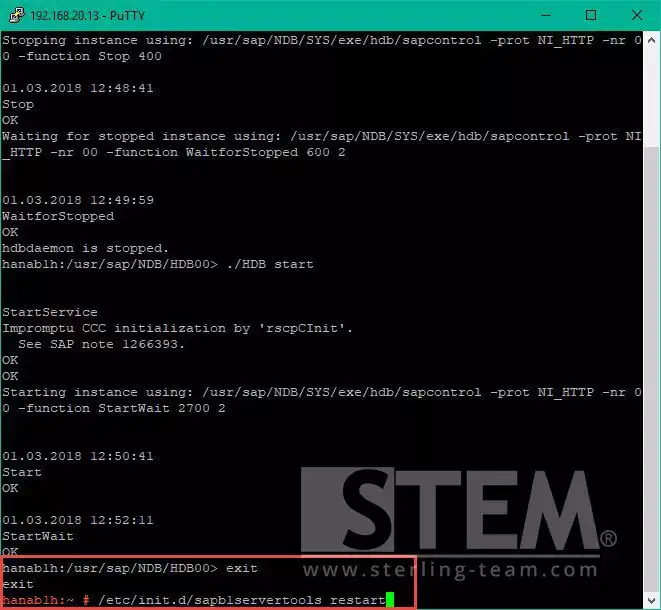
- Wait until service fully restarted.
- Type command /etc/init.d/b1s restart to restart service layer services.
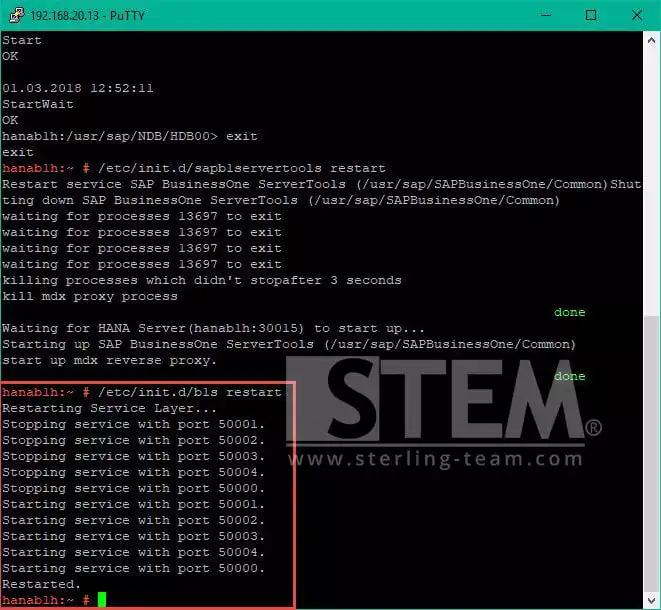
After you’ve done, please re-logon to your SAP Business One, and hopefully your error services problem was solved 🙂
SAP HANA Not Responding?
Some SAP HANA services can stop unexpectedly and disrupt daily operations. Our team can help identify the root cause and get your SAP Business One environment running normally again.