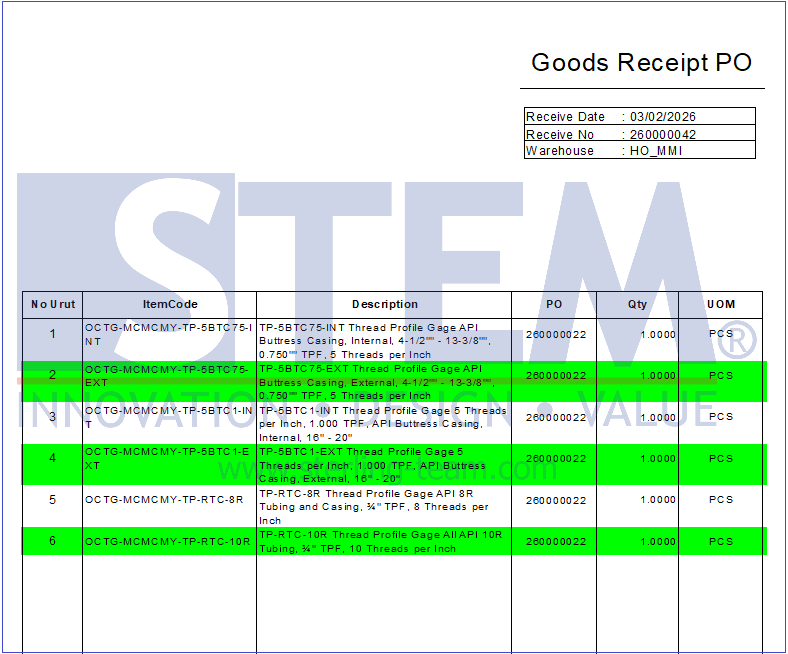
When creating reports using SAP Crystal Report, sometimes we want to apply a background color to certain sections so that the report becomes easier to read and looks more organized. For example:
- Adding color to the Header so the title is more visible
- Adding color to the Detail section to differentiate data rows
- Adding color to the Group Footer to highlight totals
How to Set Background Color in SAP Crystal Report?
SAP Crystal Report provides a feature called Section Expert that allows us to configure the appearance of each section, including the background color. Below are the simple steps to do it:
- Open the report/layout in SAP Crystal Report. Right-click anywhere on the report design area, then select “Section Expert”.

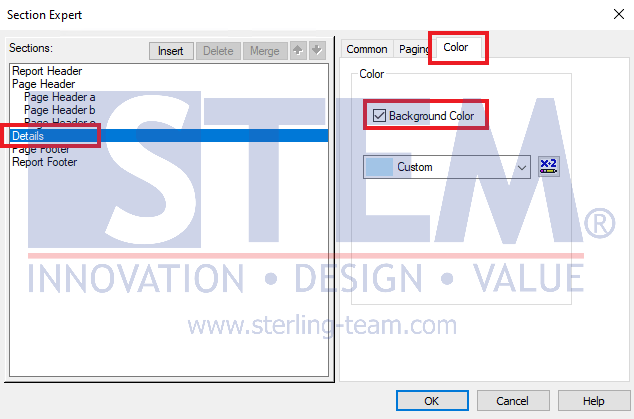
- The Section Expert window will appear. On the left panel, select the section where you want to set the background color. For example, select Details under Sections. Go to the “Color” tab, then check Background Color.
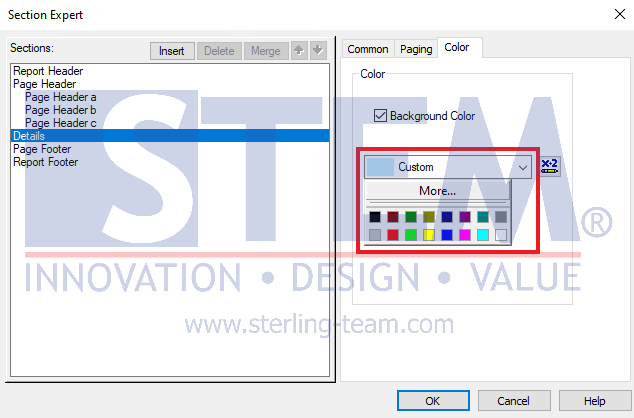
- If you want to use one color for all rows, simply select the desired color.
Result:
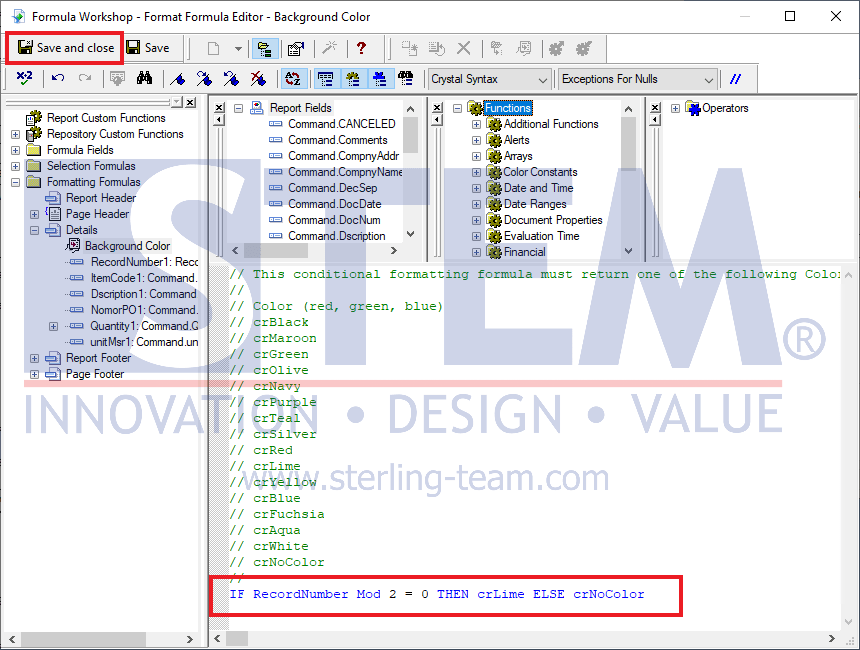
- If you want to apply one color but only for every 2 or more rows, click the X-2 (Formula) icon and enter the following formula:IF RecordNumber Mod [Number of Rows] = 0 THEN [Color Name] ELSE crNoColorAfter that, click “Save and Close“.
Result: