In SAP B1 there is a Hide Locked User feature to hide locked users in the authorization and license administration menus. Locked Users are usually users who no longer work at the company so their users are locked to make sure they cannot log in to the system. This Hide Locked User feature can help make user management easier, especially in large organizations where there are many registered users.
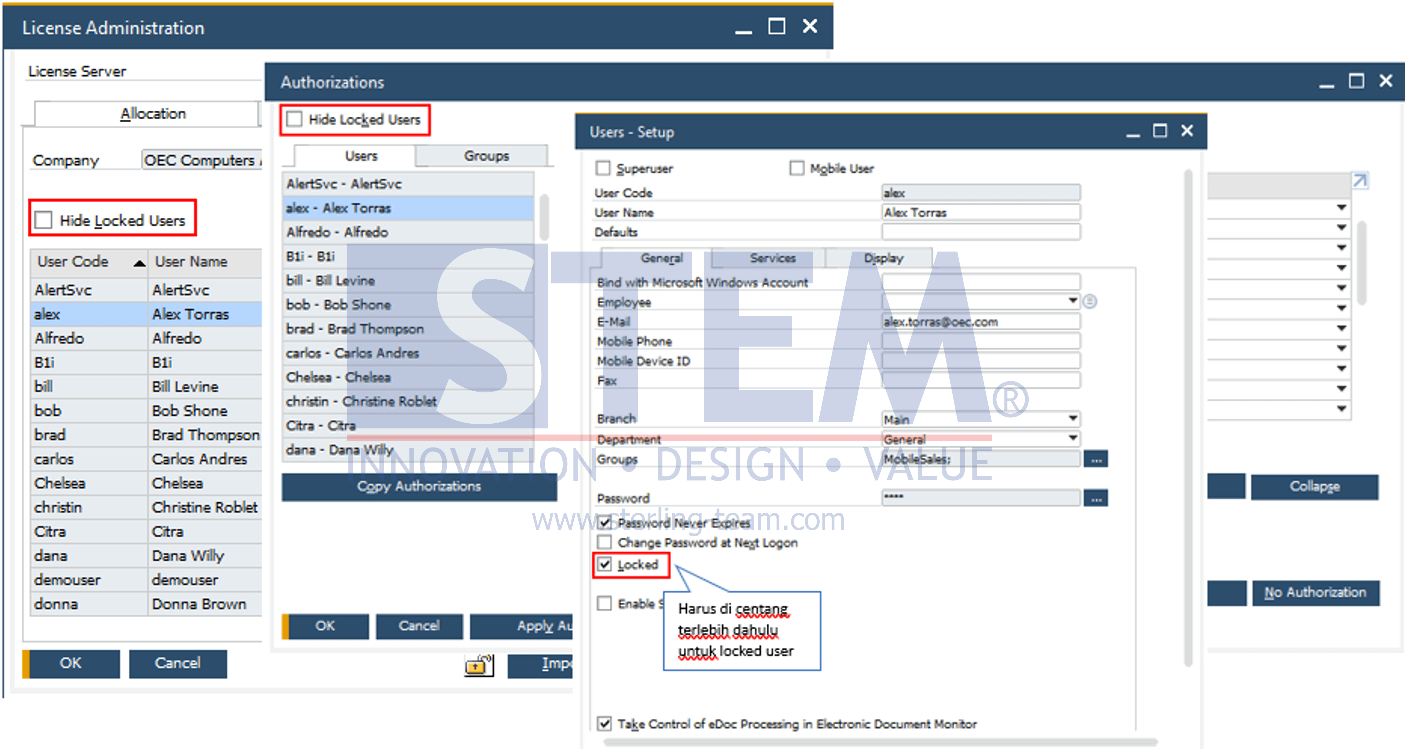
Steps that can be taken:
- On the SAP Business One main menu, select the menu:
- Authorization:
Administration -> System Initialization -> Authorizations -> General Authorizations - License Administration:
Administration -> License -> License Administration
- Authorization:
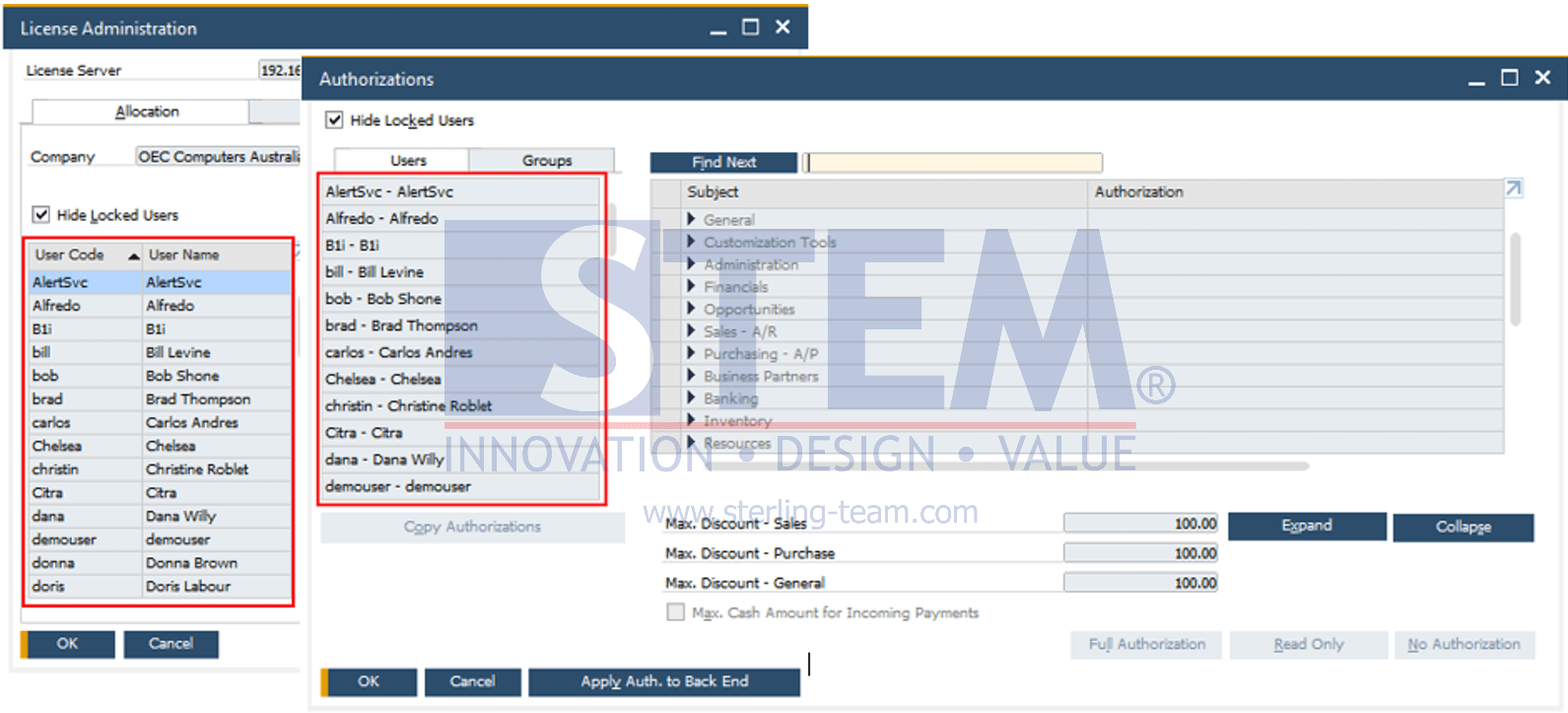
- Check the ‘Hide Locked User’ checkbox
- Then users who have been locked will not appear in the user list.
Is Your SAP B1 User List Too Crowded?
Locked users can still clutter administration menus and make user management less efficient. Our team can help optimize your SAP Business One setup and user administration.