

Running a business is dynamic. Things change all the time and we must adjust accordingly. Delivery date changes, items are added or removed from orders, and payment terms change accordingly. Following up on such changes gets more complicated when using approval process. To increase flexibility and productivity, SAP Business One introduces new settings:
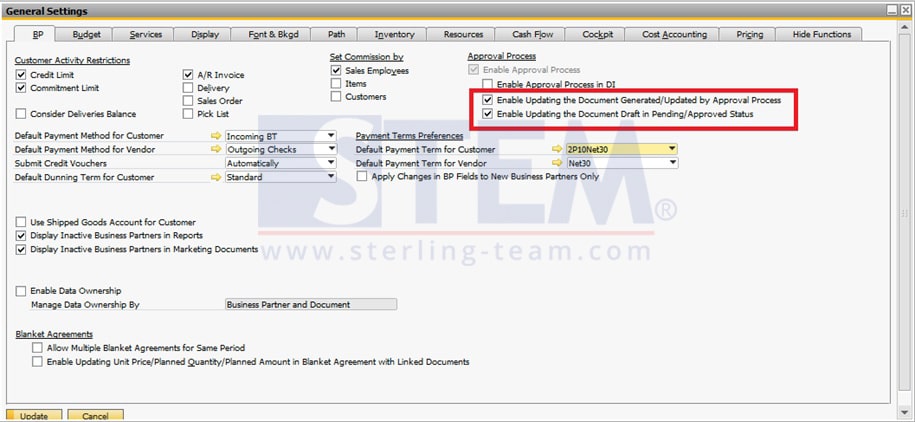
By selecting these options we can update documents that were generated or updated through approval process and drafts that are in status “Pending” or “Approved”.
NOTE:
This setup screen captured on SAP Business One 9.3, slightly different from previous SAP version.