We look at monetary values every day. We look at prices, totals, bottom lines in reports and we keep our eyes on the numbers but what about the currency sign? It depends on where we are, Different countries have different local practice, and SAP Business One lets you choose which option is the best for our company.
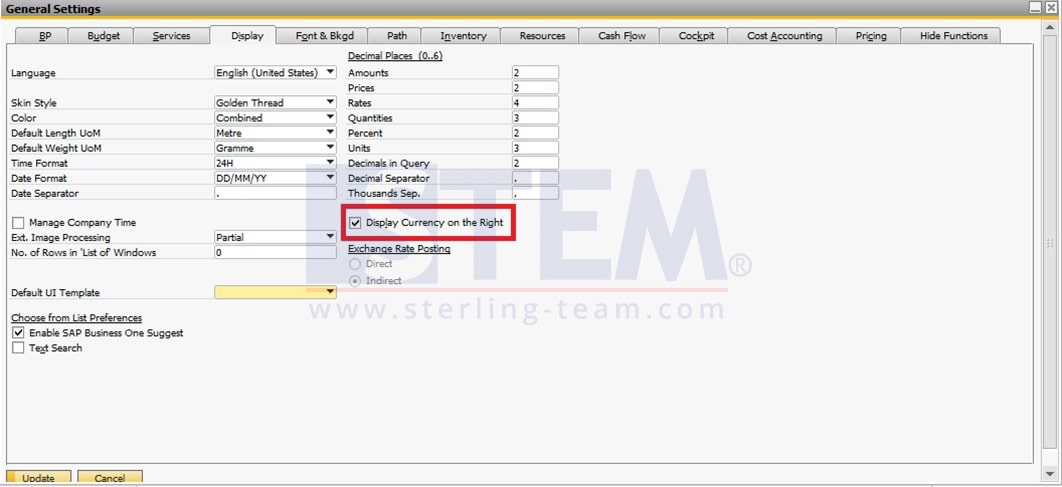
Open the General Settings menu, select the Display tab, you will find a note with a ticking column, saying “Display Currency on the Right“, select the check box if you agree to change the display of the currency symbol.
We can decide whether the currency code is displayed to the right or to the left of monetary values, in
documents, reports. The code is taken from the “Code” column in “Currencies > Setup” window.
We can change this setting at any time.