User-Defined Fields (UDF) are very common in SAP Business One implementation. Each customer will have different needs based on their business, so each implementation can have different UDFs behavior, such as allowing users to edit User Defined Field value while document status already “Closed”.
To allow this flexibility, SAP Business One has a new feature called “Allow Update of User Defined Fields When Document Rows Are Not Editable” in the Document Settings menu.
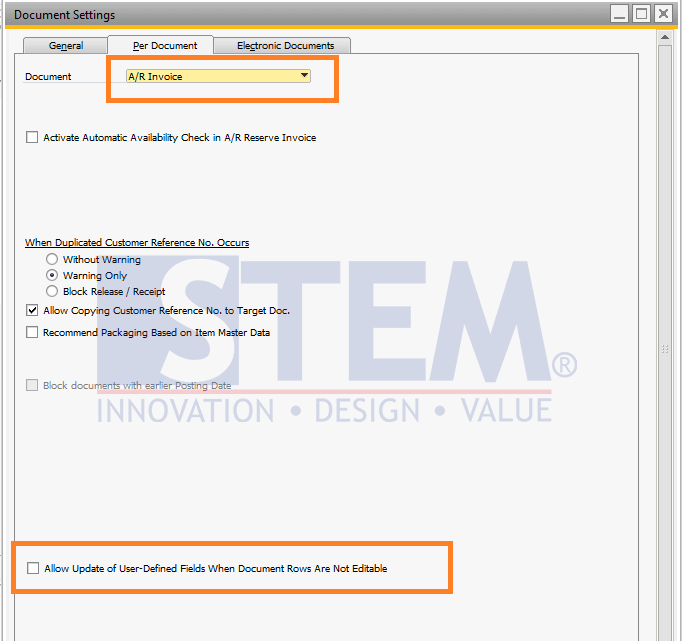
SAP Business One Tips – Allowing UDF Update in Document Rows
You can set this feature for each document type, so you can have more flexibility for each document.
*Note: This feature is available on SAP Business One version 10 (SQL & HANA version) Patch Level 1 or Higher.
Also read relevant SAP Business One Tips:
- How to Show or Hide the UDF Window in SAP B1
- Allow Journal Entry Update in Locked Posting Period
- Auto Update Price in Recurring Transactions SAP B1
- Freight Distribution Methods in SAP Business One Explained
- How to Extend UDF Character Length in SAP Business One
- Disable User-Defined Field in SAP Business One