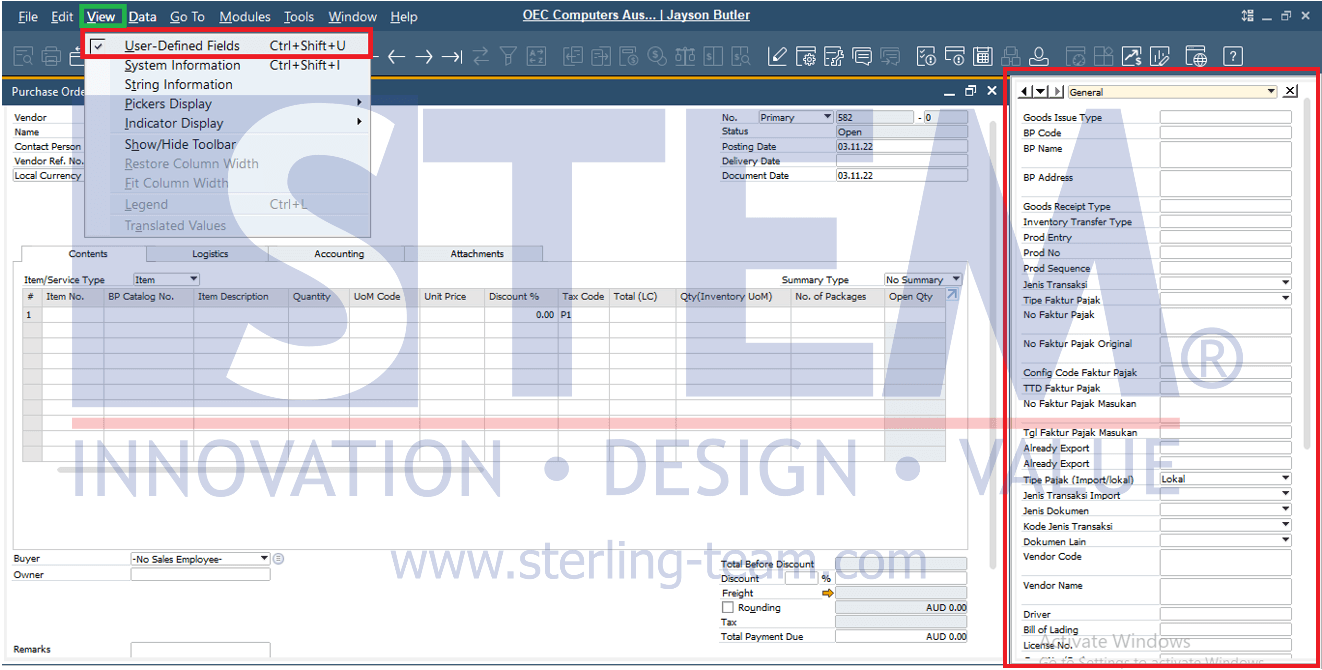
User Defined Field (UDF) are typically used when additional fields are needed in a document. Users can view the added UDFs by displaying the UDF window on the right side of the transaction screen. Here’s how to show or hide the UDF window:
- Open a transaction document that contains additional UDFs.
- To show the UDF window, go to View > User-Defined Fields or use the shortcut CTRL + SHIFT + U.
- The UDF window will then appear on the right side of the transaction screen.