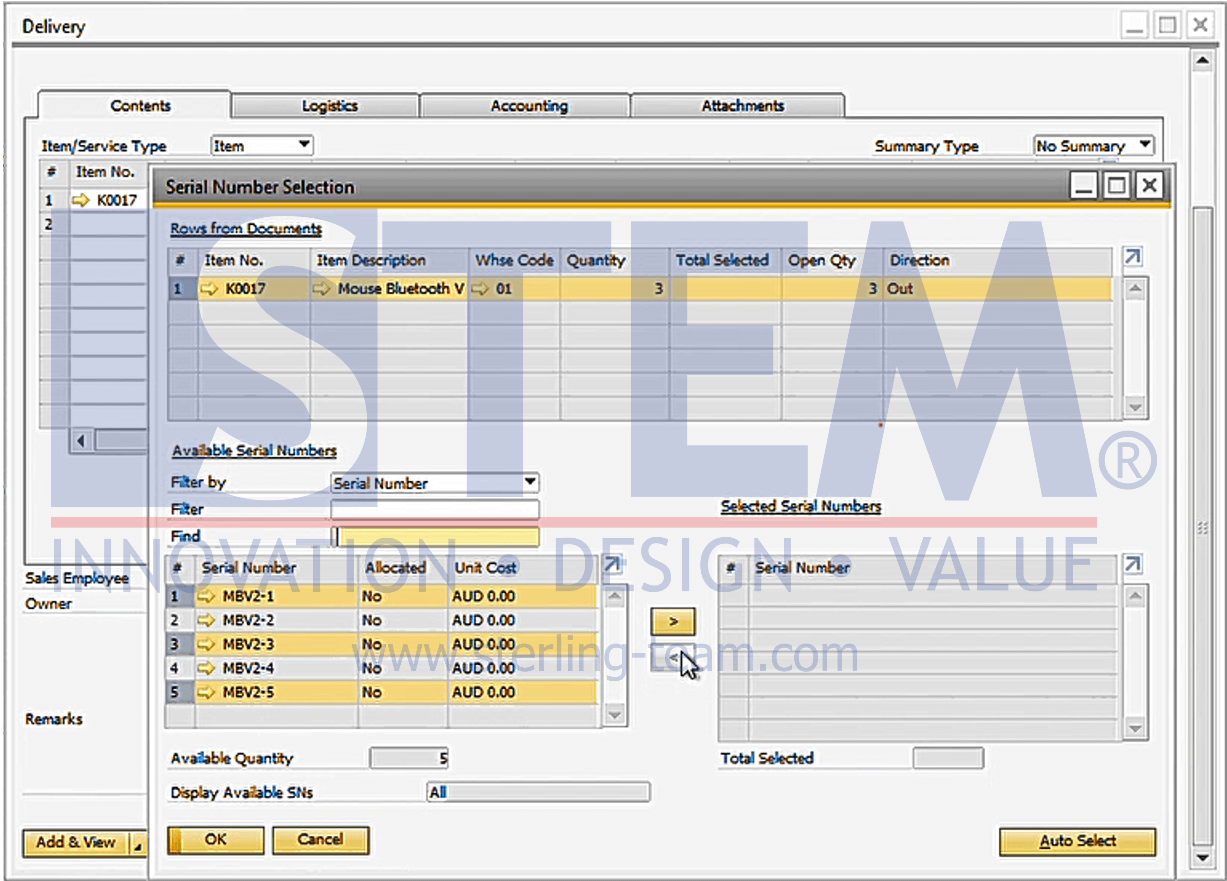
In some companies, certain products need to be tracked individually, such as electronic devices, machines, or special equipment. For this purpose, SAP Business One provides the serial number feature, which records the unique identity of each unit. With serial numbers, companies can monitor the movement of items from receipt, storage, to delivery, making stock control and tracking much easier.
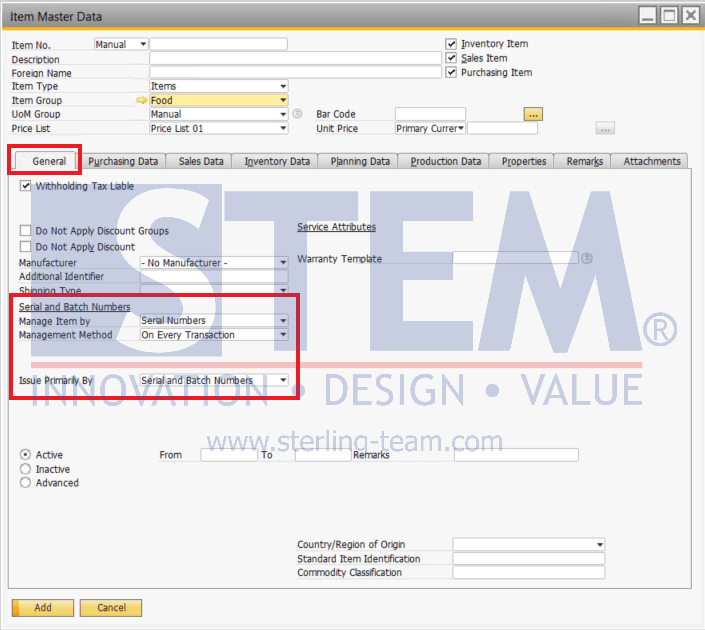
Items with serial numbers can be set up through Item Master Data > Tab General > Field Manage Item by. If you select Manage Item by: Serial Numbers, additional fields will automatically appear: Management Method and Issue Primarily By.
Using Serial Numbers in Transactions
- Adding Serial Numbers is done when receiving goods, such as in Goods Receipt PO (GRPO), Receipt from Production, and Goods Receipt Adjustment.
- Reducing Serial Numbers happens when delivering goods, such as in Delivery, Return transactions and Goods Issue Adjustment (when the item is broke or you want to use it for internal purposes).
- It is important to note that each serial number must be unique and cannot be duplicated for another unit.
Examples
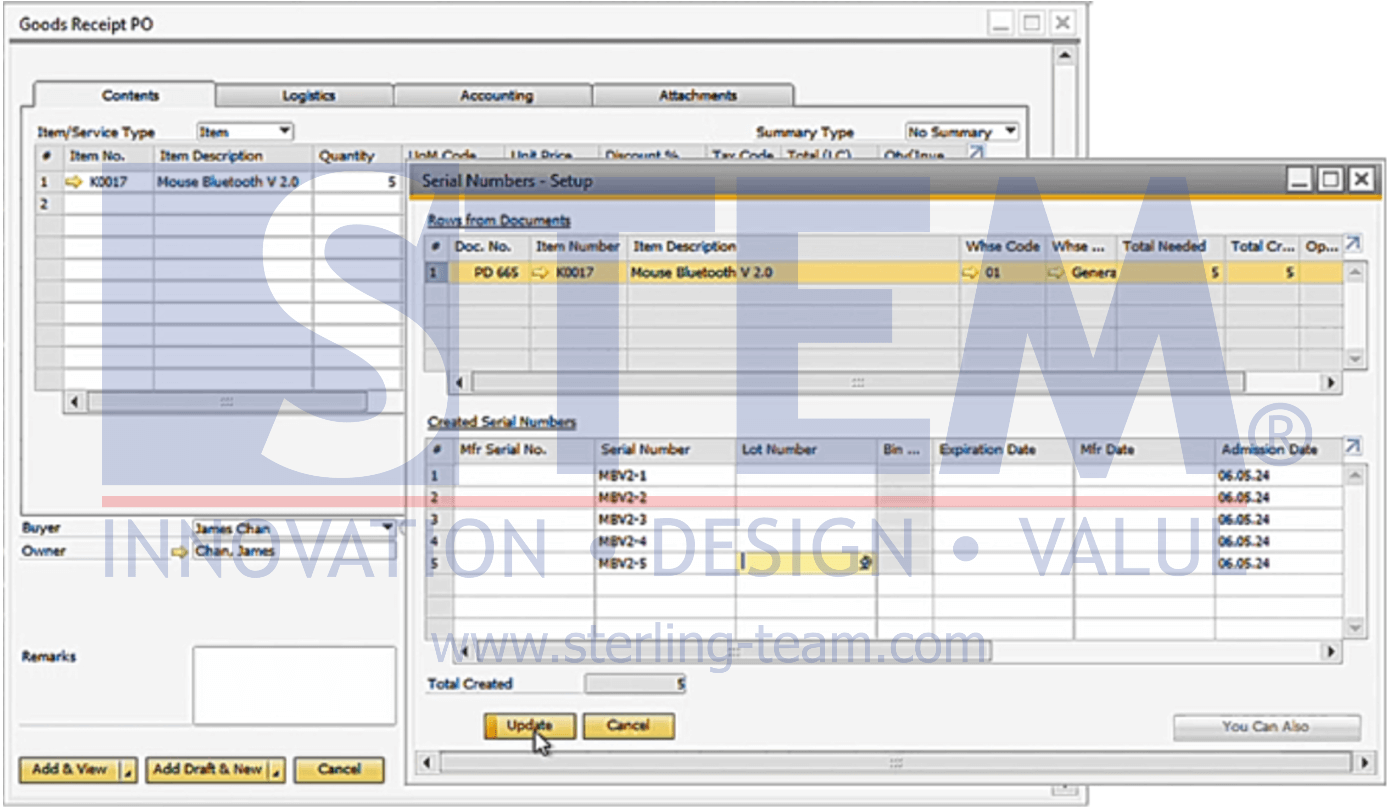
- On GRPO: If the received item is managed by serial numbers, when you save the GRPO transaction, the Serial Numbers – Setup window will appear to enter the serial numbers.
- On Delivery: If the delivered item is managed by serial numbers, when you save the Delivery transaction, the Serial Number Selection window will appear to choose the serial numbers to be delivered.