
You can use SAP Business One directly on your PC’s or you can access it with RDP (Remote Desktop Protocol) to your Terminal Server. If you want to access SAP Business One, and suddenly after some windows update, you can’t access it, you’ll have an error on Remote Desktop Connection screen. It shows “An authentication error has occurred. The function requested is not supported.” And “This could be due to CredSSP encryption oracle remediation.”
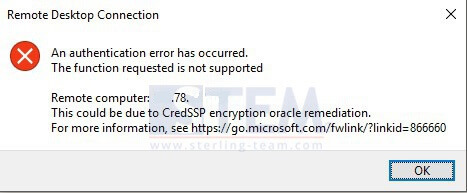
Remote Desktop Connection Error CredSSP encryption oracle remediation.
It was an error caused by there are windows updates on your server while on your PC client is not updated or vice versa.
Try with this solution, open Command Prompt, right click and choose Run As Administrator.
Type this:
REG ADD HKLMSoftwareMicrosoftWindowsCurrentVersionPoliciesSystemCredSSPParameters /v AllowEncryptionOracle /t REG_DWORD /d 2
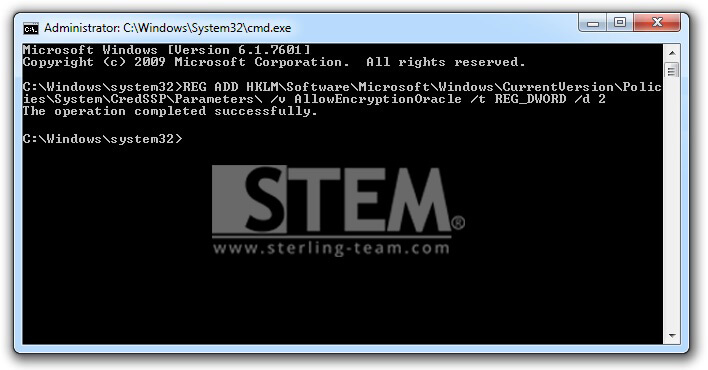
Command Prompt
Hit enter, then wait until it shows “The operation completed successfully.”
Please retry to access your SAP with Remote Desktop Connection to your terminal server, it should be done without any error.
Also read relevant SAP Business One Tips:
- SAP Business One Service Call: Uses & How It Works
- Service Contract SAP Business One: Complete Guide
- Setting Background Color for Specific Sections in SAP Crystal Report
- Optimizing the Use of Service Call
- Consider Reconciliation Date in SAP B1 General Ledger
- Paper Size Settings in SAP Crystal Reports Guide