
In the previous article titled “Understanding the Use of Service Call in SAP Business One”, we discussed the basic concepts of Service Call in SAP Business One, including its functions, process flow, and an overview of each tab in the Service Call document.
This follow-up article focuses on optimizing the use of Service Call, so it functions not only as a service record but also as an effective tool for service control, evaluation, and documentation.
Key Components in Service Call
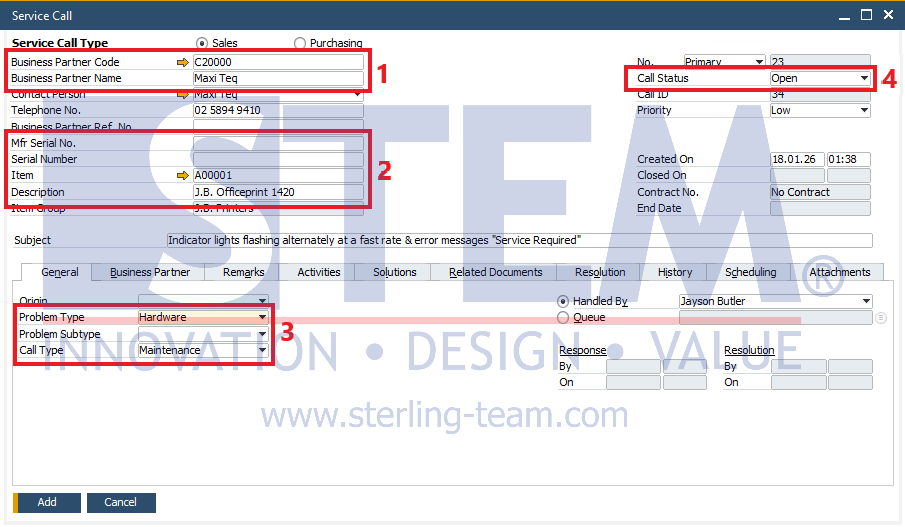
- Business Partner (Customer)
Each Service Call must be linked to a valid Customer. Ensure customer master data is complete and consistent so that service history can be easily traced. - Item / Equipment
Service Calls can be linked to:- Item
- Serial Number
- Equipment Card
This is important for tracking recurring issues, maintaining service history per unit, and analyzing product quality.
- Call Type and Problem Type
Use Call Type and Problem Type consistently, for example:- Complaint
- Preventive Maintenance
- Installation
- Training
Tip: Standardize these master data values to ensure more accurate service reporting.
- Service Call Status
Status is used to monitor service progress. Ensure the team updates the status consistently to:- Prevent unresolved service calls
- Improve visibility of technician workload
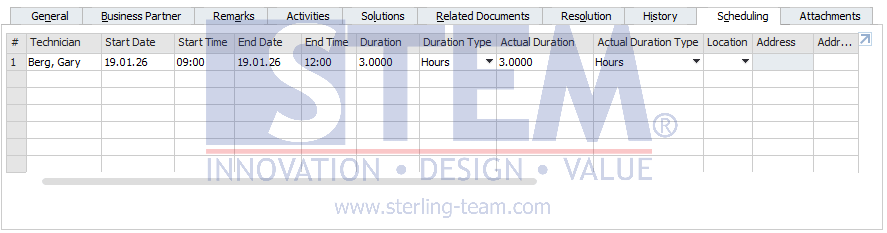
- Assigned Technician
Service Calls can be assigned to specific Employees or Technicians. This helps with task distribution, technician performance evaluation, and traceability of who handled each service case.
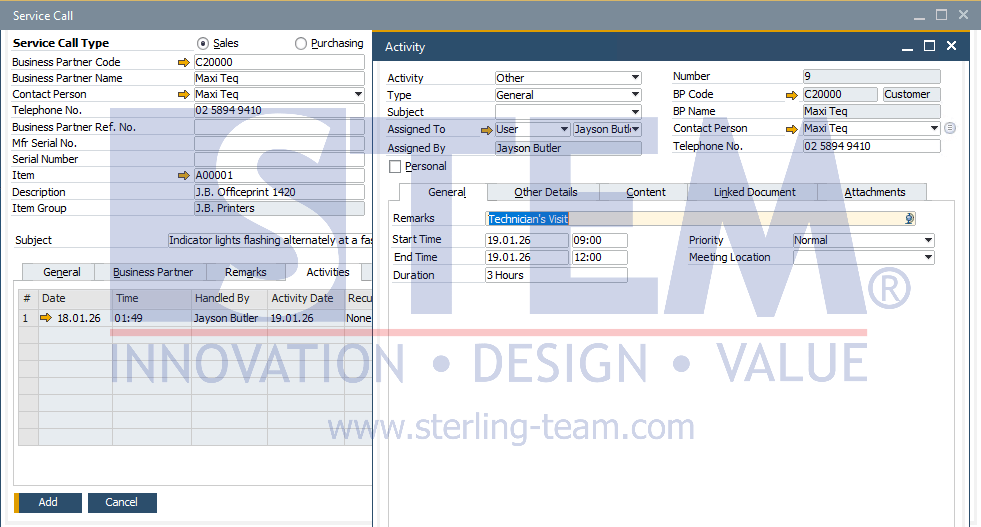
Activities and Solutions
Activity Log
Use Activity to record:
- Technician visits
- Customer follow-ups
- Internal discussions
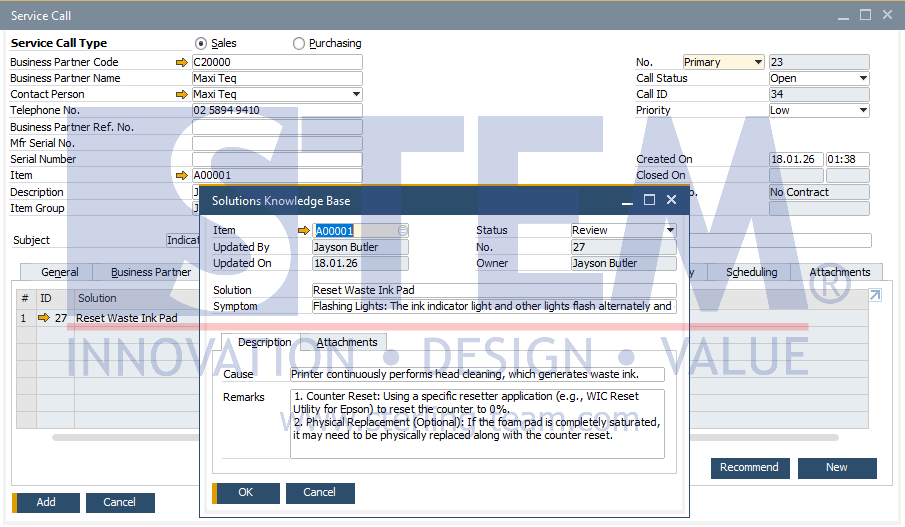
Solution and Resolution
Complete the Solution and Resolution sections clearly, including:
- Identified issues
- Action taken
- Final results and detailed resolution steps
These records are very useful when similar issues occur in the future. Entered solutions are automatically stored in the Solution Knowledge Base.
Practical Tips for Using Service Call
- Create Service Calls early
The sooner a Service Call is recorded, the easier it is to track. - Update status consistently
Status is the key to service monitoring. Service Calls without status updates are difficult to control. - Standardize Master Data
Call Type and Problem Type should be agreed upon and used consistently. - Leverage Service Call reports
Use reports to evaluate SLA performance, identify frequent issues, and analyze technician workload. - Use Service Call as Knowledge Base
Well-documented Service Calls support troubleshooting and knowledge transfer to new team members.
Common Mistakes to Avoid
- Service Call are created but never closed
- Solutions are entered too briefly or left empty
- All issues are assigned to a single Call Type
- Service Calls are not linked to items or serial numbers
These mistakes reduce the effectiveness of Service Call as a service control tool.
Service Call in SAP B1 is a key tool for managing after-sales services. With disciplined usage and proper documentation, companies can deliver services that are more controlled, professional, and consistent.
Not Getting the Most Out of SAP B1 Service Calls?
Poorly documented service activities can reduce visibility into service performance and issue resolution. Our team can help you optimize Service Call usage for better control and efficiency.