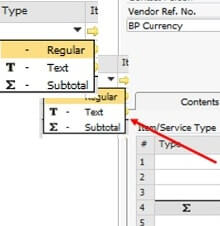
Do you know, if we can add subtotal and or text for additional remarks in All Marketing document SAP Business One with item type by choosing type in line item?
For example:
Purchase order – item type as below
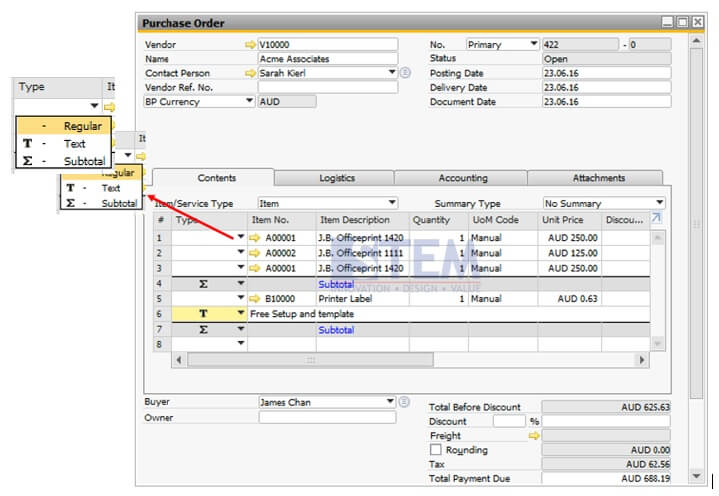
T: This type is for a text row. When you choose this type, there will be pop up window containing a text editor. You can insert a text from the predefined list or insert your own text. This is really useful when you want to give a specific instruction to your vendor/customers.
S: This type is for a subtotal row.
A: If the document is Sales Quotation, this option is available for an alternative item row. An alternative item isn’t taken into account on sum calculations. So, when the document is copied to a target document, a user can decide whether to delete the alternative items or not.