
In SAP Business One, there is a function to set default layout for each document which can be accessed when opening a document, namely by pressing the layout designer icon (green box in the image below).
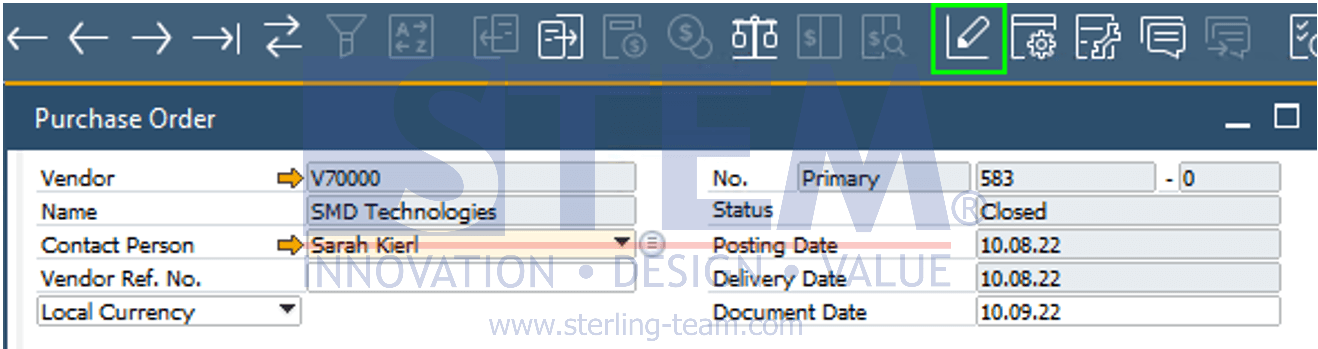
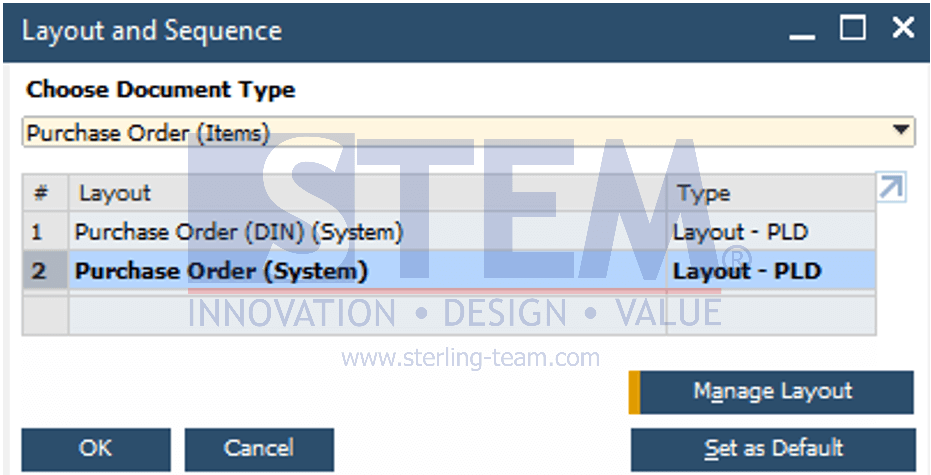
After clicking the icon, list of layouts that can be used for the document will appear, and the default layout can be determined.
In the latest SAP version, set as default function can also be accessed via the Administration > Setup > General > Report and Layout Manager menu.
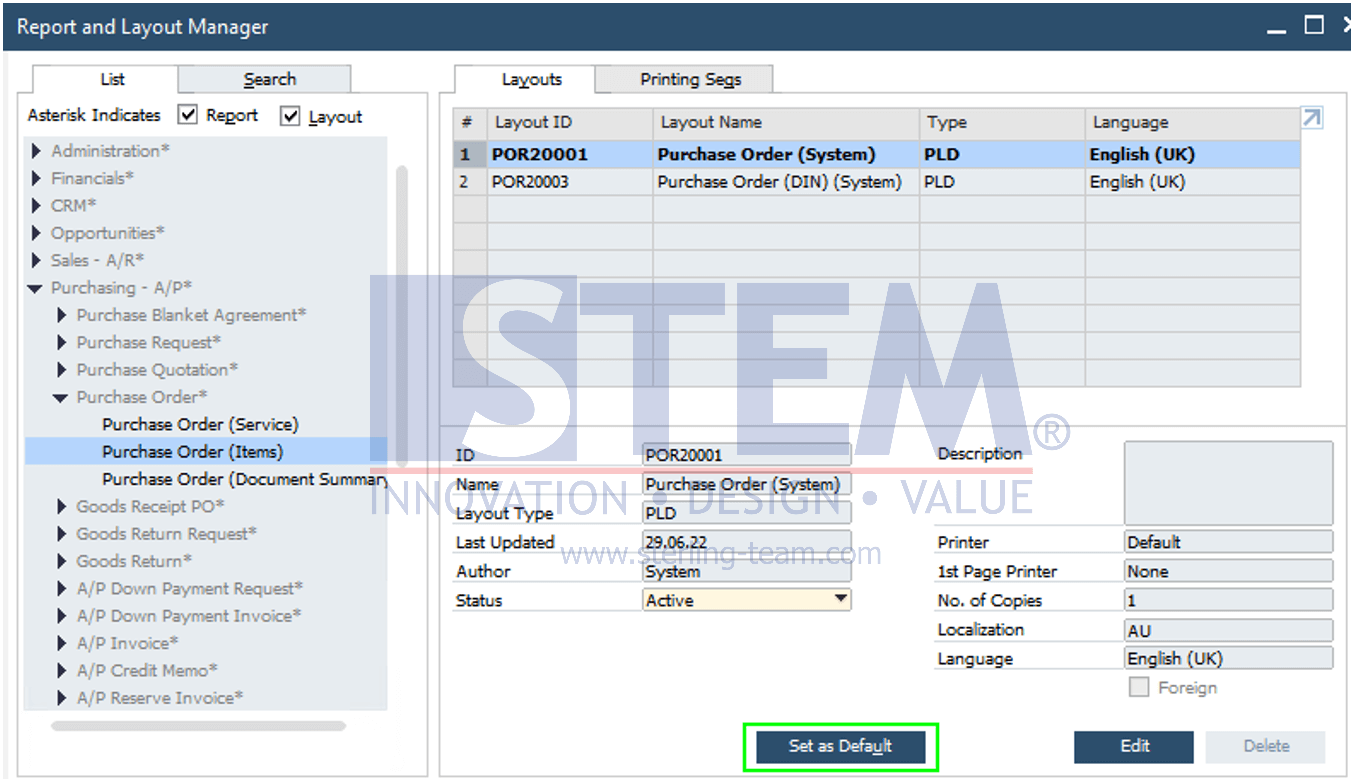
Set as default function can make it easier to set default layouts after the superuser imports a new document layout.
Also read relevant SAP Business One Tips:
- Disable Auto‑Open for Excel Exports in SAP Business One
- Add Print Time to SAP B1 Crystal Report Layout Easily
- How to Set Default Capacity Period in SAP B1
- Set Default Price List Separately from Payment Terms in SAP Business One
- Set Search Result View in Choose From List SAP B1
- Set Default Currency & Hide All Currencies in SAP B1