SAP Business One have a function to calculate Production Cost of an item. It can be calculated base on Standard Cost or it can be calculated base on current valuation cost.
The result will be stored in Item Master Data – Tab Production – “Production Std Cost” field.
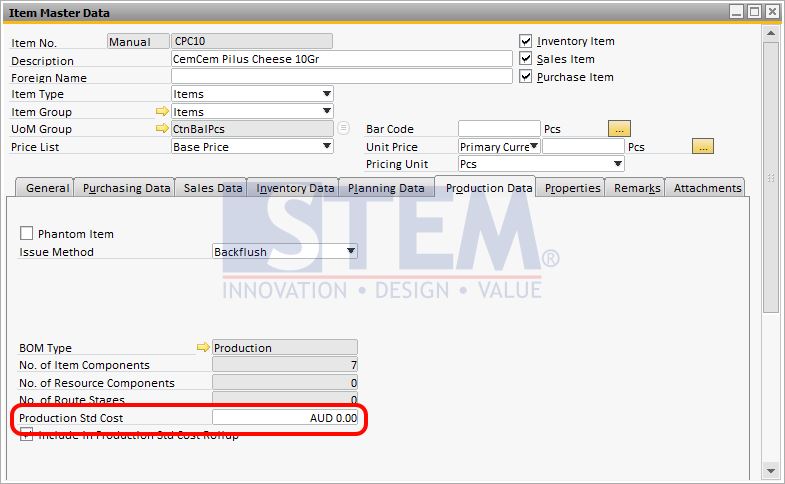
SAP Business One Tips – FG Item Master Data
To use this function, there are some things you need to prepare :
- You need to have a bill of material.
For example, I have a BoM for item CPC10 that need components :- 5 pcs of RMCM01
- 1 gr of RMCM02b
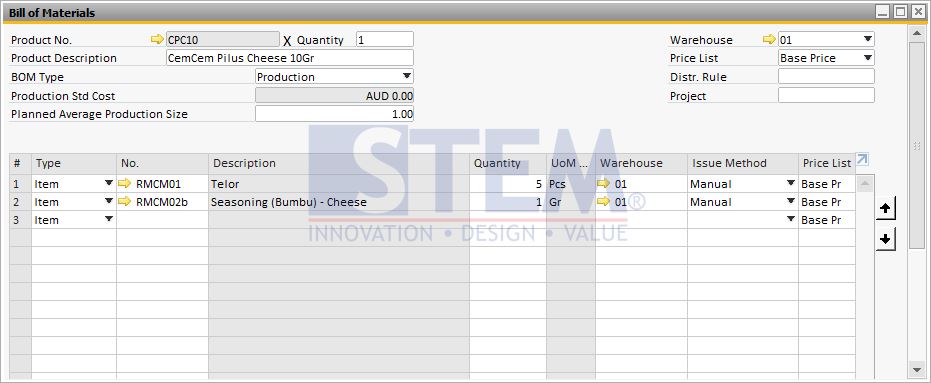
SAP Business One Tips – Bill of Material Screen
- Go to Item Master Data to setup production standard cost for those 2 components (RMCM01 & RMCM02b) and activate the option “Include in Production Std Cost Rollup”
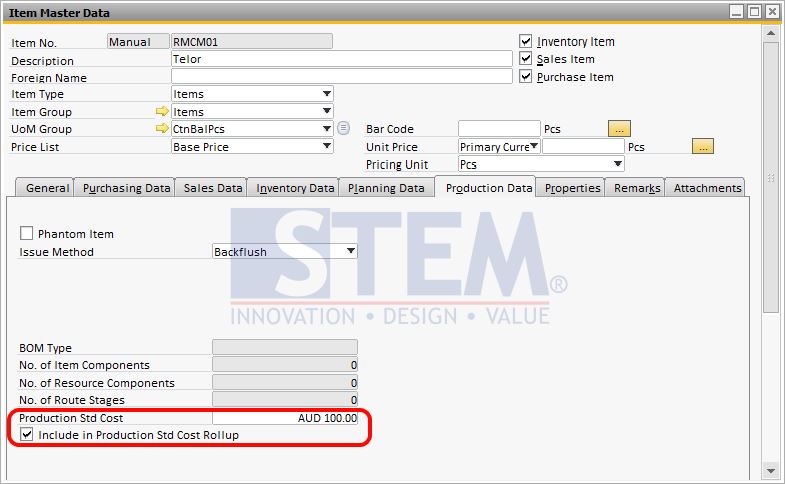
SAP Business One Tips – Component Item Master Data
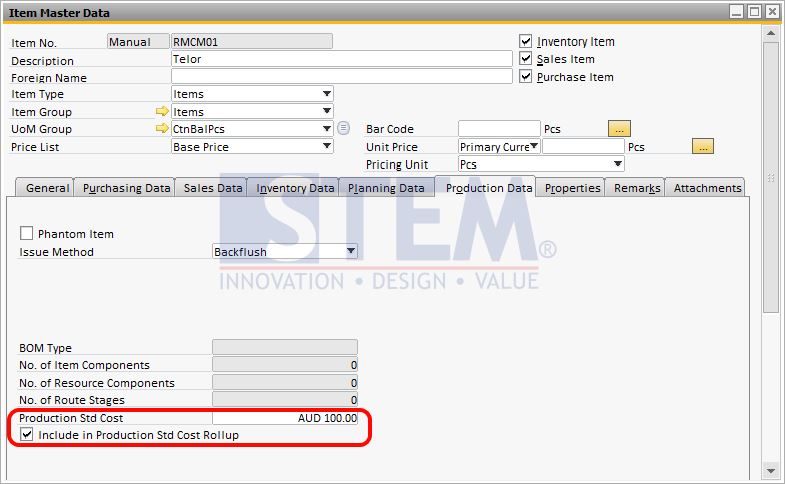
SAP Business One Tips – Component Item Master Data
- If it’s all setup, you can run the production standard cost rollup to update the production standard cost for the Finish Goods Items.
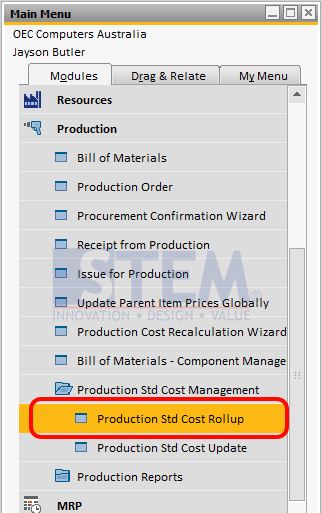
SAP Business One Tips – Production Std Cost Rollup Menu
- In this example, I want to get production standard cost for the Finish Goods “CPC10”
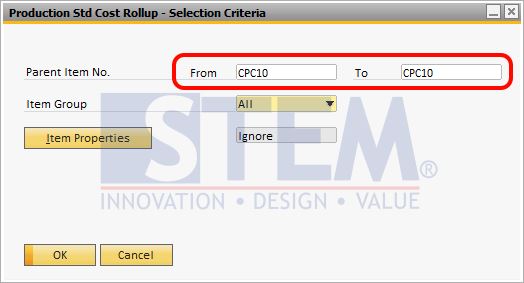
SAP Business One Tips – Production Std Cost Rollup
- After you run the process, it will automatically update the production standard cost for CPC10 with the result as below.
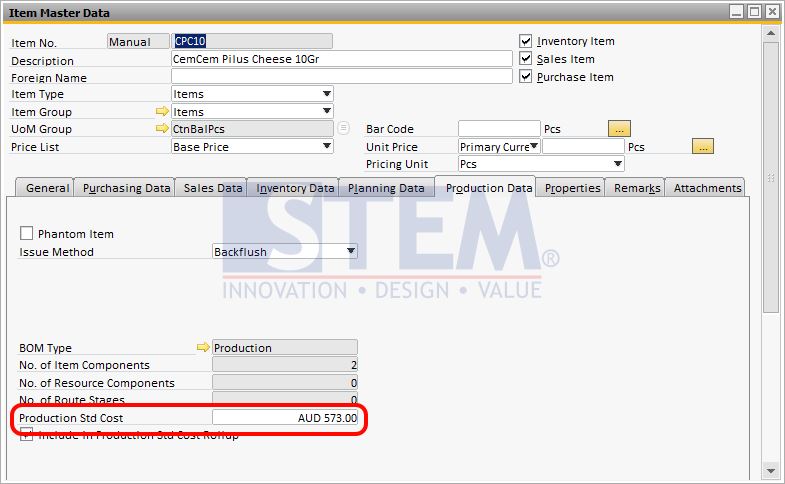
SAP Business One Tips – FG Item Master Data (After)
The value 573 comes from the component qty in BoM for CPC01 X component cost in item master data :
- RMCM01 => 5 x 100 = 500
- RMCM02b => 1 x 73 = 73
- So total will be 573