There’s a lot of new features and updates on SAP Business One 9.3. As one of the highlights on this newest version of SAP Business One is called My Personal Setting. You can customize your SAP logon theme, such as: Skin style, Skin color, language, font type, font size, and background.
First of all, as a superuser, you can defined “User Defaults”.
You want to define a User Default for each specific Department, such as: Accounting. Then, Tom Brady (one of Accounting’s member) want to re-customize his SAP’s language. As a default, the language already set “English (US)”, but Tom wants to change the language to “English (UK)” for himself.
Also read:
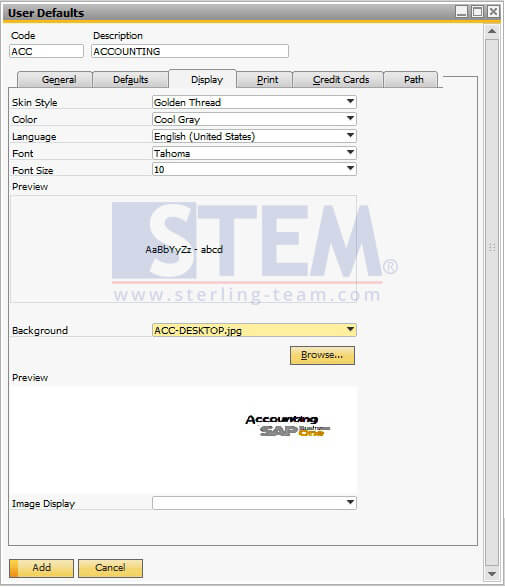
With Jayson Butler (manager) user ID, you defined a User Default (Go to: Administration > Setup > General > User Defaults).
And assign Tom Brady user to that User Default setup (Go to: Users).
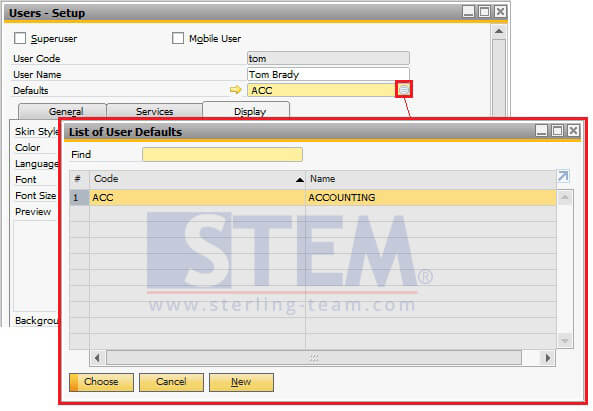
Assigning User Defaults
Then, with Tom Brady logon, try to access icon My Personal Settings on menu bar.
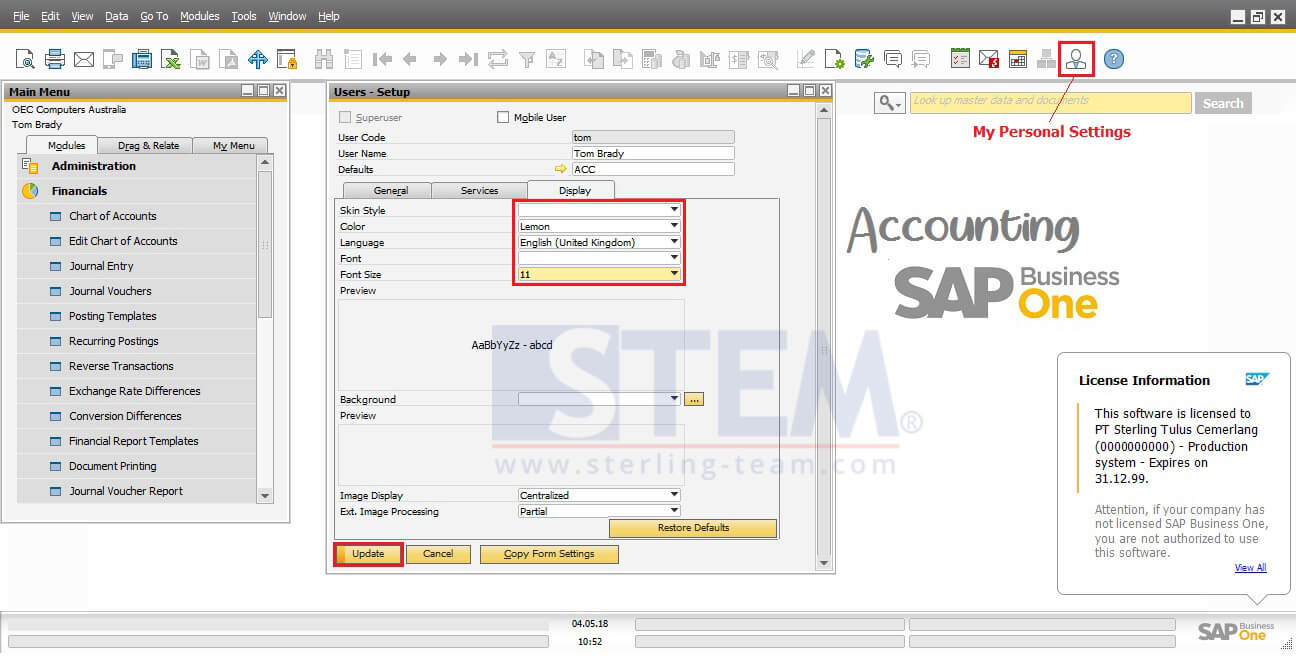
Manage Your Personal Settings
You can change Skin style, Skin color, language, font type, font size, and background base on your own preferences.
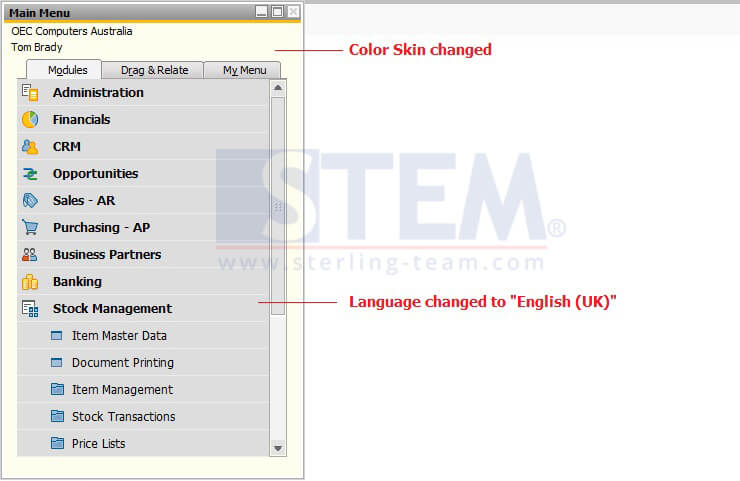
Here’s the final result from Tom’s personal settings:
Notes: Only available on SAP Business One version 9.3 PL 00 and above.