As a new feature on SAP Business One 9.2, there will be a new option that allows you to increase the efficiency of your daily job, especially if you’re already use an approval templates feature on SAP Business One.
On Administration > System Initialization > Print Preferences. You can easily define whether to block printing or exporting to PDF format any documents pending approval. With this setting option, you can save unnecessary printing of false document sending.
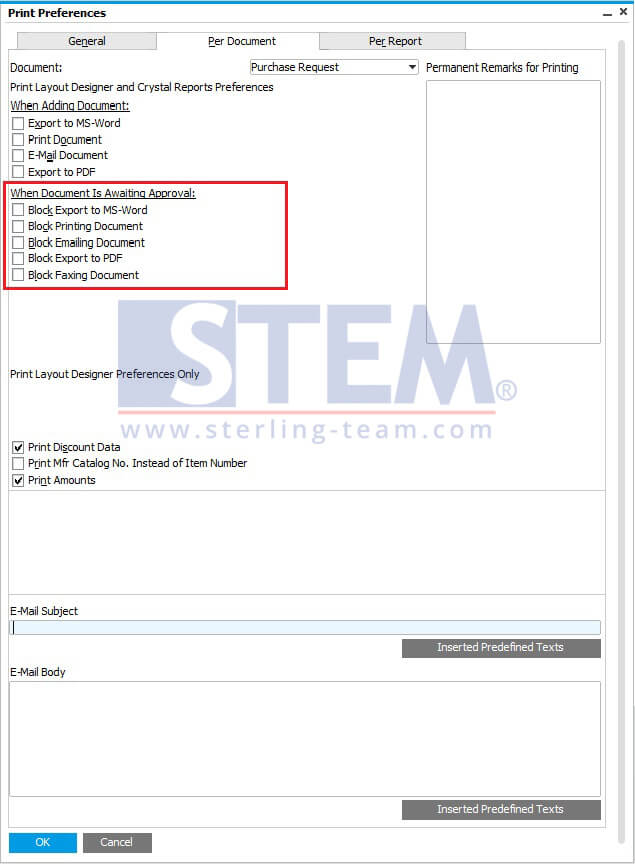
Print Preferences Menu
The options provided are:
- Block Export to MS-WORD
- Block Printing Document
- Block Emailing Document
- Block Export to PDF
- Block Faxing Document
Note:
These options available on SAP Business One version 9.2 Patch Level 03 and above