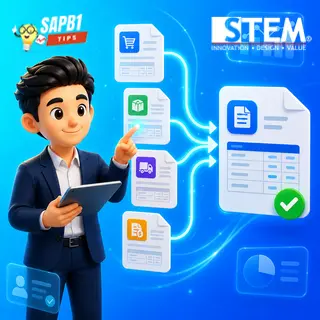
In a busy operational environment, time efficiency is crucial. Imagine that within a single day, a company receives multiple deliveries from the same vendor, or a vendor processes several orders in one shipment. If each delivery must be recorded as a separate Goods Receipt PO (GRPO), the administrative process can become lengthy and inefficient. SAP Business One provides a smart solution to this challenge by allowing users to pull data from multiple base documents into a single target document.
Why Is This Feature Important?
By combining multiple base documents into one target document, companies can:
- Reduce the number of documents that need to be created and managed
- Speed up transaction processing
- Simplify recording and document tracking
- Improve overall operational efficiency
Example: Creating One GRPO from Multiple POs
You can combine multiple Purchase Orders (PO) from the same vendor into a single GRPO. The process is simple:
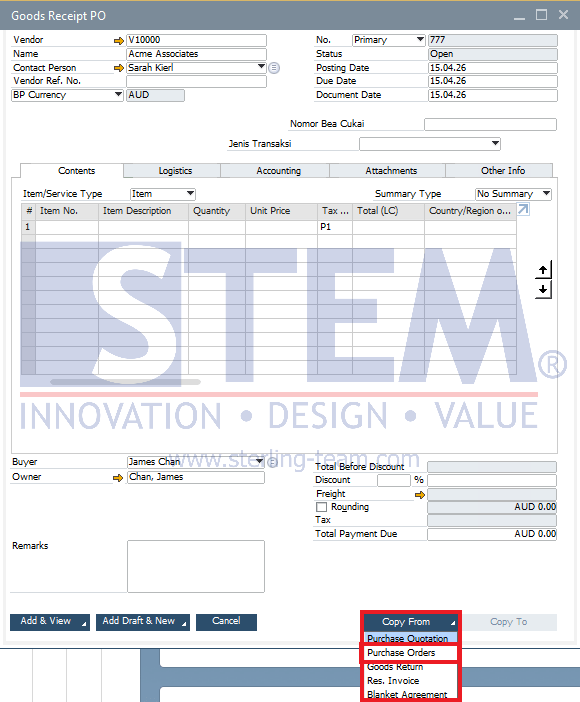
- Open the Goods Receipt PO menu in SAP Business One, then enter the vendor and date as needed.
- Select the base document by clicking the Copy From button at the bottom right of the screen, then choose Purchase Order.
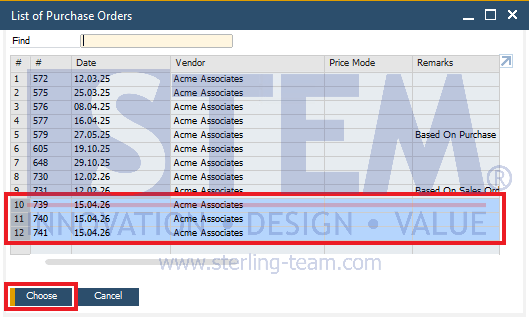
- A list of open PO documents for the selected vendor will appear.
- Press and hold Shift (to select a range) or Ctrl (to select non-sequential documents) on your keyboard, then choose multiple Purchase Orders to combine.
- Click Choose, and the system will pull all selected PO items into a single GRPO document.
Additional Information in the Document
After the documents are combined, you do not need to worry about losing reference traceability. SAP Business One automatically provides indicators in the target document:
Remarks Field:
The Remarks field will include a note indicating that the document is created based on multiple Purchase Orders.
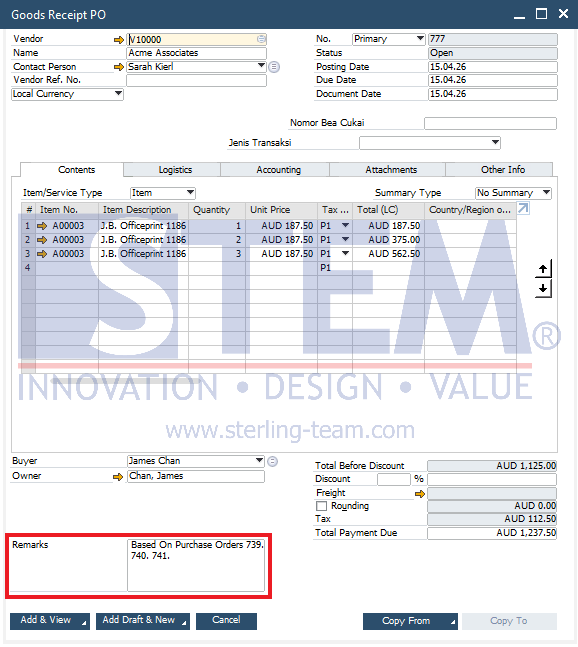
Relationship Map:
Using the Relationship Map feature (right-click on the document), you can visually see the linkage between the GRPO and all its originating PO documents.
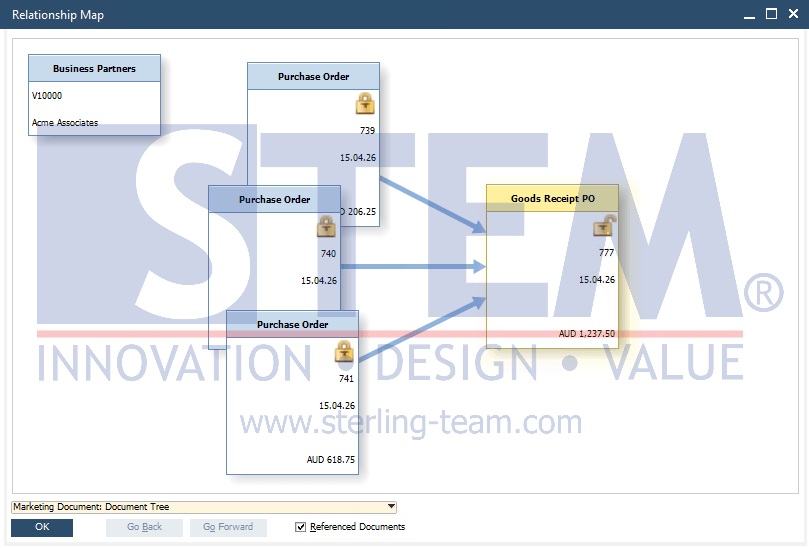
This ensures transparency and makes auditing and document tracking much easier.
Also Applicable to Other Documents
This concept of combining multiple base documents into a single target document is not limited to Goods Receipt PO. Other documents in SAP Business One that support similar functionality include:
- Delivery from multiple Sales Order
- A/P Invoice from multiple Purchase Orders or Goods Receipt PO
- A/R Invoice from multiple Sales Orders or Delivery
The process is the same—simply press Ctrl or Shift when selecting base documents to combine them into a single transaction.
By leveraging this feature, companies can manage transactions more efficiently without sacrificing data accuracy. It is especially useful in high-volume scenarios involving the same vendor or customer within a short period of time.
Still Creating One Document for Every Transaction?
Description:
Many users are unaware that multiple base documents can be combined into a single document. Our team can help you optimize SAP Business One to simplify document processing and improve efficiency.