What Is Service Call in SAP Business One?
Service Call is a module in SAP Business One used to record, monitor, and manage after-sales services for customers. This module supports service processes such as technical support, maintenance, repairs, installation, and follow-up on customer complaints after sales transactions.
You can also use this module if you have service division within your company to support your internal business, or if you want to manage & monitor any service requests from divisions in your company.
With Service Call, all service-related activities can be centrally recorded, their progress monitored, and their history and resolution easily traced. This helps companies deliver services that are more professional, controlled, and consistent.
Main Functions of Service Call
Service Call is not merely a complaint record. This module serves several important functions, including:
- Centralized documentation of customer complaints or service requests
All service reports are documented in a single system, rather than being scattered across chats, emails, or manual notes. - Tracking technician work status
Enables monitoring of service call status from start to completion (Open, In Process, to Closed). - Recording service activities and solutions
Every activity and action performed by technicians can be recorded as a reference for future cases. - Monitoring SLA and response time
Helps companies evaluate response speed and service completion time. - Analysis of service quality and service team performance
Service call data can be used to evaluate technician performance and improve overall service quality.
Basic Service Call Process Flow
In general, the Service Call process in SAP B1 follows these steps:
- The customer reports an issue or submits a service request
- An administrator or Customer Service creates a Service Call document
- The Service Call is assigned to a technician or responsible staff
- The technician performs inspection and issue handling
- Activities and solutions are recorded in the Service Call
- The Service Call is closed once the issue has been resolved
This flow helps ensure that every service request is handled and properly documented.
Service Call Tabs Overview
Below is an explanation of each tab available in the Service Call document in SAP Business One.
- General Tab: Contains information about the type of issue and the agent or technician handling the case.

- Business Partner Tab: Contains shipping and billing address details, as well as contact information that can be reached.

- Remarks Tab: Contains detailed descriptions of the issues faced by the customer.

- Activities Tab: Lists activities performed during the service process, such as technician visits, follow-ups via phone or email, and internal discussions. This tab helps monitor the progress of the service call.

- Solutions Tab: Contains solutions to the customer’s issues. The Recommend button allows users to select solutions stored in the Solutions Knowledge Base, while the New button is used to create new solutions. Newly created solutions will be saved to the Solutions Knowledge Base and can be reused for similar cases in the future.

- Related Documents Tab: Displays a list of documents related to the service call, such as Sales Orders, Deliveries, A/R Invoices, and other related documents. This tab helps show the relationship between the service call and business transactions.

- Resolution Tab: Contains details on how the customer’s issue was resolved.

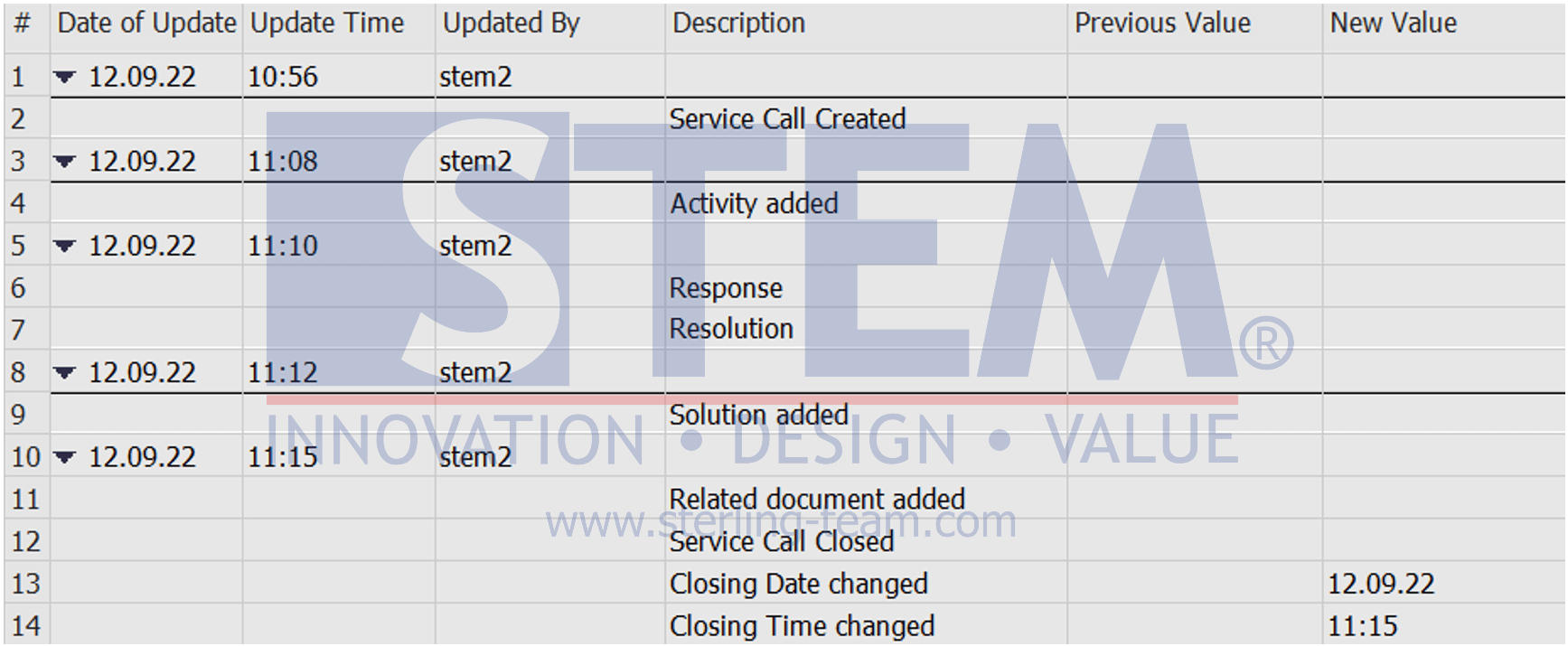
- History Tab: Displays the history of changes or updates made to the service call.
- Scheduling Tab: Used to schedule technicians to visit customer locations, including visit date and time, estimated duration, and technician assignment. This tab helps manage the service team’s schedule.

- Attachments Tab: Used to attach supporting files relevant to the service call, such as photos of damage, supporting documents, and inspection results.