
In SAP Business One, users have the flexibility to change the Date Separator according to their needs. This setting is useful because it not only affects the date display in documents or forms within SAP B1, but also impacts the data generated from queries and reports. To change the date separator in SAP Business One, follow these steps:
- Go to Administration > System Initialization > General Setting.
- Open the Display tab.
- In the Date Separator section, select the desired separator.
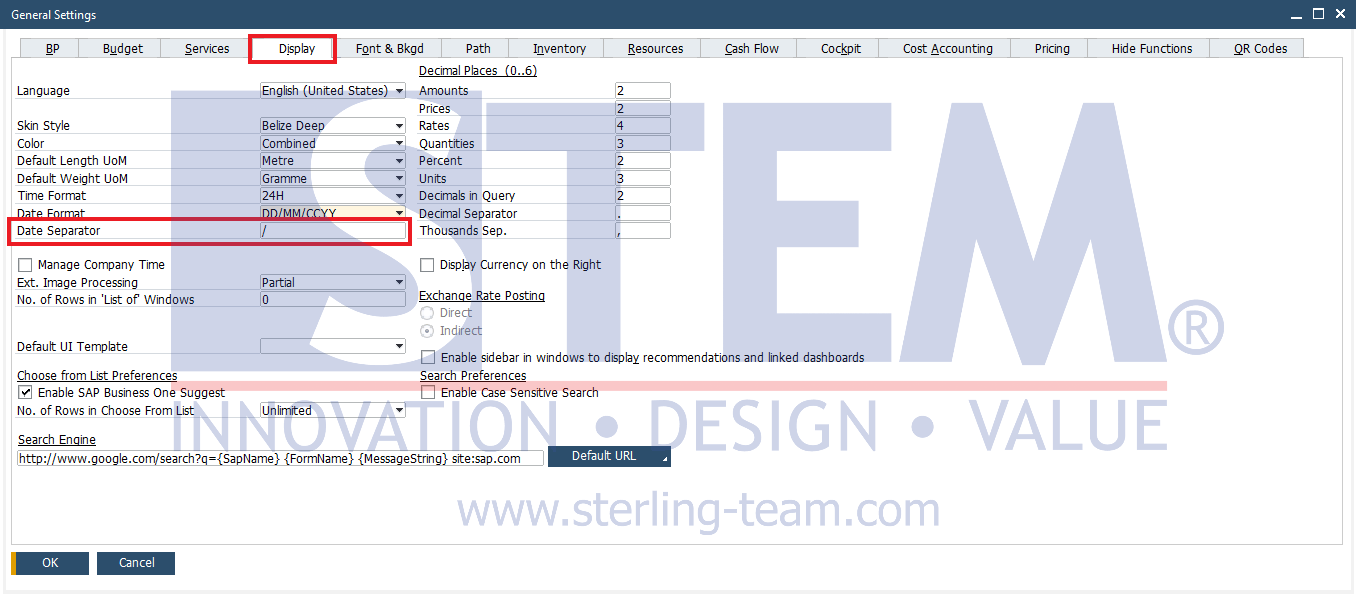
Users can adjust the date format based on their preference, for example:
- dd-mm-yyyy àg., 01-01-2025
- dd/mm/yyyy àg., 01/01/2025
- mm.yyyy à e.g., 01.01.2025
This setting will immediately affect the system display as well as the results of queries. Below is an example of the query output using the date separator “/”:
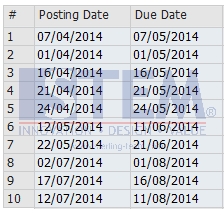
With this configuration, choosing the appropriate date separator helps align the date format with company standards or the users’ daily preferences.