
SAP Business One allows you to copy the base document to the target document. And the Remark column will be automatically filled with the base document number or BP Reference number for the base document. Because, on the SQL version of SAP Business One 10.0 FP 2008 and SAP Business One 10.0 FP 2008 HANA version, the Remark fields that you copy from the base document can only contain comments that entered manually by using these settings:
- In the SAP Business One Main Menu, select the Administration menu > System Initialization > Document Settings > tab General
- In Document Remarks Include: Select Manual Remarks Only
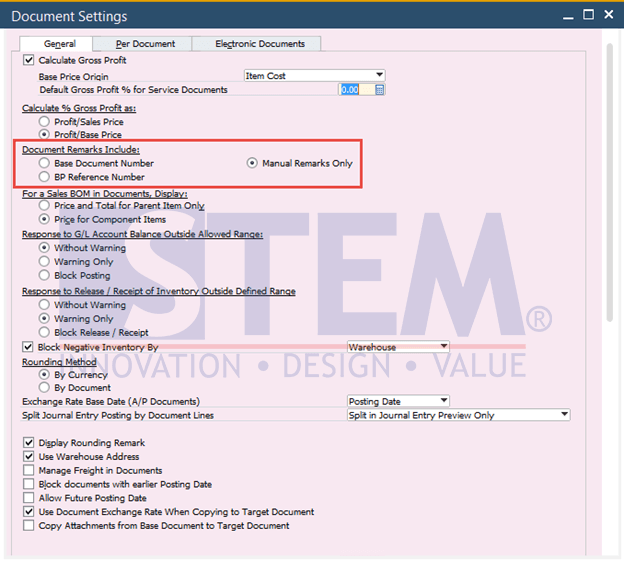
SAP Business One Tips – Remove Automatic Base Document Number on Remarks
If you select the Manual Remarks Only, when you copy a base document to the target documents, the Remarks field in the target document will only show you the manual remarks entered in the base document.
Also read relevant SAP Business One Tips:
- Block Duplicate Cust. Reference No. in SAP B1
- How to Copy Attachment Documents in SAP Business One
- How to Fix Error Updating Document Numbering in SAP B1
- How to Show Draft No. Column in Document Drafts Report
- Quick Way to View Base & Target Docs in SAP B1
- Enhanced SAP B1 Change Log with Timestamp Columns