
SAP Business One Tips – Change Log Now Contains More Valuable Information
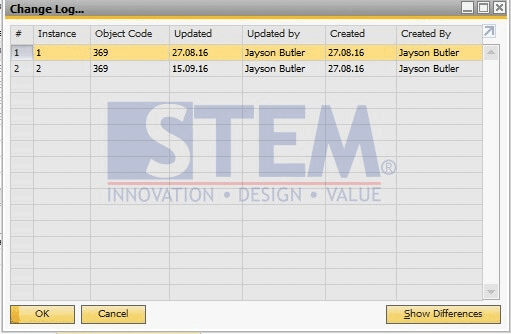
As you can see from the picture above, that is the Change Log window before SAP Business One 10.0 FP 2008 and SAP Business One 10.0 FP 2008, version for SAP HANA.
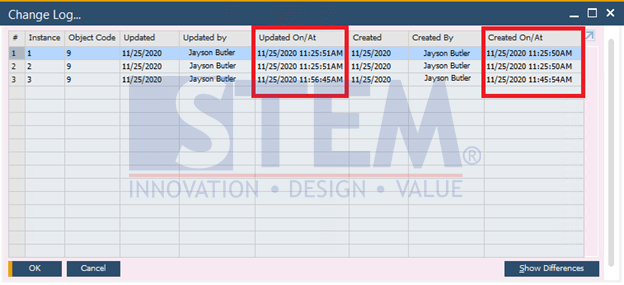
But now, the change-log gives you more information in the Change Log window. Not a big piece of information, it is small and simple, but it is very powerful.
SAP Business One Tips – Change Log Now Contains More Valuable Information
The SAP Business One adds two columns. The column “Updated On/At” display the date and time of each update and the column and “Created On/At” display the date and time of record creation. Small and very simple update but more detailed and valuable than before.
*Note: This feature only available in SAP Business One 10
Also read relevant SAP Business One Tips:
- Display Table Info in SAP Crystal Reports
- Change CPL Display by Toggling Display Description SAP B1
- Auto-Remove Base Document Numbers in SAP Business One
- How to Change Control Account in SAP Business One
- SAP B1 Choose Company Empty List? Quick Fix Inside
- How to Deactivate Approval Template in SAP Business One