
One of the conveniences that we can get from SAP Business One is to create a custom report or custom form. One way to create a custom form or custom report is to use Crystal Report. But, have you ever been confused when you want to preview a document through Crystal Report but don’t know what the DocKey?
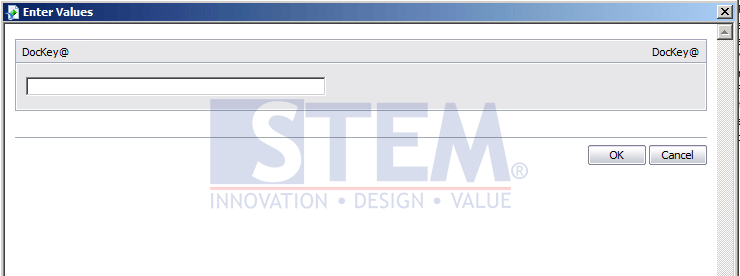
SAP Business One Tips – How to find DocKey on Crystal Report
To find the DocKey is indeed quite difficult because we have to do a few steps:
- On the search menu, enter the transaction document that you want to see, (Example: I want to see the transaction of A/R Invoice).
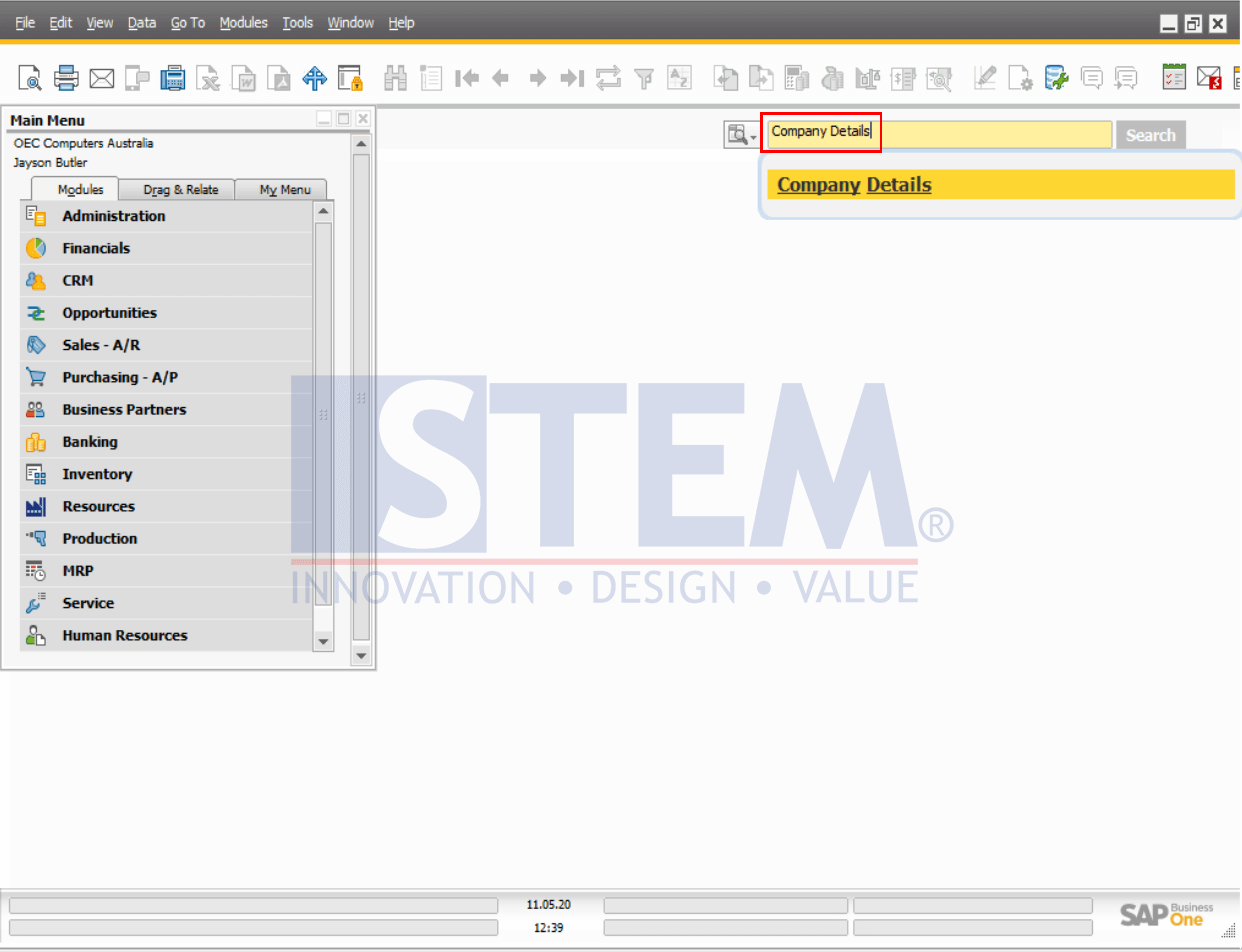
SAP Business One Tips – Enable Advanced G/L Account Determination
- On the transaction menu, enter the transaction document that you want to preview in Crystal Report, then record the document number.
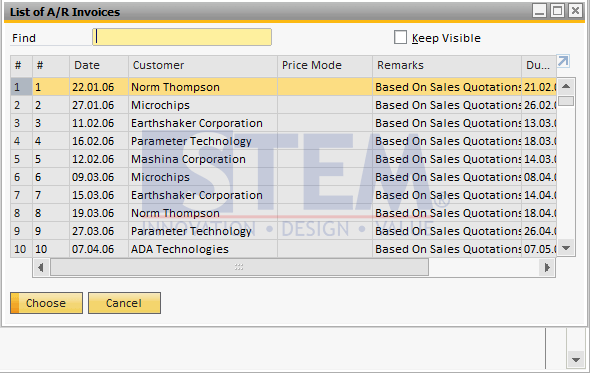
SAP Business One Tips – How to find DocKey on Crystal Report
- Go to the Tools menu > Queries > Query Generator.
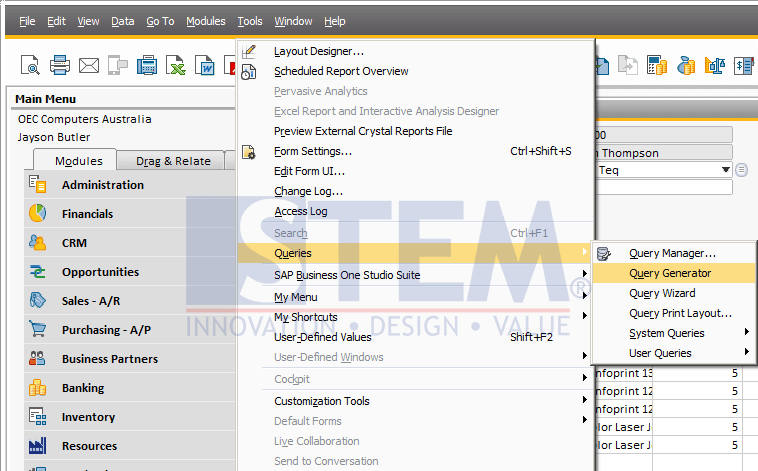
SAP Business One Tips – How to find DocKey on Crystal Report
- In the Query generator, enter the query.
With the format: SELECT * FROM [Object Type] WHERE DOCNUM = ‘[Document Number that has been recorded]’
To find out the correct object type for the transaction document that you want to create, you can see the list of object types from List of Object Types On SAP BUSINESS ONE
Example:SELECT * FROM OINV WHERE DOCNUM = ‘1’
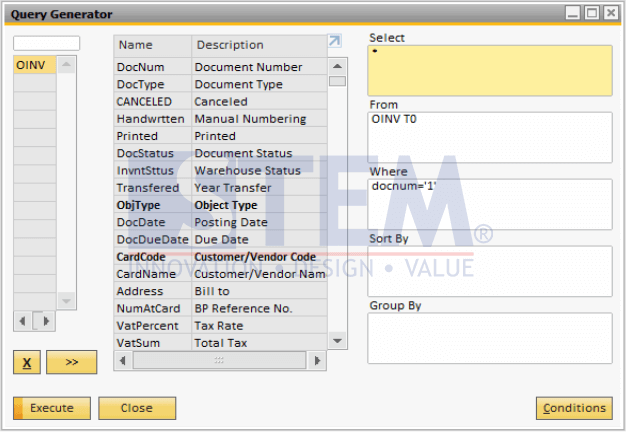
SAP Business One Tips – How to find DocKey on Crystal Report
- Then, the Query Preview will appear, note the document’s Internal Number which will be used as Dockey later.
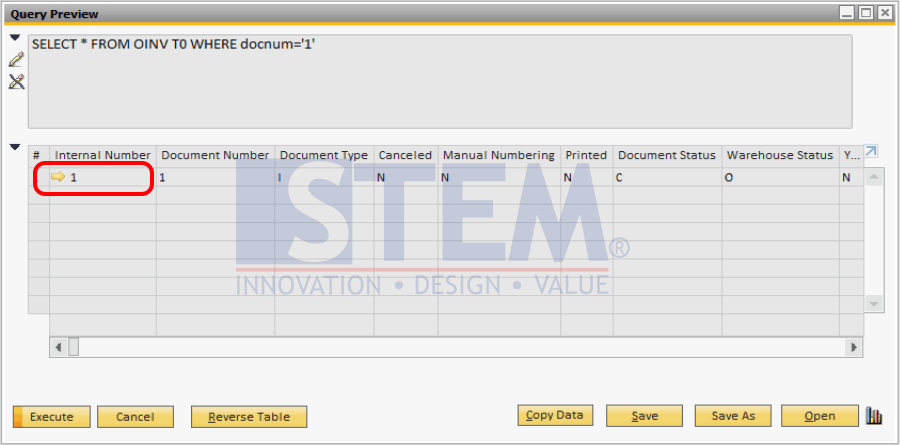
SAP Business One Tips – How to find DocKey on Crystal Report
- Back to the preview menu in Crystal Report, and enter the Internal Number as Dockey in Crystal Report and a preview of the existing document will be formed.
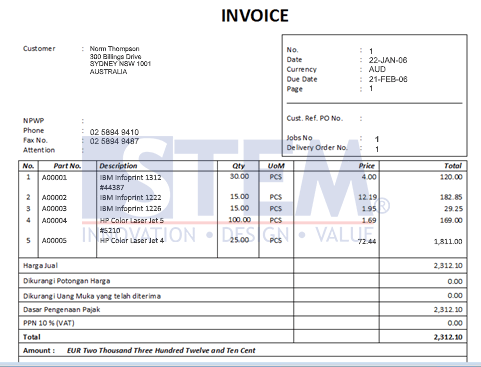
SAP Business One Tips – How to find DocKey on Crystal Report