When accessing the open item list and user needs a sort function for a column, but the sort function is not found.
The reason is that not all of the data on the open item list has appeared. So to be able to bring up the sort function again, follow these steps:
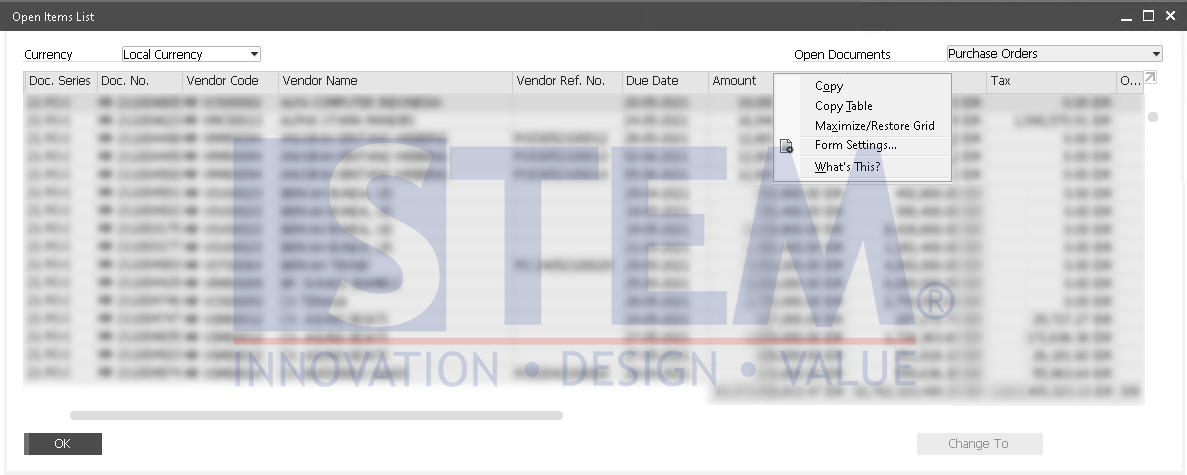
SAP Business One Tips – Sort Function on the Open Item List Does Not Appear
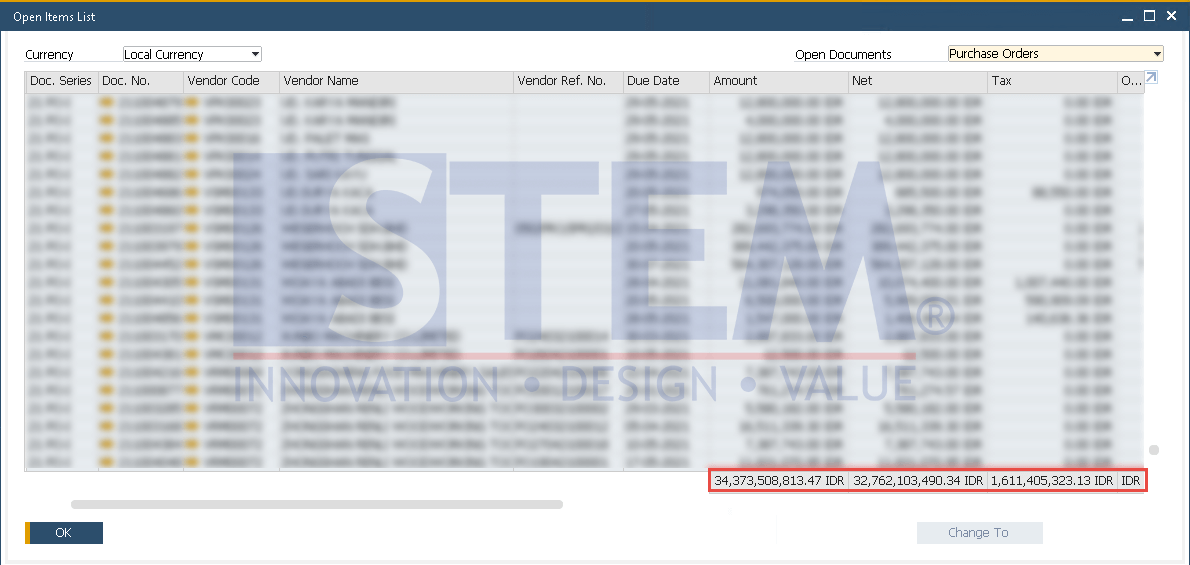
- Open the open item list, select the document you want to open, slide the cursor to the bottom.
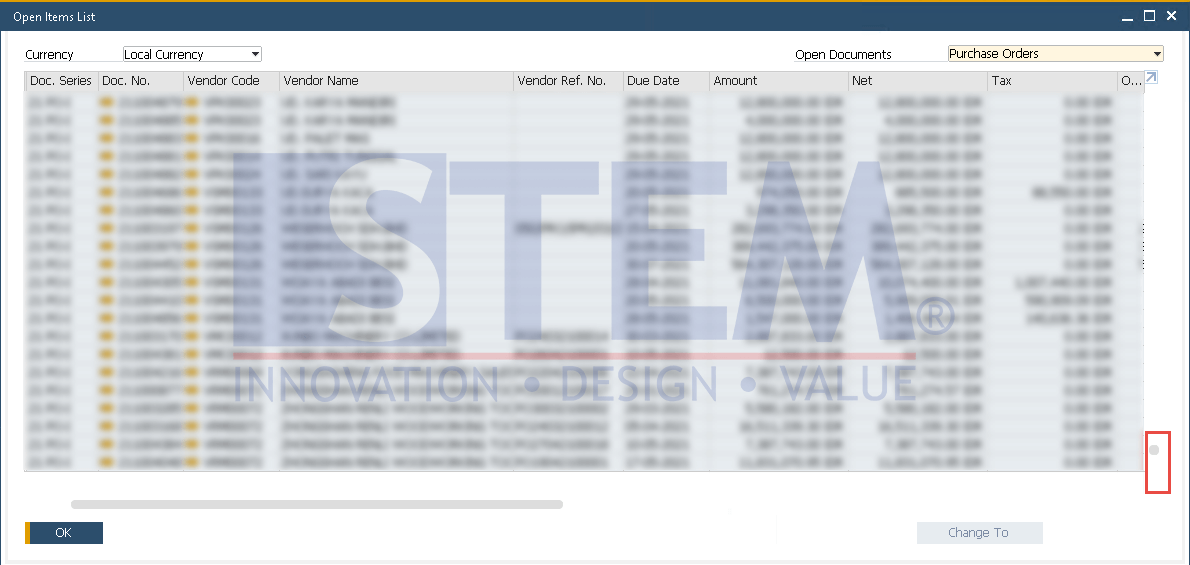
SAP Business One Tips – Sort Function on the Open Item List Does Not Appear
- If the total amount, net, tax, and original amount appears below, it means that all documents have appeared in full.
SAP Business One Tips – Sort Function on the Open Item List Does Not Appear
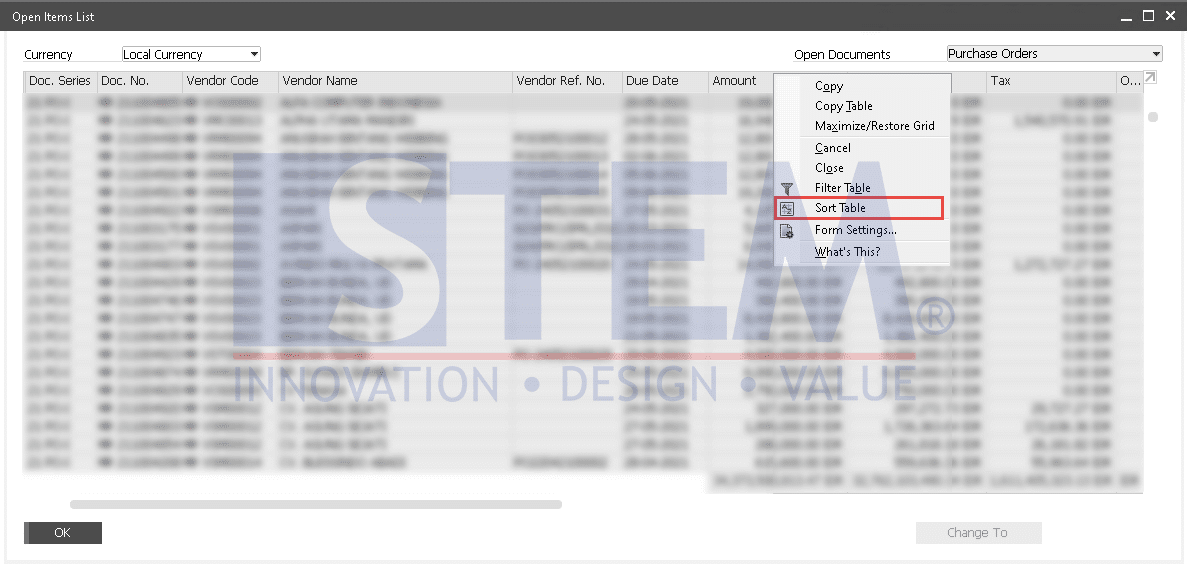
- After the total value appears, right-click on the column and the “Sort” function will appear, or you can double click on the column header for the sorting table.
SAP Business One Tips – Sort Function on the Open Item List Does Not Appear
Also read relevant SAP Business One Tips:
- Locked Function in Warehouse List of Item Master Data
- How to Set Authorization for Duplicating Documents in SAP Business One
- New Editable GL Account Column in Purchase Request Report
- How to Set User Authorization to View Discount Price in SAP B1
- Change CPL Display by Toggling Display Description SAP B1
- Ctrl+Tab Function in SAP Business One Warehouse