



When checking a document list, you may find yourself scrolling past columns you rarely use to reach the information you need. For someone following up on sales orders, the customer name and delivery date may be more useful than other document details.
SAP Business One Web Client lets you adjust the columns in a list through View Settings. You can choose which columns to display, change their order, and sort or group the records to suit your work.
Choose the Columns to Display
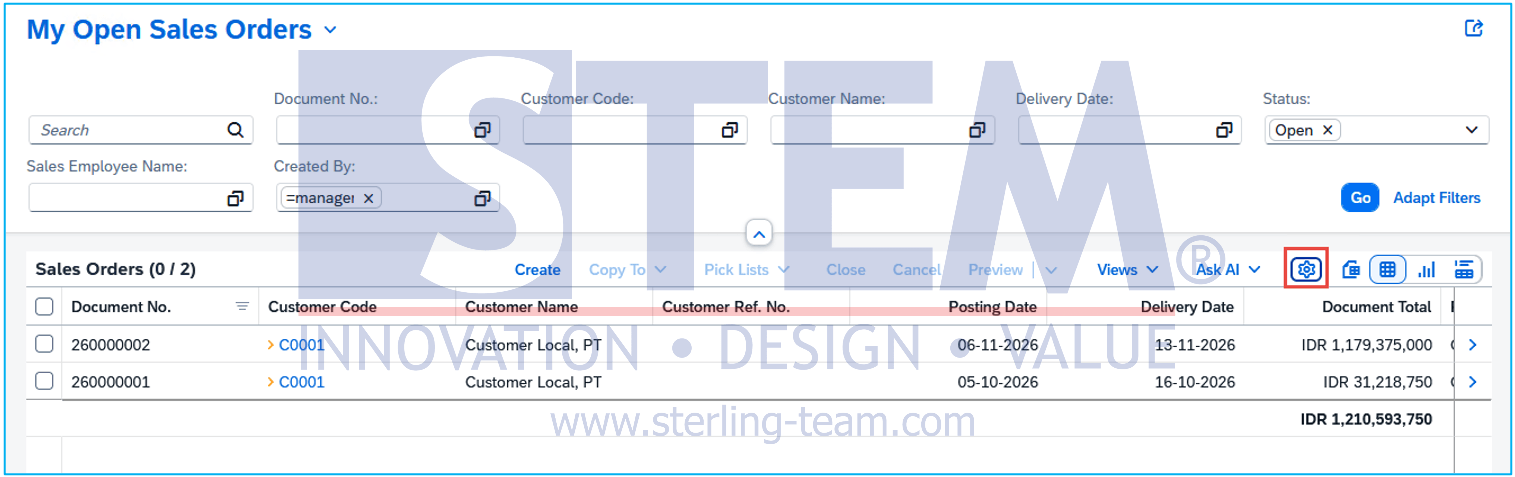
Using Sales Orders as an example:
- Open Sales Orders from the Web Client home page.
- Select View Settings, shown as a settings icon in the toolbar above the table.
- Open the Columns section.
- Select the columns you need and clear the checkboxes for those you want to hide.
- Arrange the selected columns using the available move controls, then confirm your changes.
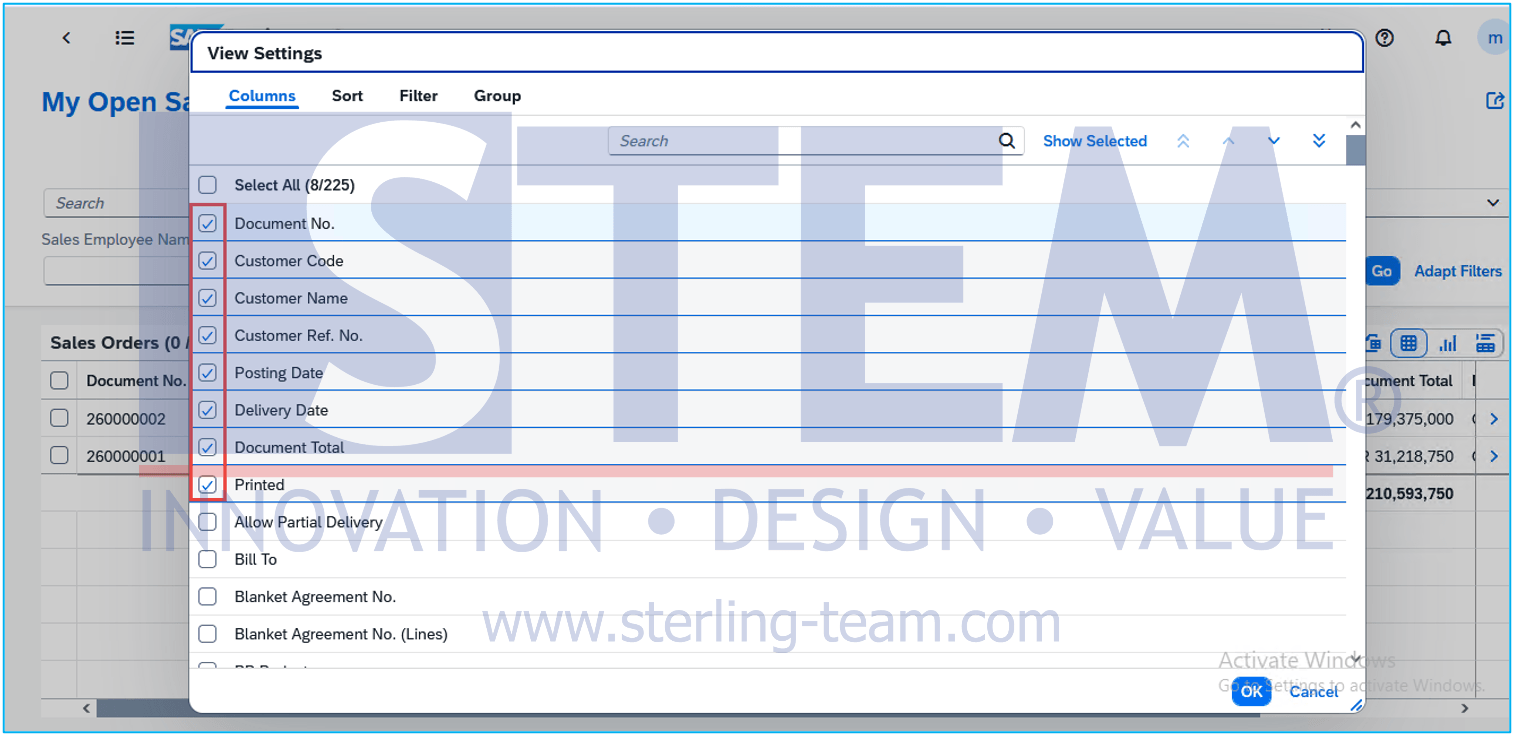
For a daily follow-up list, you might keep the document number, customer name, posting date, delivery date, and document total. Place the information you check most often near the beginning of the table.
The available columns depend on the list you are working with.
Arrange Document Sorting and Grouping
Through View Settings, you can also arrange the order of the data.
For example, sort the delivery date in ascending order so that earlier dates appear at the top. If the review is performed by customer, group the documents by customer so that their documents are collected in the same section.
Sorting changes the position of documents in the list, while grouping divides them into separate sections. Neither affects the data stored in the documents.
Save the View for Next Time
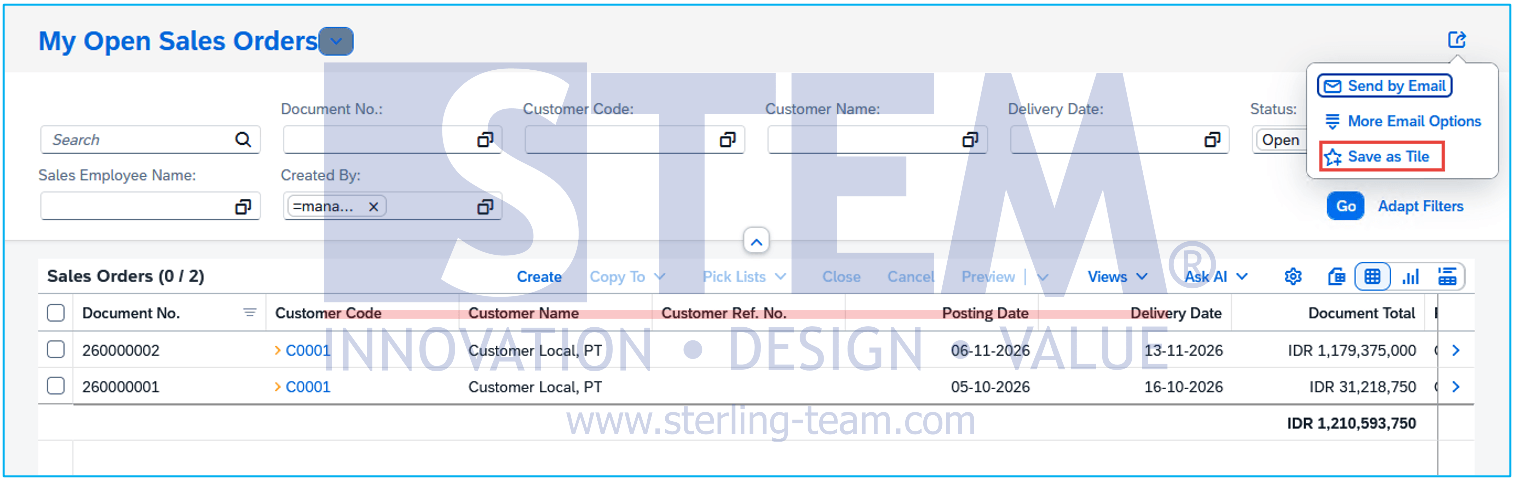
Once the list looks right, open the view dropdown at the top-left of the page and choose Save As. Give it a recognizable name, such as Sales Orders – Daily Follow-Up.
Also read relevant SAP Business One Tips:
- How to Turn a Document List into a Chart in SAP B1
- View Source Documents Behind Charts in SAP Business One
- How to Add an Open Sales Orders Shortcut in SAP B1 Web Client
- Fix Item Number Showing Name in Production Orders
- How to Reorder Document Columns in SAP Business One
- Print and Preview Documents in SAP B1 Web Client