
SAP Business One provide a lot of information on every table details, for some company, they must hide some column for specific users for security reasons. It’s always important to maintain an authorization for prevent some un-authorize action on SAP Business One, especially about the active column on table format.

For block a user’s access to Form Settings for most of the windows in SAP Business One (except the Main Menu): Go to Administration → System Initialization → Authorizations → General Authorizations.
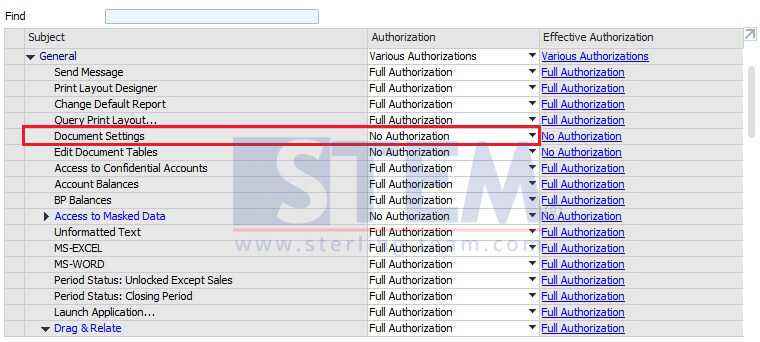
Choose the required user in the list, go to General → Document Settings, and set the authorization to “No Authorization“.