
How to restart SAP 10, version for HANA Web Client service in SuSE Linux Enterprise 15 SP 1 Operating System?
If your HANA System just booted, and your SAP Web Client is not automatically started, you can try to restart the web client service using the below command:
- Open puTTy, and logon to your HANA System using root
- Go to /usr/sap/SAPBusinessOne/WebClient
- Type command below to restart Web Client service:
./startup.sh stop

./startup.sh start
Or just simply type
./startup.sh restart
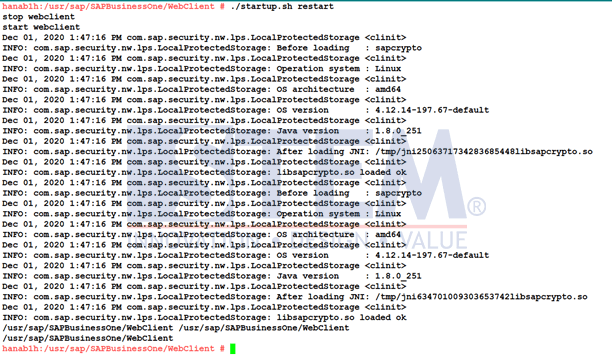
Restart SAP HANA Web Client Service
Also read relevant SAP Business One Tips:
- How to Restart SLD in SAP Business One (SQL Server)
- How to Fix SAP Business One Add-On Installation Failed
- How to Extend UDF Character Length in SAP Business One
- Install SAP HANA Database License: Step-by-Step Guide
- New Features in SAP Business One 10 – Admin, Sales, Purchasing
- New Features in SAP Business One v10 – Web, UI & Finance