When user saves a transaction document in SAP Business One, an error message may appear such as: “G/L Account needs DR assignment for dimension rule 1; fill in DR-Related fields.”
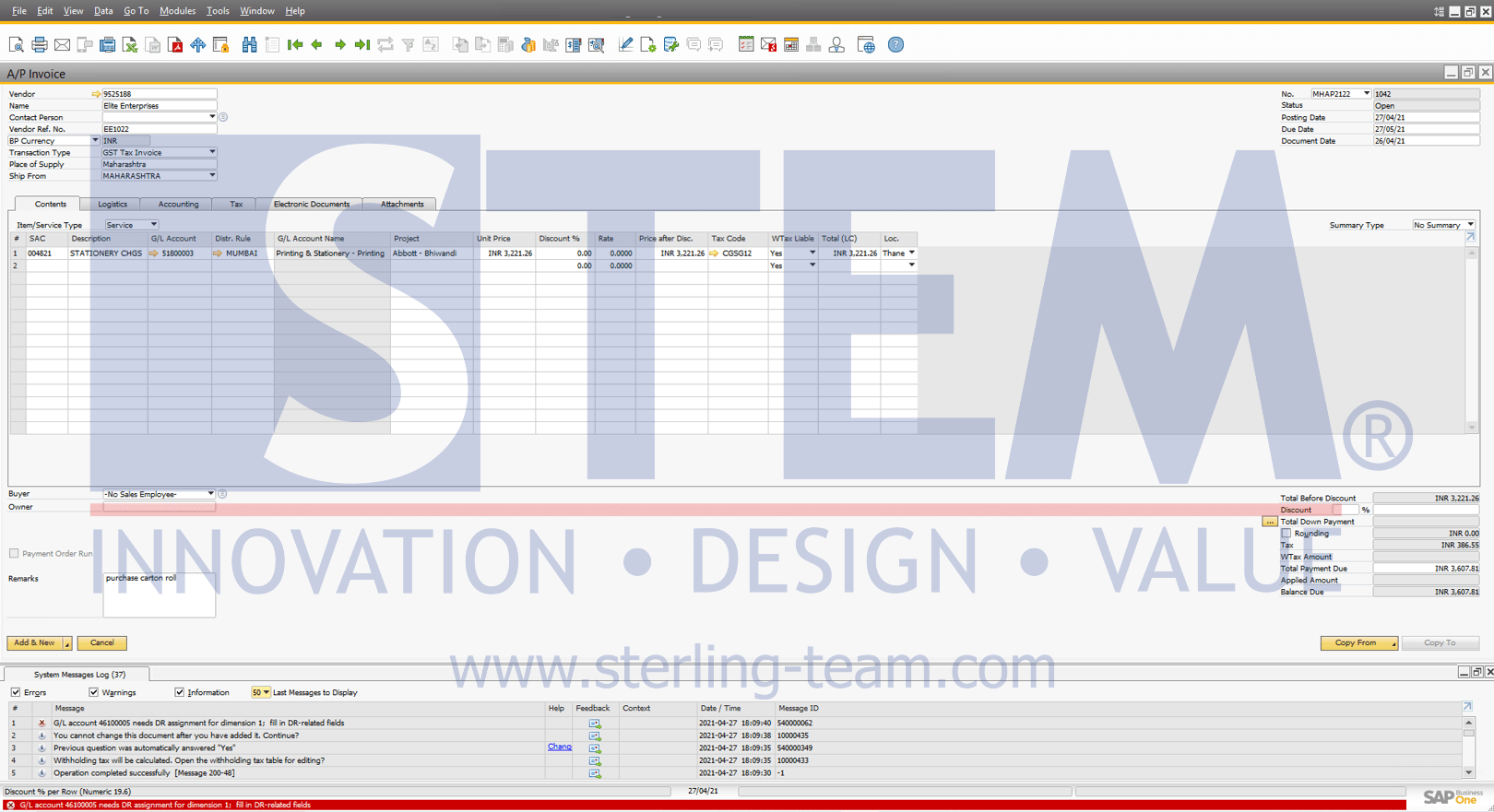
This error commonly occurs in transactions such as Journal Entry, A/P Invoice, A/R Invoice, or other documents involving certain accounts.
Cause of the Error
This error occurs because the Distribution Rule column has not been properly filled in or was left blank.
- Distribution Rules in SAP B1 are used to allocate transaction amounts across multiple cost centers or dimensions.
- If a G/L (General Ledger) account is set to require a Distribution Rule, then whenever this account is used in a document, the system will require the user to fill in the DR assignment.
- If this field is empty, the system will not allow the document to be posted and will display the error.
How to Resolve
To resolve this error, users can follow these steps:
- Check the line item that triggered the error. In most cases, the Distribution Rule column is still blank.
- Fill in the Distribution Rule column by selecting the appropriate distribution rule.
- Ensure the chosen Distribution Rule matches the nature of the transaction. For example:
- Electricity expenses are distributed across multiple cost centers (e.g., Production, Administration, Marketing).
- Operational expenses for a specific branch are allocated only to one cost center.
- Once the Distribution Rule column is filled in, save the document again, and the error will no longer appear.