





When we do business with our customer, we prepare a price list to be use when we sell some products to them. You can assign the price list to a specific customer in Business Partner Master Data, in Payment Terms tab.
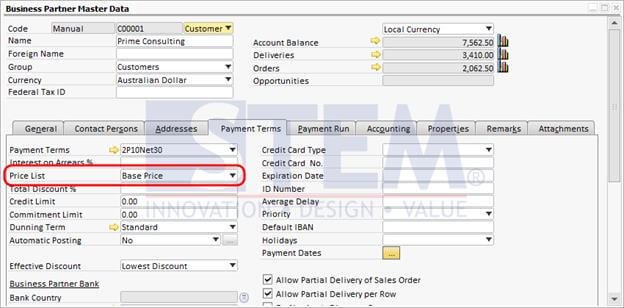
Price List assignment inf BP Master Data
Besides in Business Partner Master Data, the price list can also be setup in Payment Terms master data.
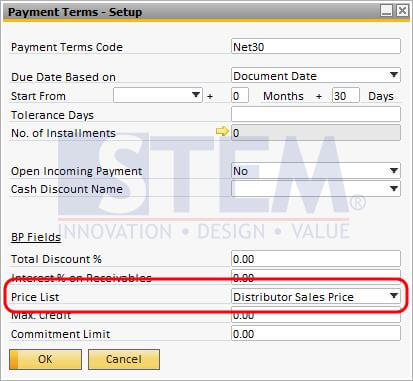
Price List assignment in Payment Terms
However, please note, that when you’re creating a sales order for that particular customer, at first SAP Business One will use price list declared in Business Partner Master Data. But when you change the payment terms (in this example from 2P10Net30 to Net30), the sales order will ask you if you want to use price list declared in Payment Terms master data.
Copyright © PT Sterling Tulus Cemerlang – 2017
Also read relevant SAP Business One Tips:
- Optimize Business Partner Channels in SAP B1
- Set Default Price List Separately from Payment Terms in SAP Business One
- Query Price List in SAP Business One
- Locked Function in Warehouse List of Item Master Data
- Set Default Currency & Hide All Currencies in SAP B1
- Currency Disabled in SAP B1 Payment Means – Fix Tips









