An item in SAP Business One, can be set as a phantom item. What is it ?
Phantom item is like an alias for some items. It usually used in multilevel Bill of Material (BoM). Instead having to write down some similar components in several BoM master data, we can just use 1 phantom item to simplify the BoM.
We don’t keep inventory for phantom item.
See picture below for better understanding about phantom item.
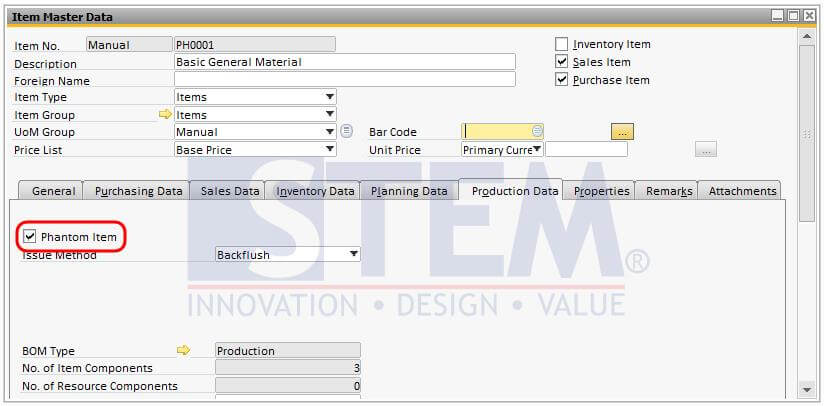
Figure 01 – Set item as phantom item in Item Master Data
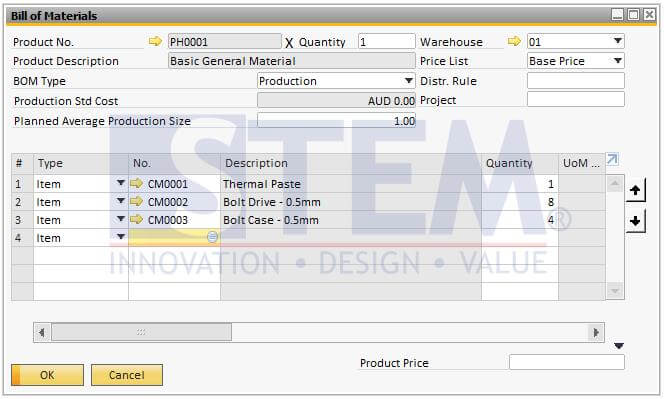
Figure 02 – Bill of Material of a phantom item

Figure 03a – Phantom Item used as component in Bill of Material
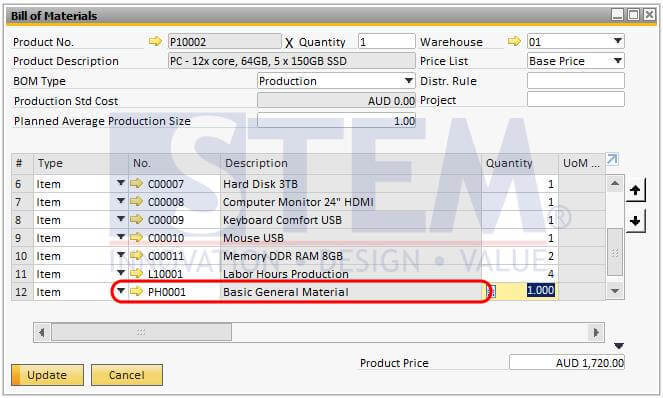
Figure 03b – Phantom Item used as component in Bill of Material
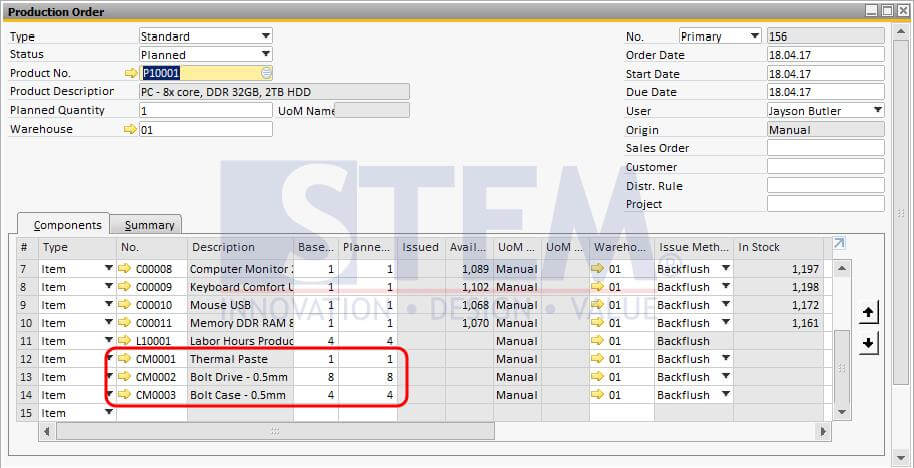
Figure 04 – Invidual components of a phantom item appear in production order.
Also read relevant SAP Business One Tips:
- Enhanced BOM Description Update in SAP Business One v10
- Re-activate Items in SAP Business One – Step-by-Step
- Understanding BoM Types in SAP Business One – Part 1: Sales BoM
- Bulk Delete BOMs in SAP Business One — Efficient Steps
- Change CPL Display by Toggling Display Description SAP B1
- How to Define Item Groups in SAP Business One