As an integrated system, SAP always enabled automatic posting for any transactions, so you need to determine a default G/L account for enabled that automatic posting feature.
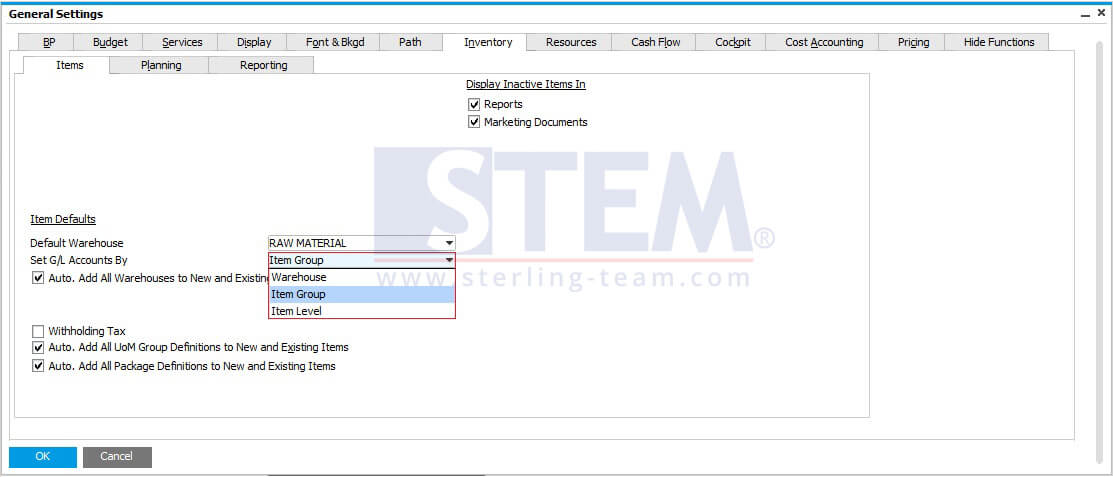
If you open menu Administration – System Initialization – General Setting, there are 3 options for setting your G/L Account:
- Warehouse
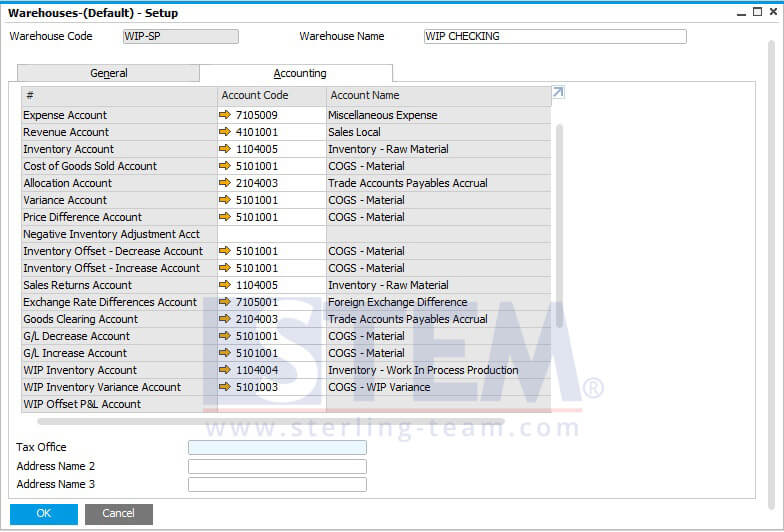
Your default account will be following all the setup on menu Warehouse – Setup (Administration – Setup – Inventory – Warehouse). So, you can have a different G/L setup for each warehouse.
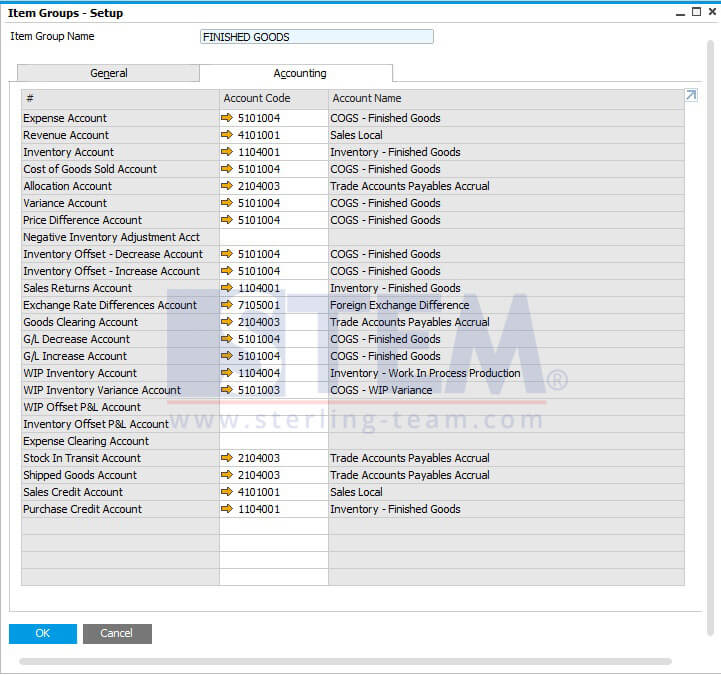
- Item Group
Your default account will be following all the setup on menu Item Group (Administration – Setup – Inventory – Item Group). So, you can have a different G/L setup for each item group.
- Item Level
Your default account will be following all the setup on menu Item Master Data (Inventory – Item Master Data). So, you can have a different G/L setup for each item master.