On SAP Business One, there’s two type information that provided for identify user access into SAP Business One application, and user access for modify (edit/update) any data on SAP documents.
User Access Log (Go to: Tools > Access Log)
This option often used for monitoring daily activity from user when they log in, or log off from SAP, and information about the number of failed access attempts since the last successful logon for each user.
As an internal IT and superuser, you can be monitoring your user access with running a query use table USR5.
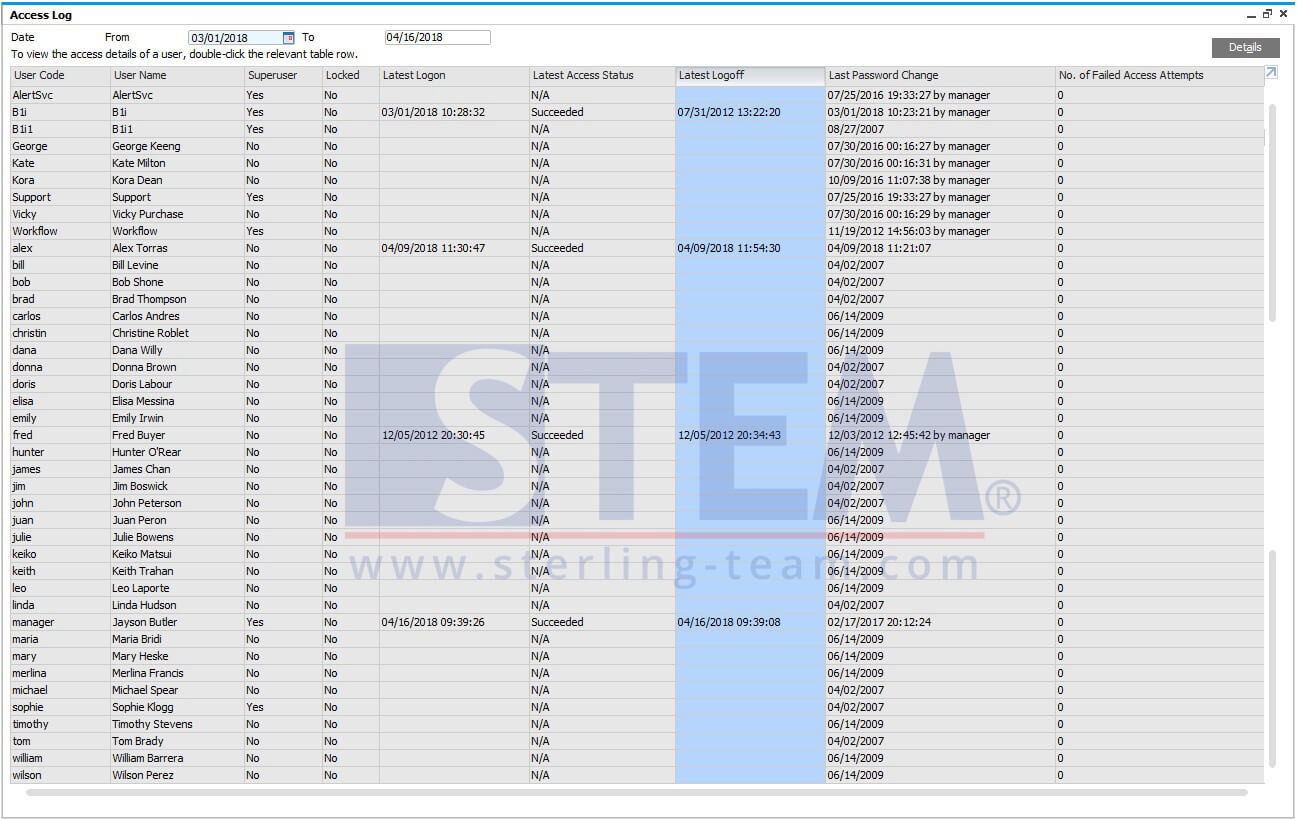
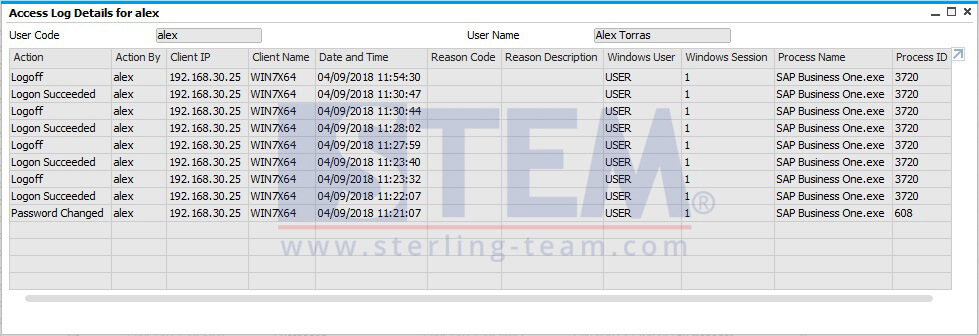
And if you click Details button, there’s more information for each user:
- Action
Tells about date-time logon succeeded/failed, password changed, superuser selected or not, etc.
- Action By
Displays the UserID of the user who has performed the action.
- Client IP
IP address for the SAP Business One client computer in use by the user.
- Client Name
Name of the SAP Business One client computer in use by the user
- Data and Time
Display the date and time of the action indicated in the Action column.
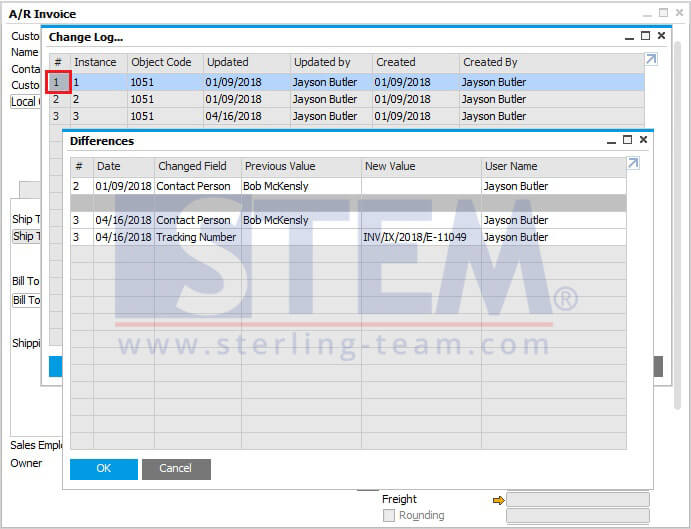
Change Log (Go to each document screen: Tools > Change Log)
Another information, you can open one of the marketing document or a master data, see a change log. And you can find, who’s changing the data instead, and when exact time they changed the data.
Extra info:
For marketing document only:
You can running a query on table ADOC for tracing a history of your document. Don’t forget to specify your Document Number, and Object Type before running a query on table ADOC.
Sample query from change log screenshot above:
SELECT * FROM ADOC T0 WHERE T0."DocNum" = '1049' AND T0."ObjType" = 13
Also read relevant SAP Business One Tips:
- Auto Suggestions for User Input in SAP B1
- New Feature: Duplicate Check for Business Partners in SAP Business One 10.0 FP 2508
- Add Print Time to SAP B1 Crystal Report Layout Easily
- Show or Hide License Info in SAP Business One
- Add Quick References with SAP Business One Links
- Disable User-Defined Field in SAP Business One