In the previous version of SAP Business One (before version 10), many users sometimes struggle with documents. After they add documents, such as orders document, deliveries document, invoices document, sometimes you want to take a look at it before print/email it. You can do it by clicking the “Previous Record” button but sometimes system viewing another user’s documents that just added a second after you add.
To prevent this hassles, and also save time, SAP Business One Version 10 introduces new features in the “Add” button on every marketing document menu. Now, the “Add” button has another option to it:
- Add & New: After adding the document, the window will return to the “Add” view when adding a new document
- Add & View: After adding the document, the window will view the document you added.
- Add & Close: After adding the document, the document window will be closed.
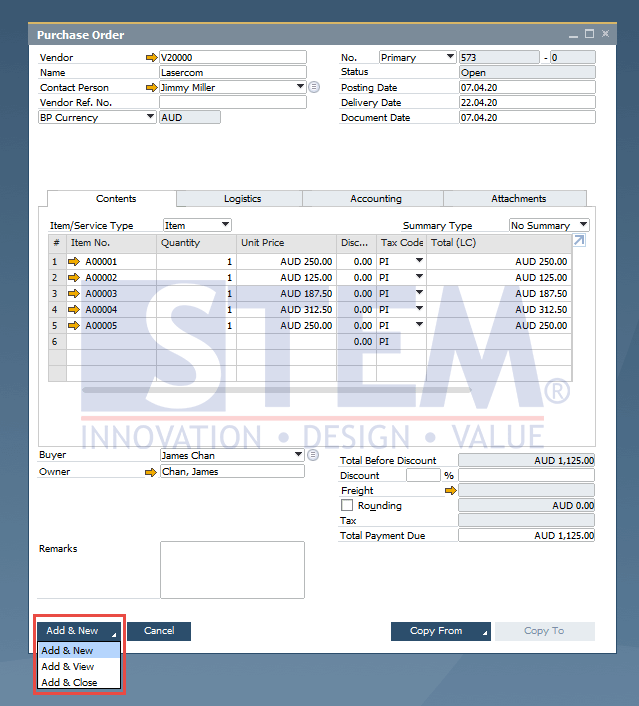
SAP Business One Tips – Marketing Documents Can Be Viewed Directly After Added
Notes: Only available in SAP Business One version 10