
In Crystal Reports, the “Division By Zero” error occurs when a formula attempts to divide a value by 0.
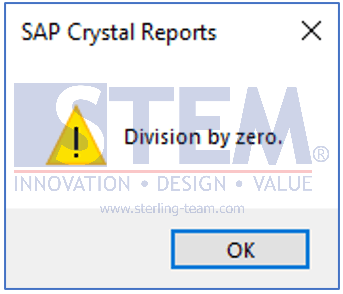
Mathematically, division by zero is invalid. As a result, Crystal Reports will automatically display an error and the report cannot be displayed properly.
Causes of the Error
This error usually occurs when:
- A field or formula used as the divisor has a value of 0
- The source data is incomplete or contains zero values
- A previous calculation results in 0 and is then used as a divisor
Example: {formula X} / {formula Y}
If {Formula Y} has a value of 0, the report will produce an error.
How to Fix the Division By Zero Error
To prevent this error, use an IF THEN ELSE statement in the Crystal Reports formula.
The purpose is to check the divisor value before performing the division.
Safe Formula Example:
IF {Formula Y} = 0
THEN 0
ELSE {Formula X} / {Formula Y}
Formula Explanation:
- IF {Formula Y} = 0
Checks whether the divisor value is 0 - THEN 0
If true, the result returned is 0 (instead of an error) - ELSE {Formula X} / {Formula Y}
If the divisor is not 0, the division is performed normally
With this approach, the report can still be displayed without errors, even when the data contains zero values.