
When you preview Crystal Report Layouts or Report You can export a Crystal Reports layout or Report to your computer as any of the following file types:
- Crystal Reports (*.rpt)
- PDF (*.pdf)
- Microsoft Excel [97-2003] (.xls)
- Microsoft Excel [97-2003] Data-Only (.xls)
- Microsoft Word [97-2003] (.doc)
- Microsoft Word [97-2003] – Editable (.rtf)
- Rich Text Format (RTF) (*.rtf)
- XML (*.xml)

Procedure to export a layout or report:
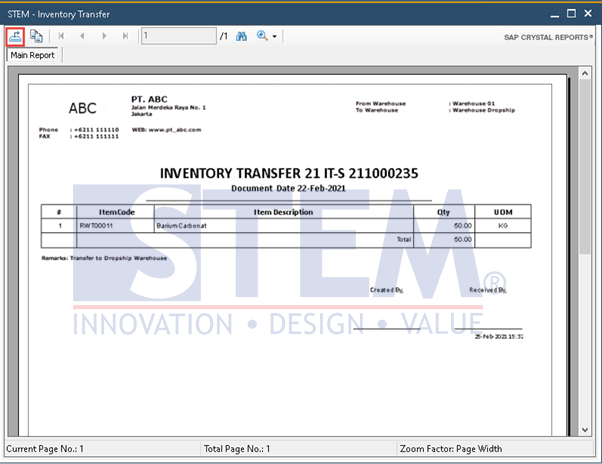
- In Crystal Reports Viewer, in the toolbar, click the Export Report
 button.
SAP Business One Tips – Export Crystal Reports Layouts in SAP Business One
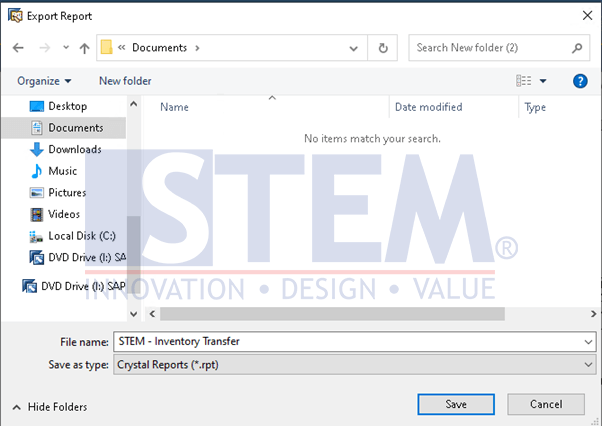
- In the Export Report window, navigate to the folder on your computer where you want to save your report.
SAP Business One Tips – Export Crystal Reports Layouts in SAP Business One
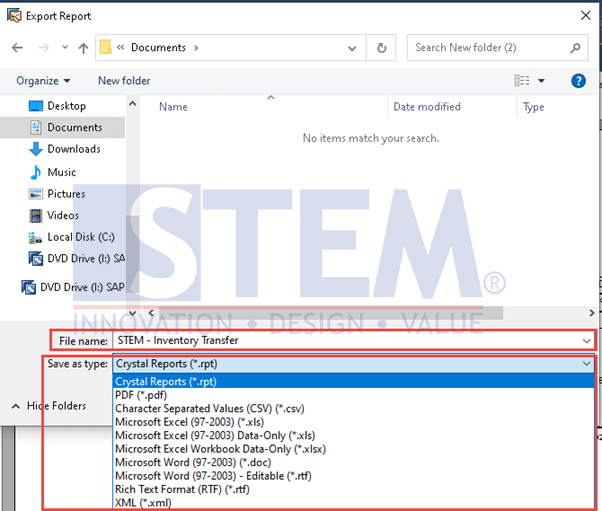
- In the File name field, enter a name for the file you are exporting.
- In the Save as type dropdown list, select a file type.
- Choose the Save button.
SAP Business One Tips – Export Crystal Reports Layouts in SAP Business One
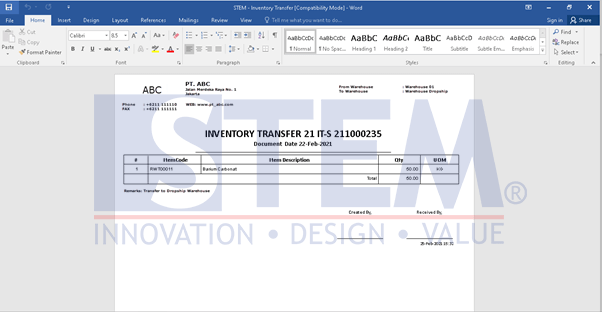
- Crystal Reports Layouts or Reports have been exported.
SAP Business One Tips – Export Crystal Reports Layouts in SAP Business One
Also read relevant SAP Business One Tips:
- Export & Import Crystal Reports in SAP Business One
- Connect SAP B1 Data to Crystal Report | SAP B1 Guide
- Create Selection Criteria Window – SAP Crystal Report Tips
- Fix Error When Previewing or Printing Crystal Report
- Print Login User Name in SAP B1 Crystal Report
- Single Crystal Report Layout for A/R DP Request & Invoice