
In many production environments, analyzing variance is often not straightforward. When a variance occurs, users frequently face questions such as:
- What caused the variance?
- Which component contributed to it?
- How was the value calculated?
Without sufficient detail in the report, users often need to check multiple documents and screens to understand the root cause.
Enhancement Overview
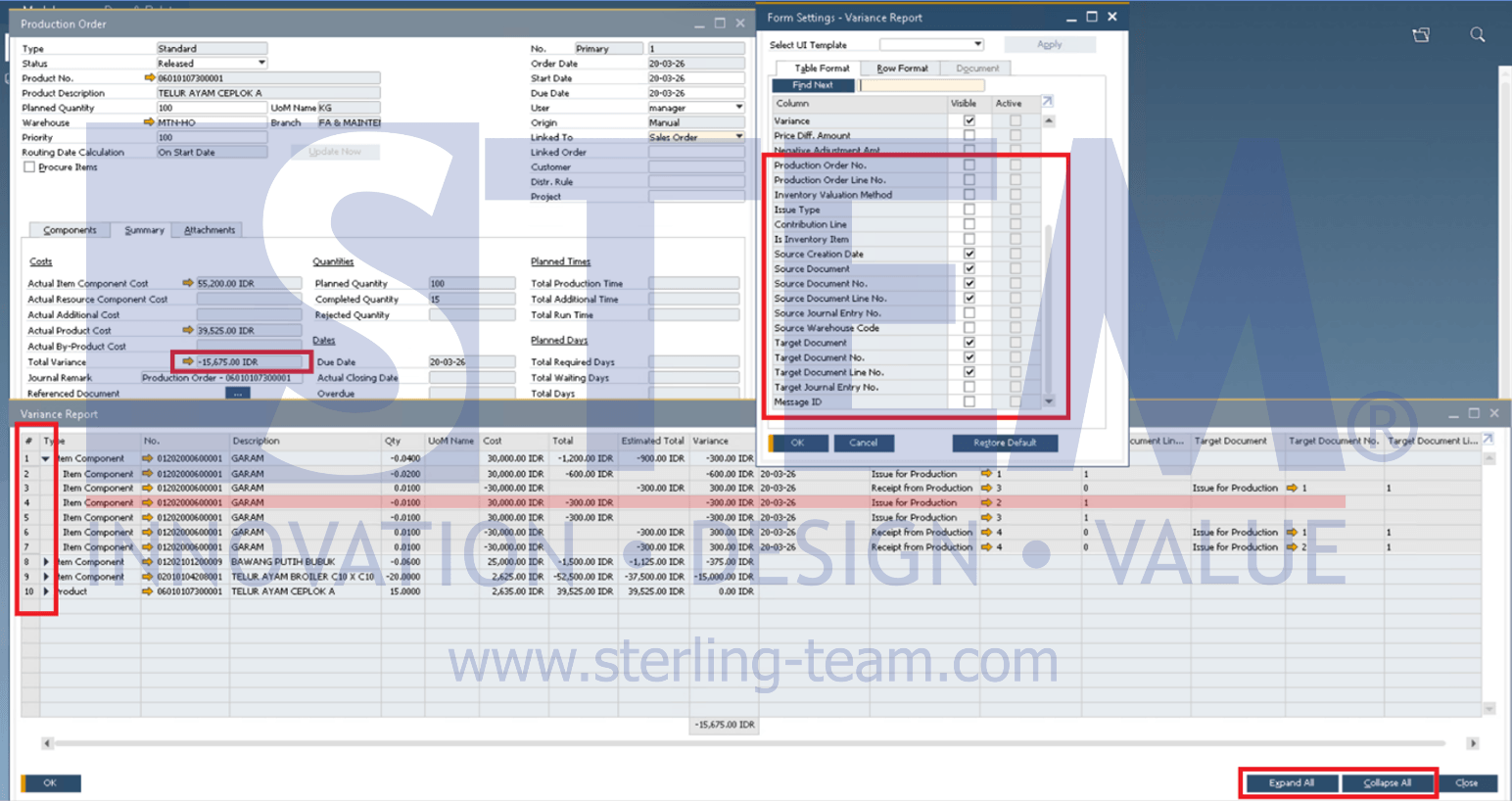
Starting from SAP Business One 10.0 FP 2405, the Production Order Variance Report is enhanced to provide more detailed and structured analysis.
The report now includes a two-level view, allowing users to drill down into component-level information. User can:
- Expand each row to view detailed component data
- Use the Expand All button to display all details at once
Additional Detail & Benefits
In the enhanced view, additional fields are introduced to provide better traceability and visibility within the report:
- Issue Type
- Source & Target Document
- Source & Target Journal Entry
- Inventory Valuation Method
- Production Order
With these additions, users can:
- Understand the origin of each transaction more clearly
- Identify the root cause of variances faster
- Trace related documents without navigating across multiple screens
- Perform analysis more efficiently during production review
Overall, users can analyze production variances more quickly and with greater confidence. With this enhancement, the Production Order Variance Report becomes a more effective tool for understanding production variances and cost differences. Users can now gain clearer insights directly from a single report, reducing the need for manual tracing and improving overall efficiency in production analysis.