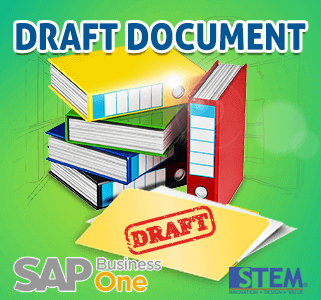
It’s about your document, you want to posting, but still not sure about something, and lots of things you have to do.
You only need to create some, to reduce your ‘homework’, and you just need to make that document as a draft only, because you still need another confirmation to make it right as it should be.
In SAP Business One, you can save many documents as a draft documents by right clicking your mouse in the documents that you want to save a draft. Saving a document as a draft lets you make updates, changes or even entering missing information on your documents before saving them to the database as a real document.
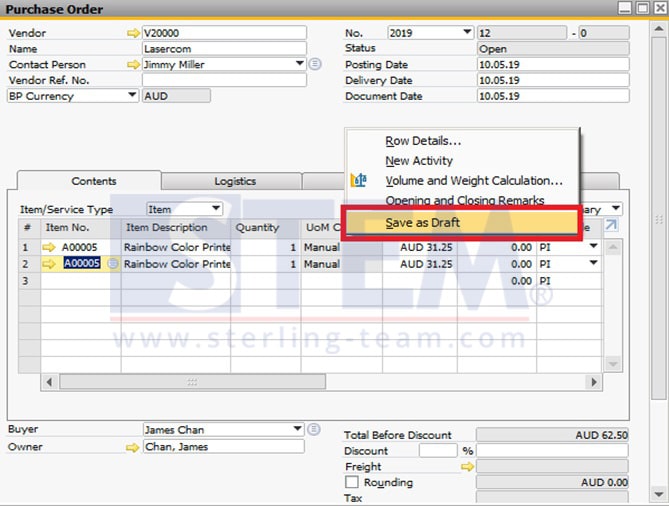
Does saving a document as a draft have any other benefits? Of course yes. You can also use a draft document as a template. The template can be used to create a document that you create frequently. And also, you can find all of the draft documents and display the list. Just open the Documents Drafts Report menu.
Also read:
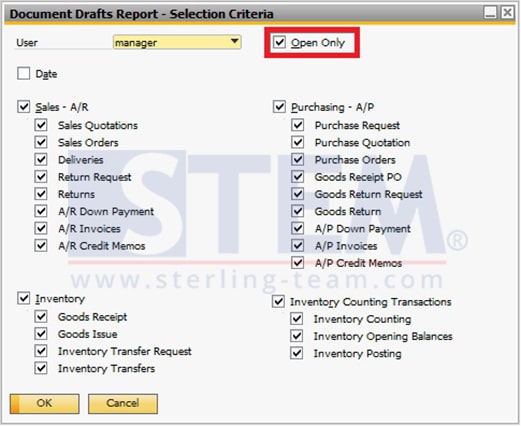
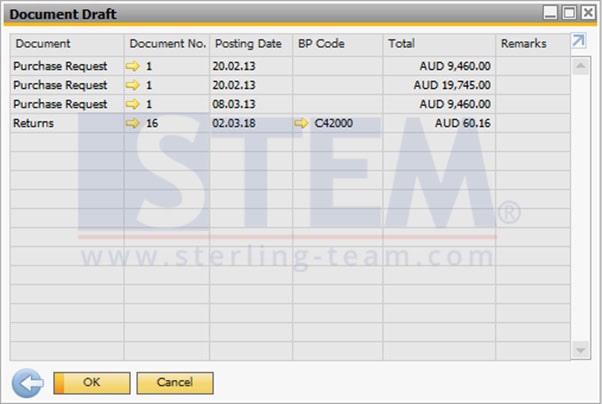
Select Open Only if you want to only displays the drafts that have not been added yet as a real documents in SAP Business One. And if you do not select that, it will display all the draft documents that have been created including those that are still pending. Before you click OK make sure to select all the criteria you want to display and un-select the criteria you do not want to display.
Also read relevant SAP Business One Tips:
- Change Date Separator in SAP Business One Guide
- Set Up New Posting Period in SAP Business One
- Hide Inactive Contact Persons in BP Master Data
- SAP B1 Delete Draft Error: Approval Process Restriction
- How to Show Draft No. Column in Document Drafts Report
- Set Default Currency & Hide All Currencies in SAP B1