In SAP B1, users can delete multiple Bills of Materials (BOM) at once through the Bill of Materials Management menu. This process facilitates BOM data management, especially when there are many changes in the production structure that may render some BOMs obsolete. Below are the steps to delete multiple BOMs at once:
- Navigate to Production > Bill Of Materials Management.
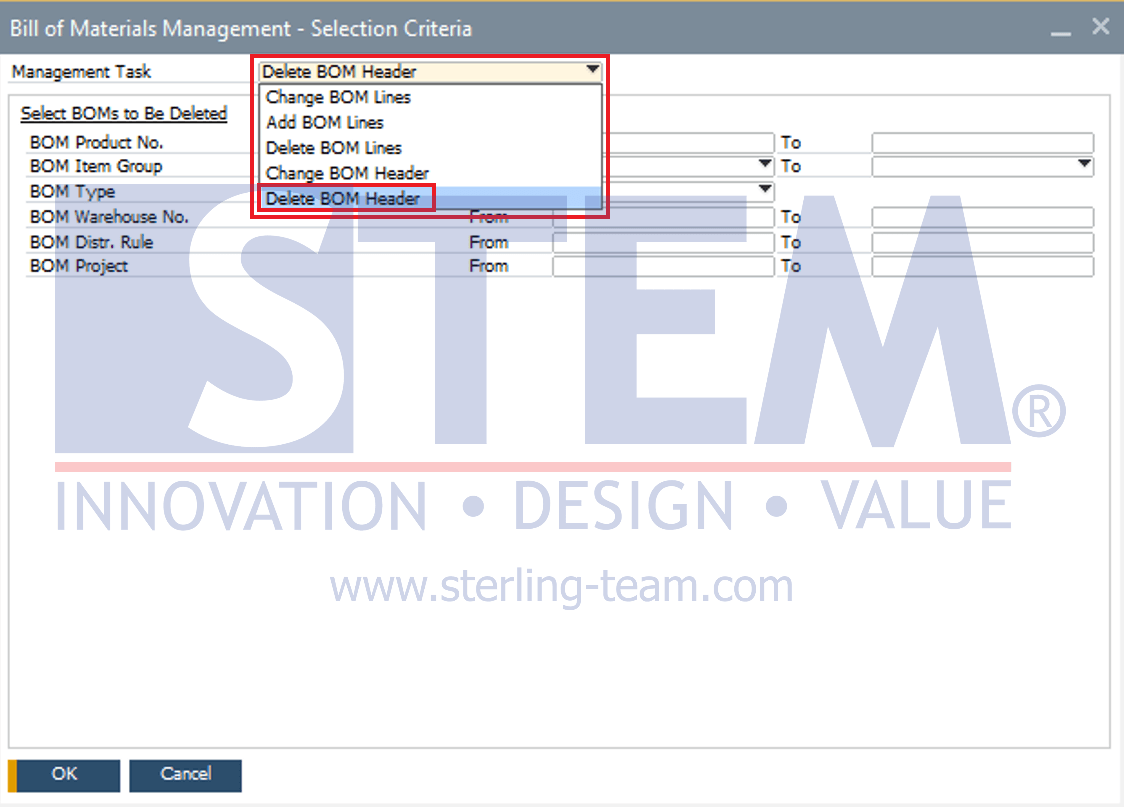
- In the Bill of Materials Management – Selection Criteria window, go to the Management Task field, select Delete BOM Header.
- Specify the criteria for the BOMs to be deleted, such as Product No. range, Item Group, BOM type, Warehouse No., etc. Users can select one or multiple criteria depending on their needs.
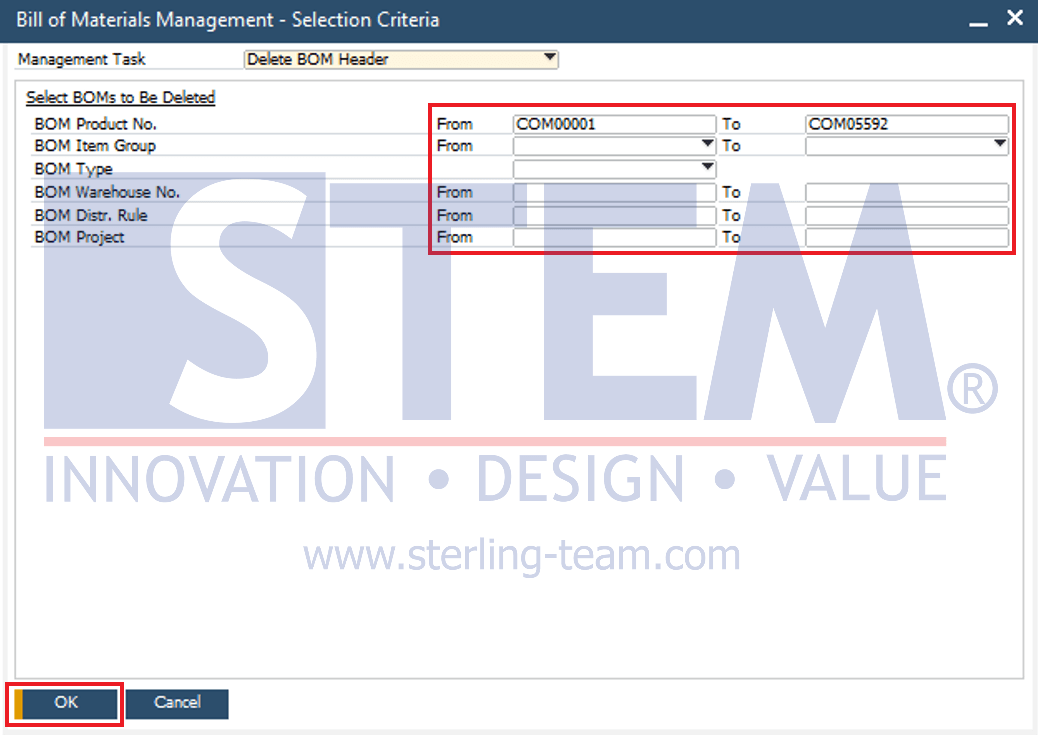
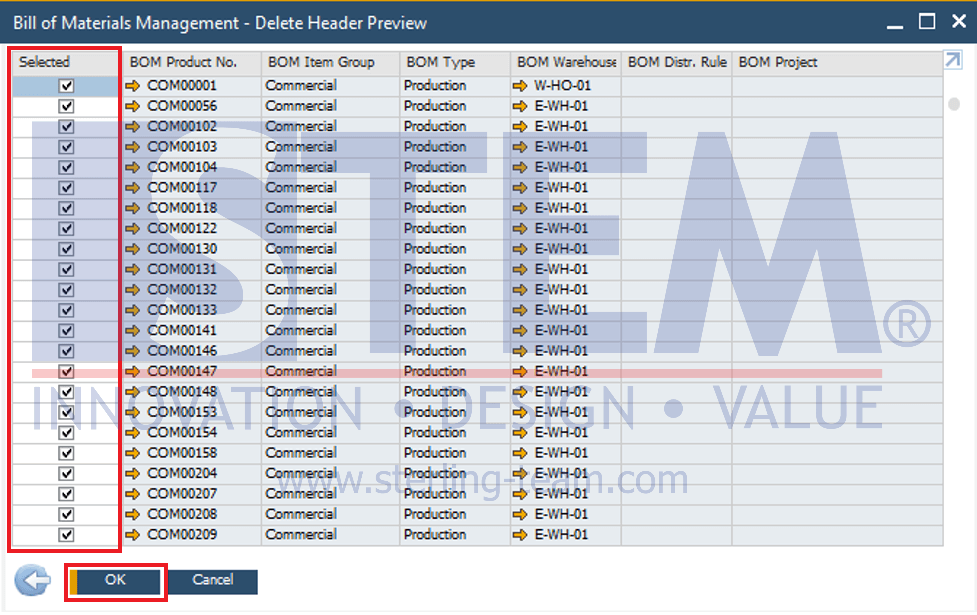
- Click OK, and the system will display a preview window containing the list of BOMs that can be deleted.
- In the Selected column, tick the BOMs to be deleted. Click OK to start the deletion process.