If your company wants to maintain Withholding Tax system for sales and purchasing documents, SAP Business One allows you to contain more than one type of Withholding Tax.
You can define the different types of Withholding Tax codes from the Main Menu, by going to:
Administration > Setup > Financials > Tax > Withholding Tax.
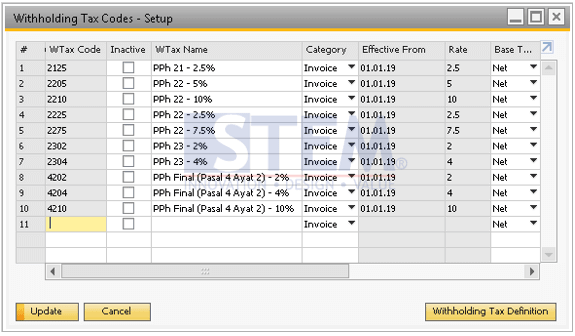
Fill the WTax Code and WTax Name on the new row, then choose the category.
Choose Invoice if you want the Withholding Tax calculation appears in the invoice and is recorded in the journal entry when the invoice is added.
Choose Payment if you want the Withholding Tax calculation appears in the invoice, but is recorded in the journal entry when it is created by the incoming payment based on that invoice
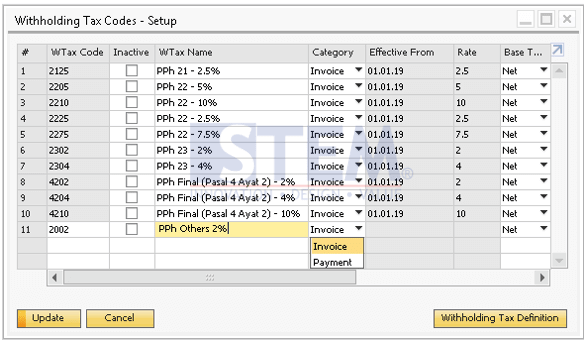
To fill the Effective From and Rate, click the “Witholding Tax Definition” button.
Having Trouble Configuring Withholding Tax in SAP Business One?
Tax configuration issues often go unnoticed until they affect transactions and financial postings. Our team can help ensure your Withholding Tax setup is accurate and tailored to your business needs.