
In the latest update of SAP Business One 10.0 FP 2602, users can now add attachments more easily using the Drag & Drop feature.
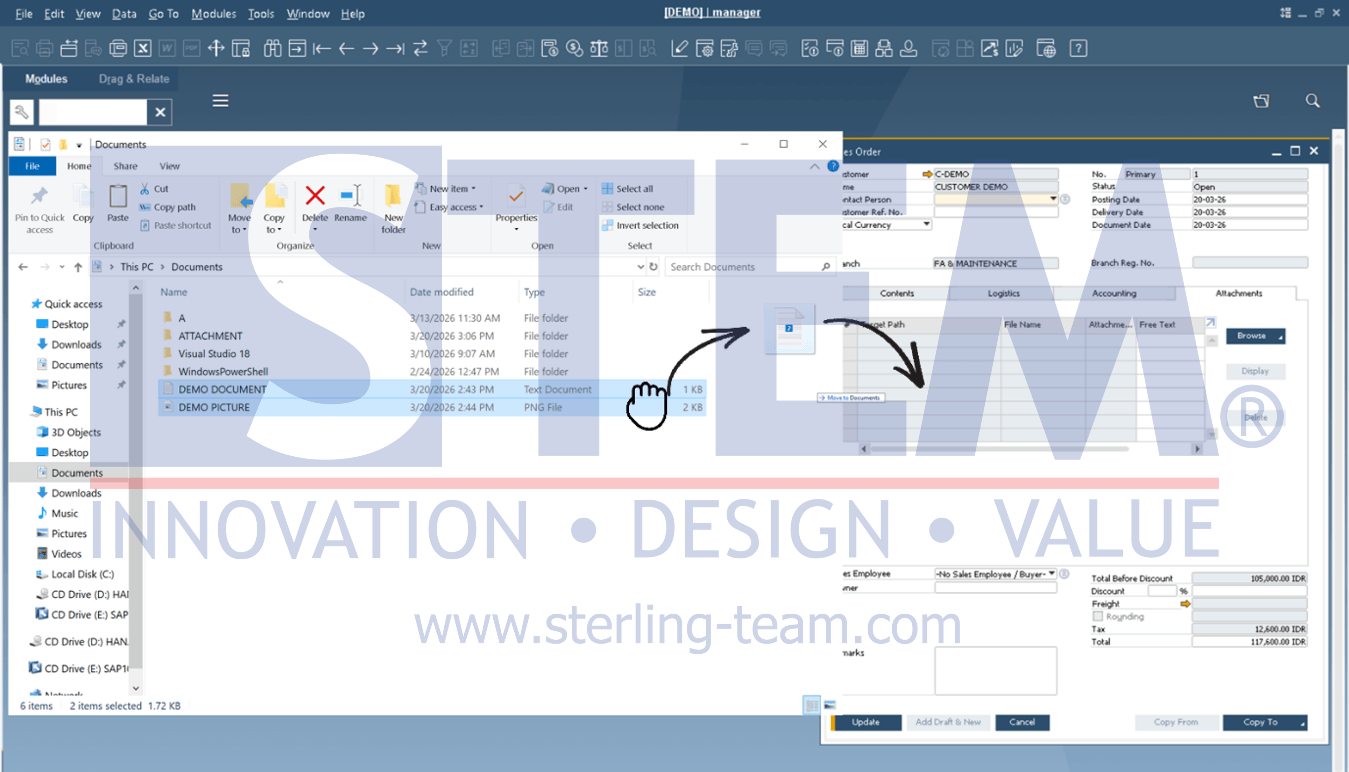
Previously, adding an attachment required several steps (Browse and select file). Now, you can simply drag & drop the file directly into SAP Business One.
How to Use
- Open a document (Sales Order, A/R Invoice, etc.)
- Drag the file from Windows Explorer
- Drop it into the SAP Business One screen
- The attachment will be added automatically
Prerequisite: To ensure this feature works properly, make sure:
- The Attachment Path in SAP Business One is properly configured
- The user has access to the attachment folder
Benefits & Impact
This feature may seem simple, but it delivers real efficiency improvements:
- Faster and more practical attachment process
- Fewer manual steps required
- Easier to use—just drag & drop without browsing files
Especially useful for users who handle a high volume of supporting documents, such as Finance, Purchasing, and Sales teams.