PT Sterling Tulus Cemerlang
www.sterling-team.com

Whatsapp
+62-877-8655-5055

Email
sales-enquiry@sterling-team.com

Address
Sampoerna Strategic Square
South Tower Level 30
Jl Jend. Sudirman No. 45-46
Jakarta 12930 – Indonesia

600+ FREE Tips SAP Business One for you to Become SAP B1 Super User from Sterling Tulus Cemerlang (STEM)

Monitor Last Purchase & Selling Price in SAP Business One

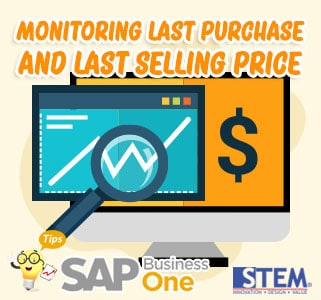
SAP Business One Tips Monitoring Last Purchase And Last Selling Price

The purchase price in every supplier/vendor maybe can different, including the Selling Price can differ in every customer too. Did you have a problem with monitoring the Last Purchase price and the Last Selling Price? With SAP Business One, you will not get this problem.

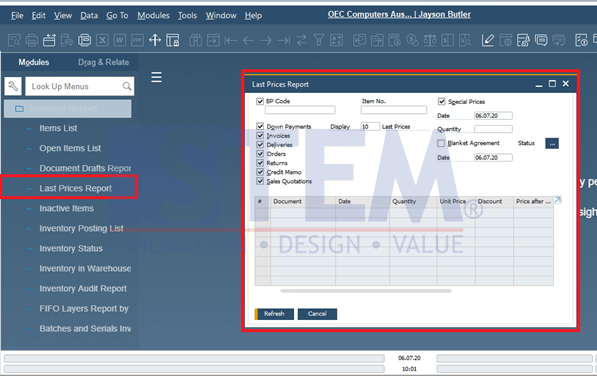
  1. Open the Inventory Menu Inventory Report → Last Price Report.

    SAP Business One Tips - Monitoring the Last Purchase Price and the Last Selling Price

    SAP Business One Tips – Monitoring the Last Purchase Price and the Last Selling Price

  2. Filter the report that you want to show.
    • By one Vendor or one Customer
    • By all Vendors or all Customers
    • By Quantity
    • And many more

With SAP Business One, you can monitor all prices in 1 window … the Last Price Report.

Also read relevant SAP Business One Tips:

Run Your Business With The Piece of Mind Using SAP Business One

This article was written by PT. Sterling Tulus Cemerlang
More details about SAP Business One,
email to: sales-enquiry@sterling-team.com or call +6221-5806336 or wa +6287786555055

, , , , , , ,