
Did you know?
In SAP Business One you can limit to every user how much cash can be received in cash transactions. SAP Business One supports cash payments and enables you to define for each user the maximum cash amount s/he is allowed to record incoming payments.
To limit a max cash amount limit for a user, follow these steps:
- In SAP Business One, select the Administration menu > System Initialization > Authorizations > General Authorization.
- The Authorizations windows will appear.
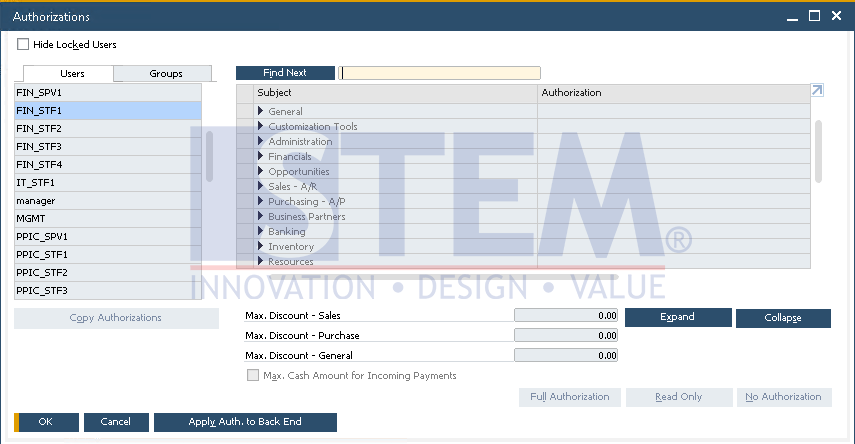
SAP Business One Tips – Give Users a Limit the Amount of Cash on Incoming Payment
- Select the user you want to limit the max amount of cash received.
- Tick the Max. Cash Amount for Incoming Payments.
- Determine the Maximum cash amount for Incoming Payments.
- Select the Update button.
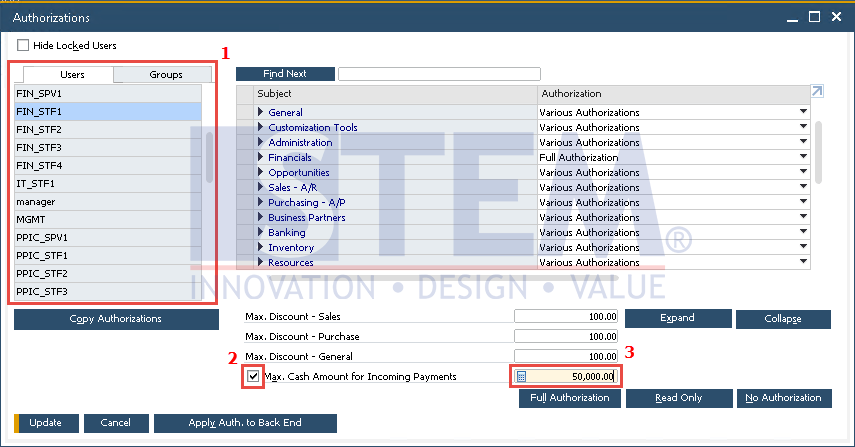
SAP Business One Tips – Give Users a Limit the Amount of Cash on Incoming Payment
- The maximum cash limit setting for incoming payments has been applied successfully.