
In SAP Business One you can see Graphs of data in the Query Manager. You can do customizations such as changing the type of graph you want and also you can specify which columns will be displayed.
follow the steps below:
- Press the Show Graph button in the lower-left corner, the Graph Bar will appear by default based on the query result data that is currently displayed.
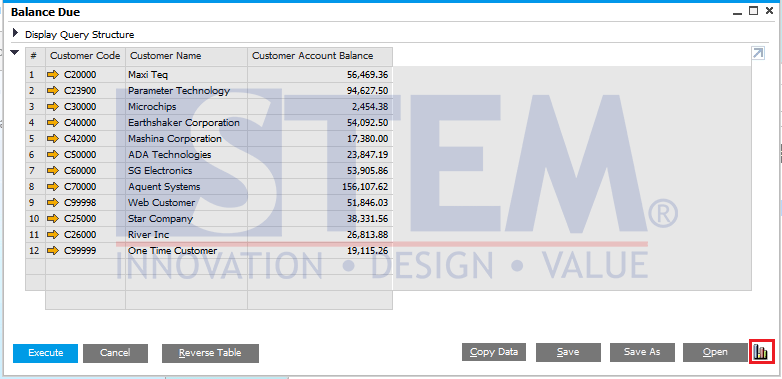
SAP Business One Tips – View and Customize Graph in Query Manager
- To do customization, press the Settings button.
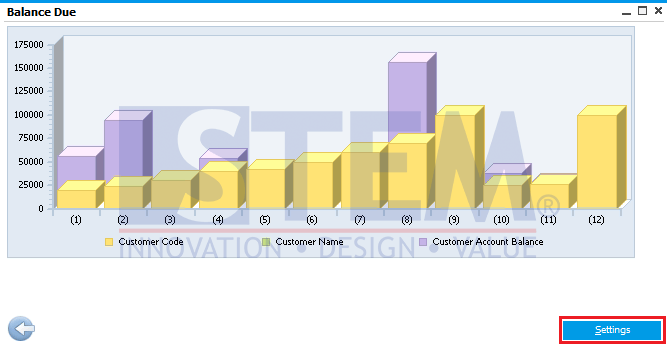
SAP Business One Tips – View and Customize Graph in Query Manager
- SAP Business One, allows you to customize what data you want to appear as a Graph and Graph Type as you wish.
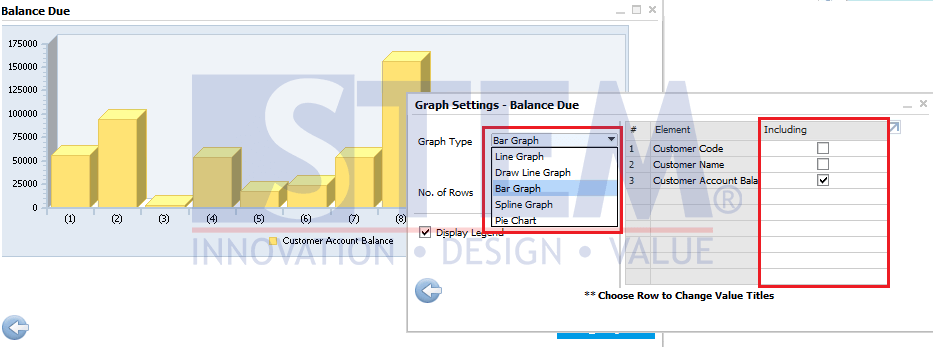
SAP Business One Tips – View and Customize Graph in Query Manager