In SAP Business One, you can print documents such as invoices, sales orders, purchase orders, and other types of documents, and then send them via email to customers or vendors. This can be managed through the Document Printing menu, which is available in all transaction modules in SAP B1.
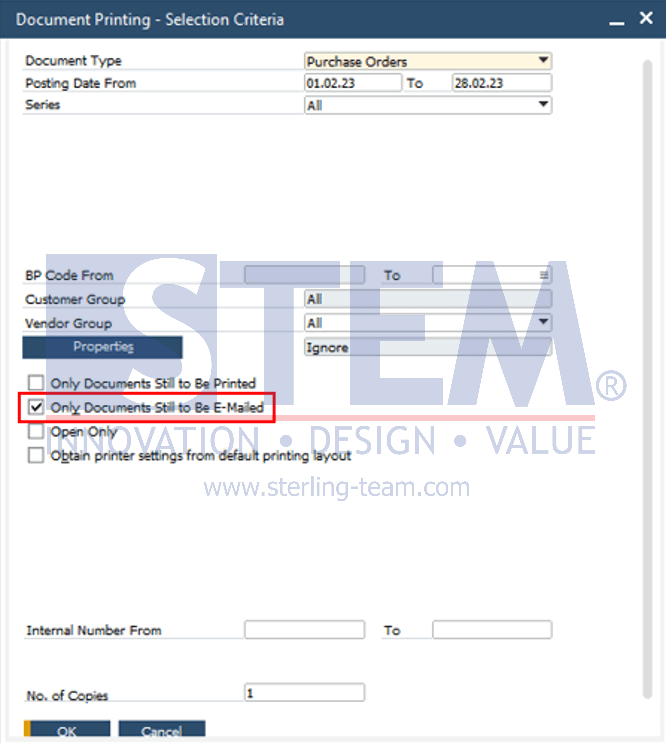
The email-related functionality has also been further enhanced. Starting from SAP Business One 9.3 version for SAP HANA PL05 and SAP Business One 9.3 PL05, an option was introduced to filter documents that have not yet been sent by email through the Document Printing menu, by selecting the checkbox “Only document yet to be e-mailed”. With this feature, users can more easily identify documents that are still pending to be sent without having to manually check them one by one.
After selecting the documents to be sent and once the email options window appears, users can then choose whether to send the documents to each individual business partner or to a predefined email group.