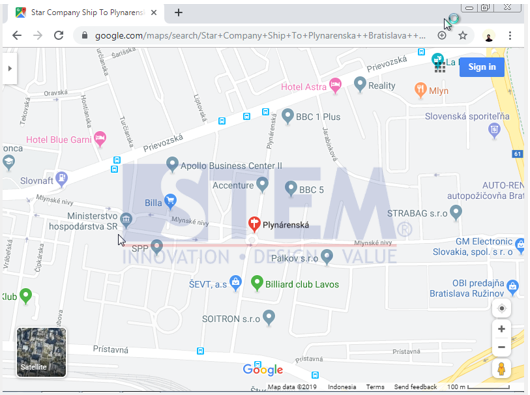
Users can enter addresses for everything related to locations in SAP Business One, such as warehouse locations, vendor locations, and customer locations. Users can also directly see the map that shows the address so they can see in detail the exact location of the address.
Users can access the “Map Service” in the menu
Administration> System Initialization> General Settings
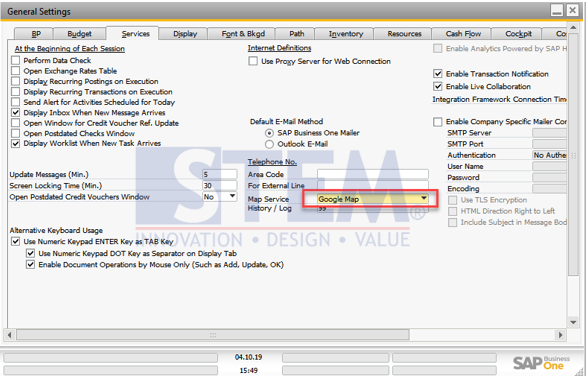
Then set Map Service as desired
If we’ve finished setting it, the user can immediately see the map by accessing each document containing the address.
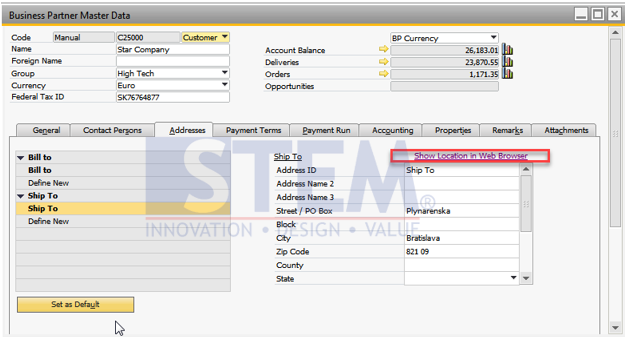
For example, in Business Partner Master Data, in the addresses section we can click the “Show Location in Web Browser” button
as seen in the picture below
And the browser will automatically open as specified in “General Settings” like in the picture below