
In handling service calls, companies often require flexibility to schedule multiple visits for the same technician, or even assign several technicians to a single case. To address this need, SAP Business One provides the Multiple Scheduling feature.
How to enable Multiple Scheduling:
- Go to Administration > System Initialization > Document Settings.
- In the General tab, enable the option “Enable Multiple Scheduling for Service Calls” by checking the box.
- Click Update to save the setting.
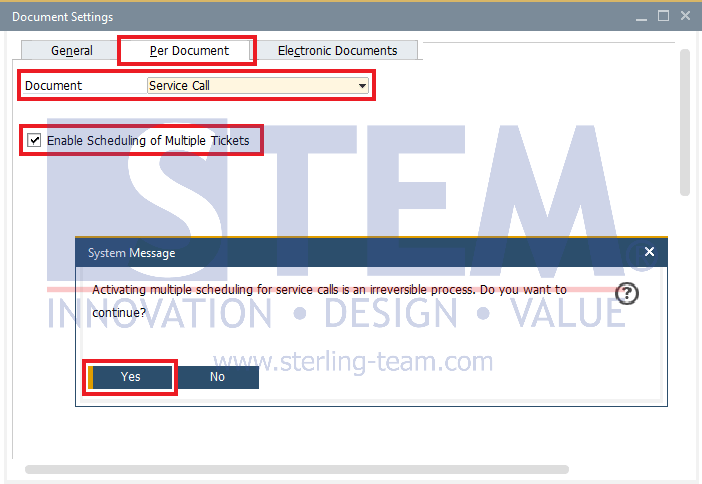
Once this option is activated, the Scheduling tab in the Service Call window will be updated with a new structure. This enhanced functionality allows you to:
- Assign more than one visit schedule for the same technician.
- Allocate multiple technicians to a single service call, when the case requires team support.
With this flexibility, coordination in handling service calls becomes more efficient and transparent.

Important Note
After Multiple Scheduling is enabled, the setting cannot be reversed. This is because SAP Business One modifies the database structure immediately to support the feature. Therefore, it is strongly recommended to ensure that this activation aligns with your company’s operational needs before applying the change.