In SAP Business One 10.0 there are several additional features, one of them is the Document Printing transaction.
As explained in the previous article, SAP Business one has the feature to print documents in batches using Document Printing transactions in each module menu.
Read More: How To Use Document Printing In SAP Business One
The Document Printing on SAP Business One 10.0 has several changes:
- Add Selection Criteria to the Document Printing – Selection Criteria window
Addition The selection criteria for printing documents are enriched with additional options according to the document type selected. This can maximize to printing documents in batches.
Example: Based on the document type selected.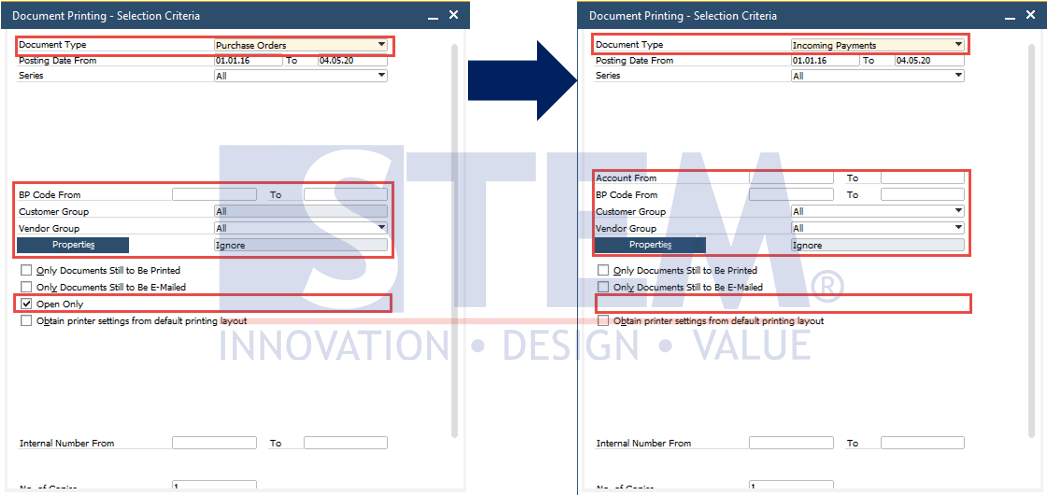
SAP Business One Tips – Document Printing Enhancement in SAP Business One 10
- Addition of Document Type: Service Call and Service Contract
There is an additional – selection criteria in the Service Call, we can choose the Technician Form or Service call to be printed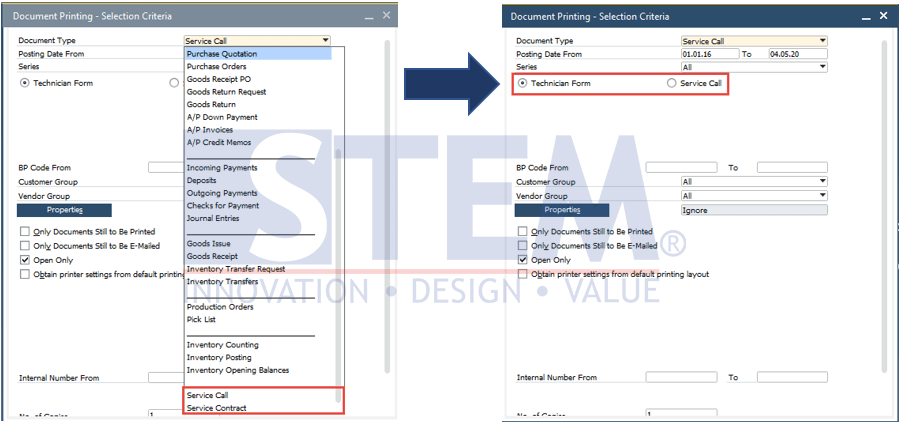
SAP Business One Tips – Document Printing Enhancement in SAP Business One 10
- Display UDF on the Form Settings
In the Form Settings Window, you can display additional UDFs that have been created by the user according to the type of document selected, so you can adjust/display the column (UDF).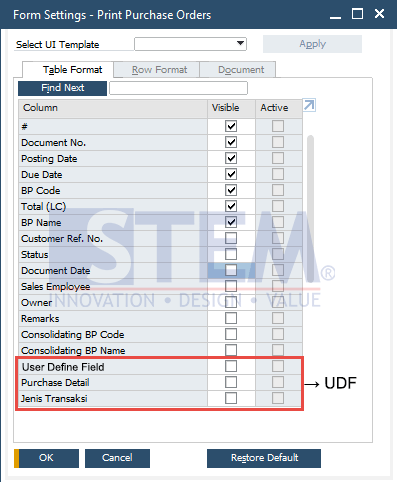
SAP Business One Tips – Document Printing Enhancement in SAP Business One 10
Notes : This feature only available in SAP Business One version 10
Also read relevant SAP Business One Tips:
- Efficient Document Printing in SAP Business One
- How to Print SAP Business One Documents Automatically
- How to Create Down Payment in SAP Business One
- SAP B1: How to Display Canceled & Cancellation Watermarks
- Change CPL Display by Toggling Display Description SAP B1
- Fix “G/L Account Needs DR Assignment” Error in SAP B1