December 18, 2017
Open Item List Reports as one of the most viewed reports in SAP Business One, comes with a lot of enhancement on SAP version 9.2 patch level 05. Now, you can easily cancel or close multiple documents at once by…
Sales-AR
SAP Business One: 600+ Free Tips to Become SAP B1 a Super User from Sterling Tulus Cemerlang (STEM)
December 18, 2017
Open Item List Reports as one of the most viewed reports in SAP Business One, comes with a lot of enhancement on SAP version 9.2 patch level 05. Now, you can easily cancel or close multiple documents at once by…
December 7, 2017
SAP Business One allows you to plan, execute, maintain, or track your marketing campaign. It’s easy to do with these 3 simple steps. Planning You need to create and maintain your specific target group which consist of lead/ customers that…
November 11, 2017
Usually you may create the return document based on a previous document, such as delivery. But, sometimes on your daily sales process, you need to add Good Return documents without based document in case that’s already created from a very…
September 28, 2017
On your daily routine, sometimes creating multiple Sales Quotations may consume a lot of your time. Especially on a case when that Sales Quotation documents are already closed, but you need it again for create another (new) Sales Order based…
September 22, 2017
No need to always remembering your routine transactions. Let SAP Business One handle it. If you have one or more transactions that always occurs in a certain of time (for example weekly or monthly), you can create a document or…
September 12, 2017
In business, things might happened after you deliver items to customer, you need to create a credit memo for that delivery but without the items returned to you. For this scenario, you can create a Credit Memo document, with the…
August 10, 2017
You have an agreement with Vendor or your Customer ? Don’t worry. SAP Business One has prepare a document called Blanket Agreement to record your agreement. You can use it to record agreement with your vendor or your customer and all documents…
June 2, 2017
When we do business with our customer, we prepare a price list to be use when we sell some products to them. You can assign the price list to a specific customer in Business Partner Master Data, in Payment Terms…
May 15, 2017
When you do business with your customers, some of them don’t allow you to do partial delivery. There are 2 options to prevent this kind of errors when delivering goods to the customer. One of them is by using the feature…
March 30, 2017
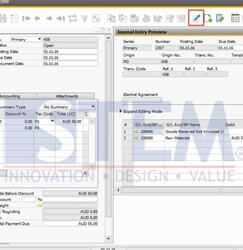
First time using a SAP Business one and totally afraid make an error when inputting transaction? Just use Icon Journal Entry preview (see red box screenshot below) before you add the transaction to avoid a mistake such as wrong Account,…
November 26, 2016
Supplier’s invoice sometimes not comes in details. It’s only show the qty, unit price and the total price, while we need to see the discount percentage. To help you with that, SAP Business One has the ability to calculate the…
October 21, 2016
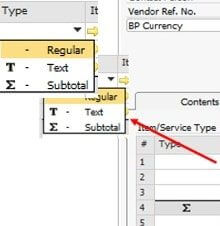
Do you know, if we can add subtotal and or text for additional remarks in All Marketing document SAP Business One with item type by choosing type in line item? For example: Purchase order – item type as below T:…
September 19, 2016
In SAP Business One, we can create procurement document (Purchase Request, Purchase Quotation, Purchase Order or Production order), based on sales document (sales quotation or sales order) For Example: Because of system behaviour then in every sales order or quotation…
July 18, 2016
Another helpful feature from SAP Business One is “Relationship Map”. This feature allows you to see what other document related to your document, or how far your document has been processed. To use this feature, right click on an open…
copyright © 2016 Sterling Tulus Cemerlang - SAP Indonesia Gold Partner . all rights reserved