You have an agreement with Vendor or your Customer ? Don’t worry. SAP Business One has prepare a document called Blanket Agreement to record your agreement.
You can use it to record agreement with your vendor or your customer and all documents related to your agreement..
To access the menu, go to Purchasing – A/P – Purchase Blanket Agreement or Sales – A/R – Sales Blanket Agreement.
Below is the example of Purchase Blanket Agreement usage.
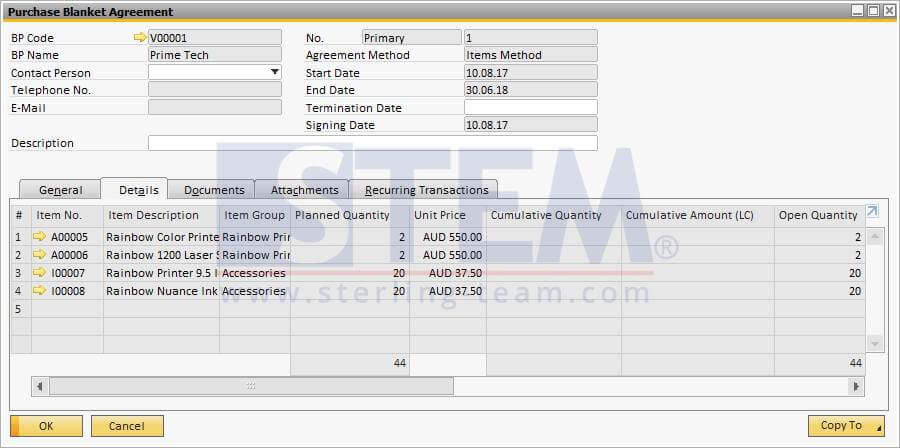
Fig 01. Purchase Blanket to record your agreement with vendor
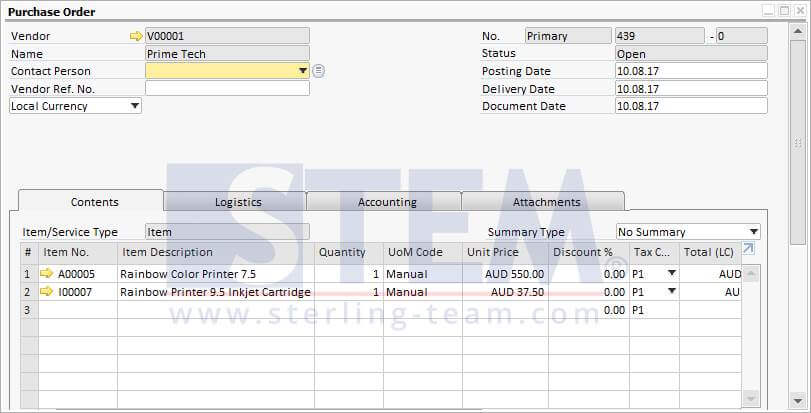
Fig 02. Purchase Order Document related to Purchase Blanket Agreement was created
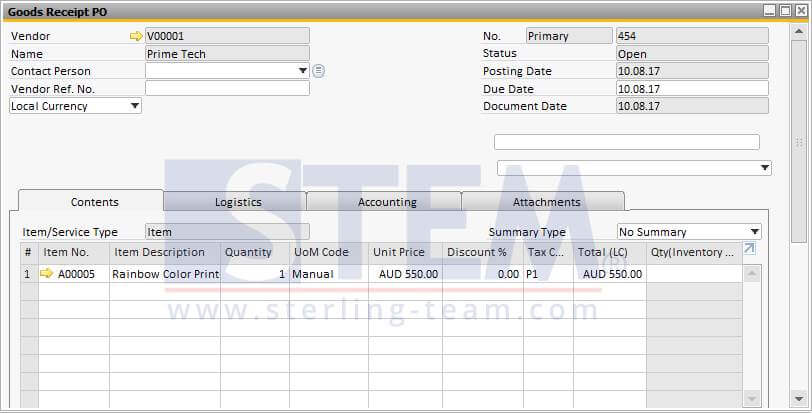
Fig 03. Goods Receipt from PO in Fig 02.
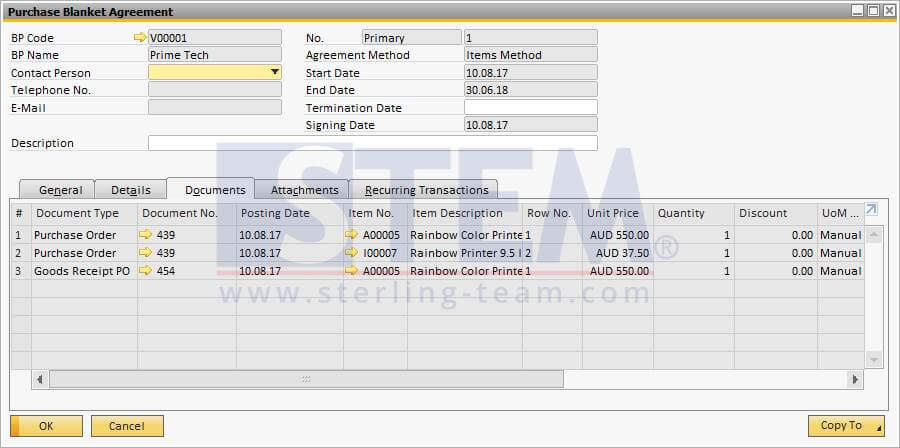
Fig 04. All documents related to the agreement will be shown in “Documents” tab of Blanket Agreement