
In SAP Business One, the A/P Invoice or A/R Invoice document contains a Balance Due Field which informs you how much the remaining bill has not been paid.
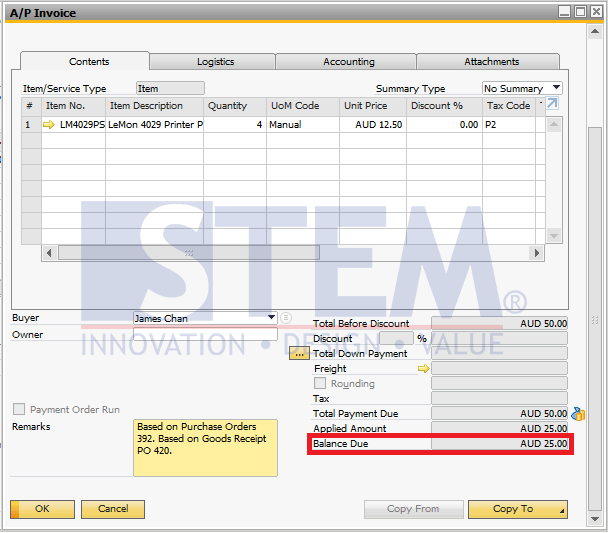
SAP Business One Tips – Balance Due Field on Invoice
So, if you are currently making a custom report for the remaining accounts payable and receivable but confused about how to get the balance due value in the database?
To get Balance Due Value, you can use the following Query:
SELECT (DocTotal - PaidToDate) as 'Balance Due' FROM OINV  -- A/R Invoice Document

SELECT (DocTotal - PaidToDate) as 'Balance Due' FROM OPCH  -- A/P Invoice Document
Remarks:
- DocTotal is the total invoice value on the document.
- PaidToDate is the bill value that has been paid on the document.
- Balance due is the remaining bill that has not been paid.
- The Balance Due Value = DocTotal – PaidToDate.
Hopefully, this article can help you create a custom report for the remaining accounts payable and receivable.