If you look closely on Sales Order table detail (RDR1), there are multiple columns that show about your quantities. Sometimes it will make you confused, what’s the differences between that columns.
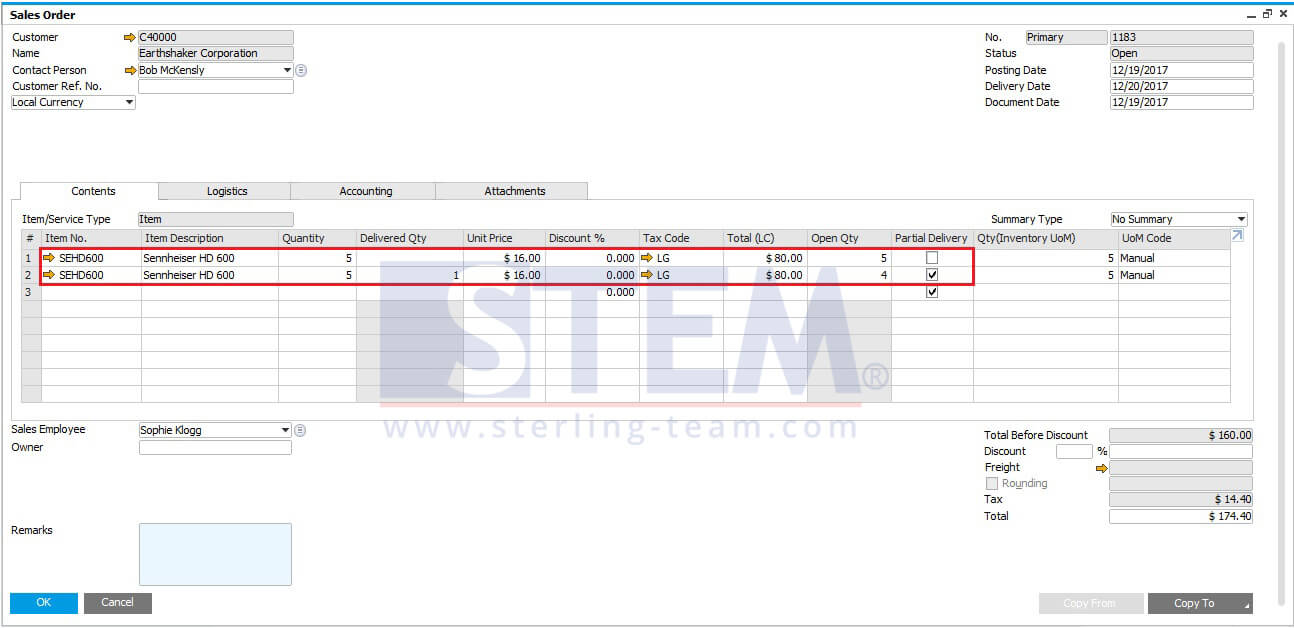
Backorder Qty always showing the open quantities of your Sales order.
An Open Qty column with Partial Delivery option unticked (no backorder) will have the ‘Quantity’ field always equal the ‘Open quantity’ field. If the row is backordered, then these 2 fields will NOT be equal.
On Backorder Report under the Sales Reports menu:
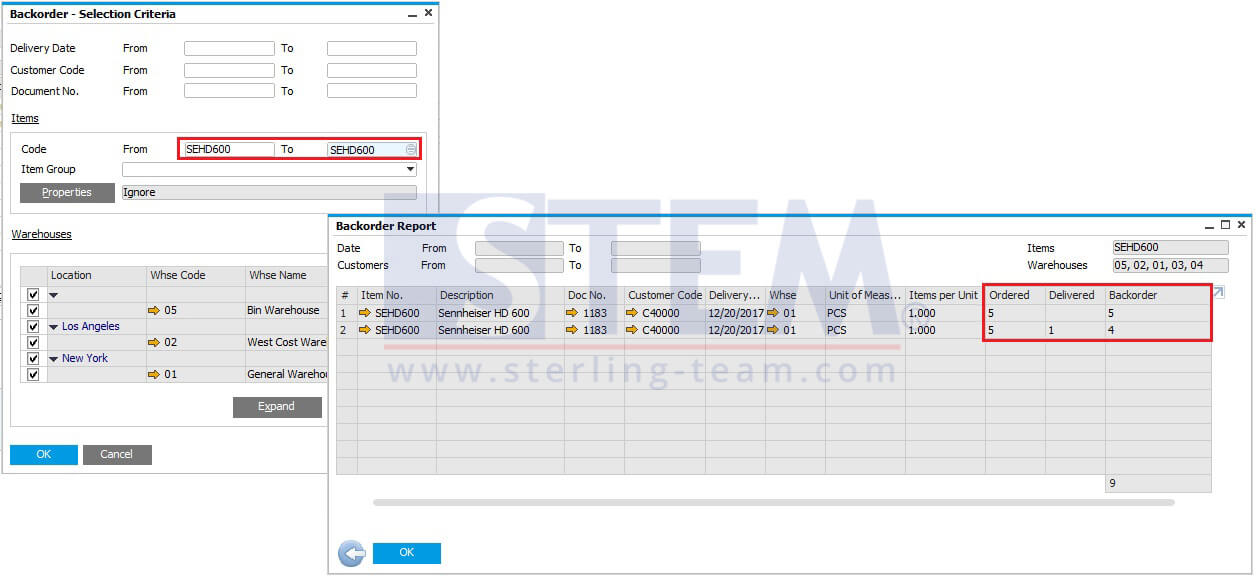
You could also look at the ‘Delivered quantity‘. If there is a qty in the ‘delivered quantity’ column and the row is open (not disabled), then it is a backorder.
Also read relevant SAP Business One Tips:
- How to Show Draft No. Column in Document Drafts Report
- Optimize Marketing Docs with SAP Row Details Feature
- Use Multiple Currencies in SAP B1 Header & Rows
- Ctrl+Tab Function in SAP Business One Warehouse
- AI Insight for SAP Business One to Read Reports Smarter
- Variance Report in SAP Business One Production